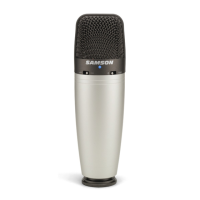
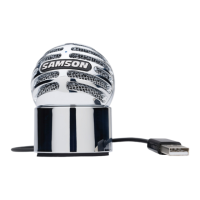
Operating
the
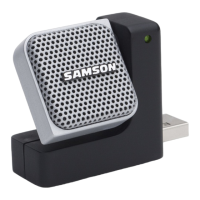
Go Mic
will
get
the best frequency response, however when you start pointing the
microphone
slightly away (off
axis)
you
will
notice the high frequency response
dropping
off
and the microphone will
start
to
sound
like
it
has
more
bass
and
less
highs.
For
most
vocal applications you'll
want
to
position the microphone directly
in front
of
the
artist
about
4
to
18
inches.
If
you
are
close
miking a
vocal,
set the microphone
to
a
slight angle
to
reduce p-popping. The same may be true for miking instruments,
however, you
can
make some pretty amazing equalization adjustments by
slightly
changing the
angle
of
the
capsule
to
the sound source. This
can
be a very useful
technique in capturing
the
optimum
sound
of
drum
set, acoustic guitar, piano or other
instruments in a
live
room or sound stage. Experimentation and experience are the
best teachers in
getting
good sounds,
so
plug
in!
P-Popping
P-popping
is
that
annoying
pop
that
you
can
get
when the microphone diaphragm
gets a
blast
of
air from a
vocalist
pronouncing words
with
the
letter "P" included.
There
are
a few ways
to
deal
with
the problem including
using
an
external
pop
filter. Some
famous engineers have relied
on
an
old nylon stocking over a bent clothes
hanger,
which actually
works very well.
As
mentioned above, you
can
also
try
placing
the
microphone slightly
off
axis (on a
slight angle)
from the
vocalist.
This
can
often
solve
the
problem
without
using
an
external
pop
filter. However, the
simplest,
most
reliable
way
to
reduce P-popping
(without
the bad
smell
of
old nylons)
is
to
use
a
pop
filter
attached the microphone stand
like
the
Samson
PS-01.
Using a
pop
filter also makes
it
easy
to
maintain a good level
by keeping
the
vocalist
at a constant distance from the
microphone.
17



 To Next Page