26
ENG
The following settings can be adjusted to suit your personal
preferences.
◆ Blue Screen
If no signal is being received or the signal is very weak,
a blue screen automatically replaces the noisy picture
background. If you wish to continue viewing the poor
picture, you must set the “Blue Screen” mode to “Off”.
◆ Low Noise AMP
This function is very useful in the situation that the TV is
used in weak signal. LNA amplifies the TV signal in the
weak signal area, but not noise. This feature is working
only weak signal condition, and that is memorized on
current channel, additional.
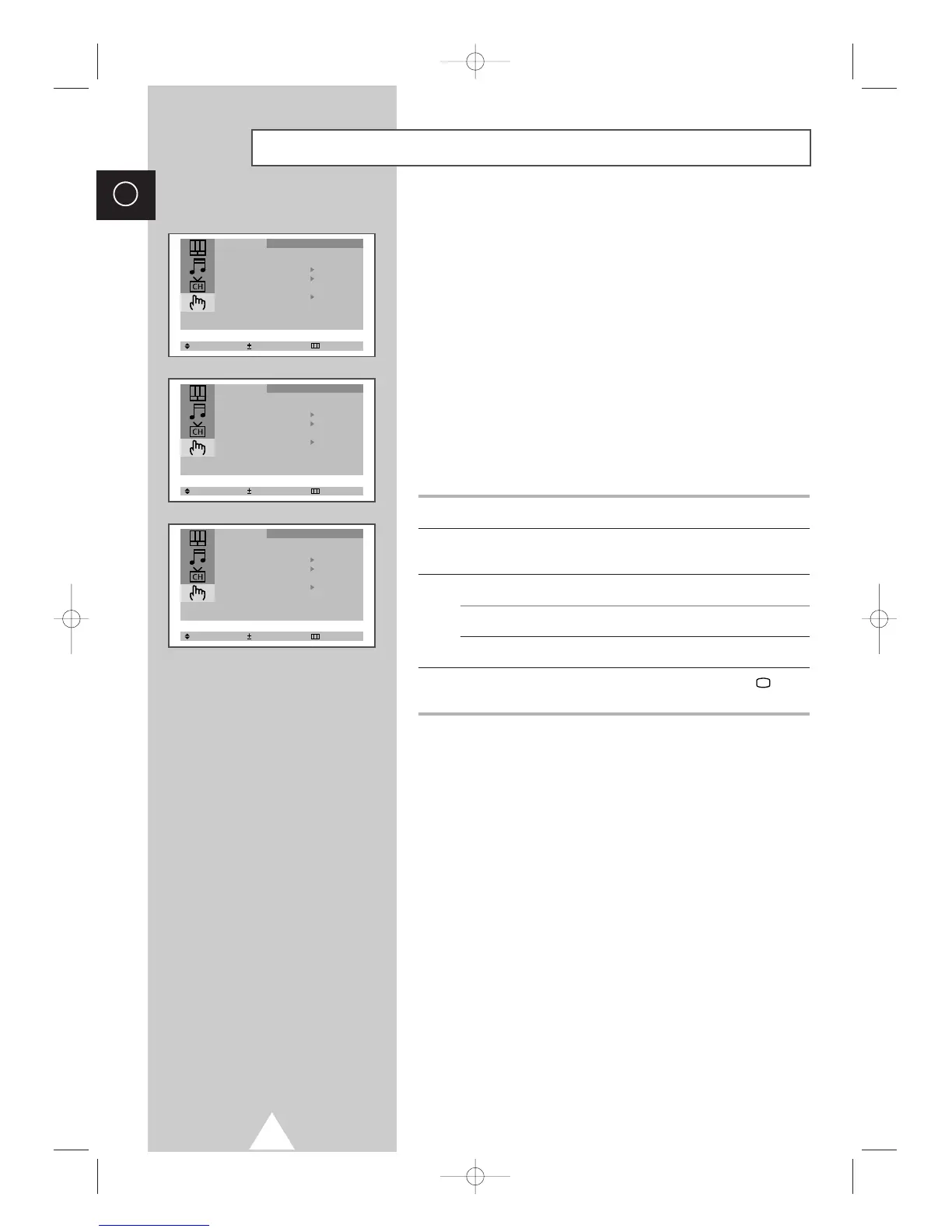
1 Press the MENU button.
2 Press the ▲ or ▼ button to select the “Function” and press the + or
– button.
3 To... Press the...
Change an option ▲ or ▼ button.
Select the required option (On/Off) + or – button.
4 When you are satisfied with the settings, press the TV button
or, press the MENU button repeatedly to return to normal viewing.
Extra Function Settings (depending on the model)






 To Next Page