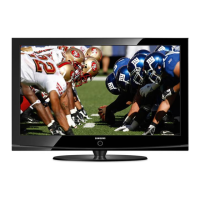
1. Accessories and Cables
Accessories
The following accessories are included with your TV:
• Remote Control (AA59-00600A) & Batteries (AAA x 2)
• Warranty Card / Safety Guide
• Owner’s Guide
• Quick Start Guide
• Wire-Holder Stand (BN61-05491A)
• Power Cord
Input Cables (Sold Separately)
You will need one or more of theses cables to connect your TV to your antenna or cable outlet and your peripheral
devices (Blu-ray players, DVD players, etc.)
• Audio
• HDMI
• HDMI-DVI
• Component
• Composite (AV)
• Coaxial (RF)
✎ Make sure you have the correct cable before plugging it in. Illustrations of common plugs and jacks are below.
Cable Plugs Ports/Jacks
HDMI
USB
Optical
Do not plug a cable in upside down.
Make sure the orientation of the plug is correct before plugging it in.
LED TV
quick start guide
BN68-04501A-00

 Need help?

 To Next Page
 General