Using
Motion
Sensor Control
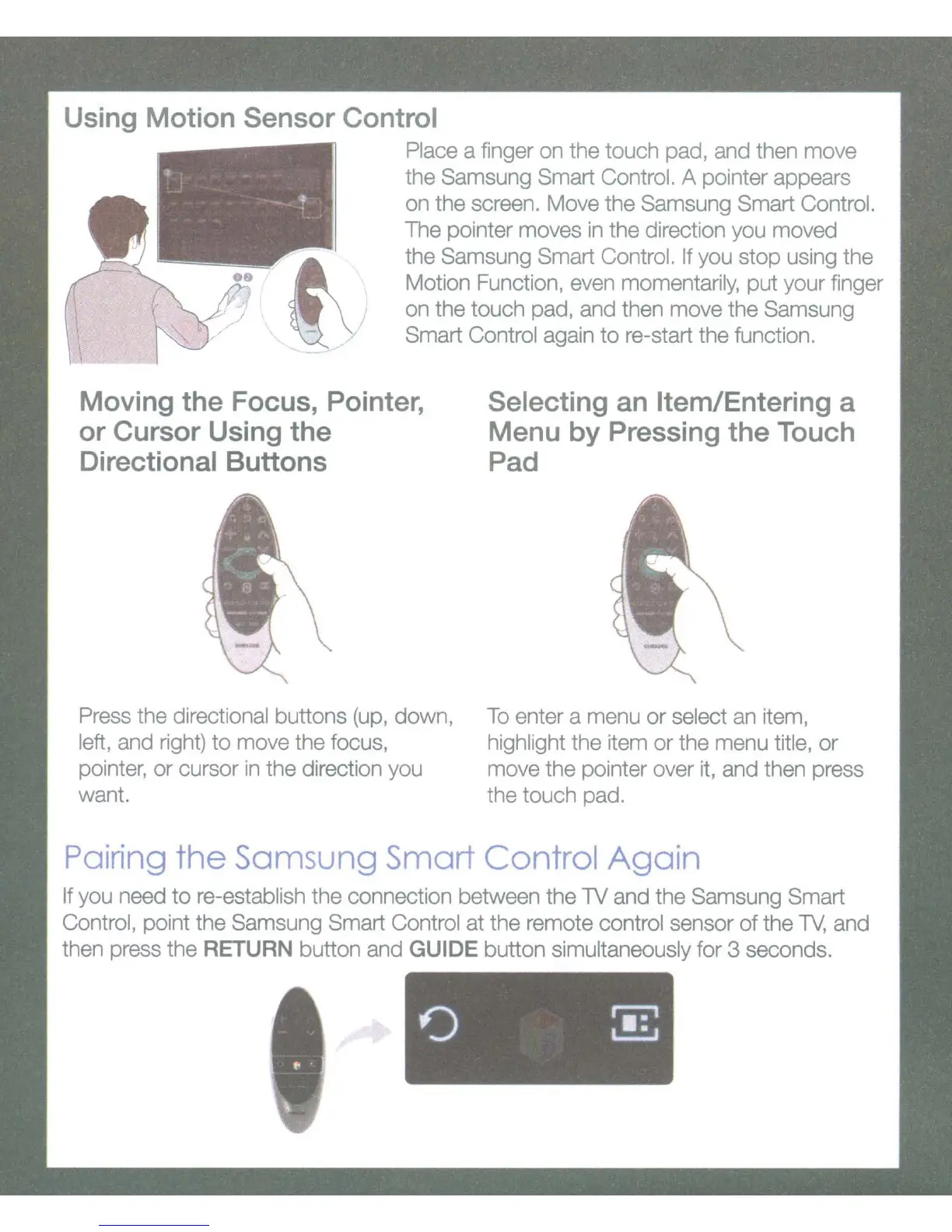
Place a finger on the touch pad, and then move
the Samsung Smart Control. A pointer appears
on
the screen. Move the Samsung Smart Control.
The pointer moves
in
the direction you moved
the Samsung Smart Control. If you stop using the
Motion Function, even momentarily, put your finger
on
the touch pad, and then move the Samsung
Smart Control again
to
re-start the function.
Moving
the
Focus, Pointer,
or
Cursor
Using
the
Directional
Buttons
Press the directional buttons (up, down,
left, and right)
to
move the focus,
pointer,
or
cursor
in
the direction you
want.
Selecting an Item/Entering a
Menu
by
Pressing
the
Touch
Pad
To
enter a menu
or
select an item,
highlight the item
or
the menu title,
or
move the pointer over it, and then press
the touch pad.
Pairing
the
Samsung Smart Control
Again
If you need
to
re-establish the connection between the
lV
and the Samsung Smart
Control, point the Samsung Smart Control at the remote control sensor
of
the
lV,
and
then press the RETURN button and GUIDE button simultaneously for 3 seconds.









 To Next Page