Warnning
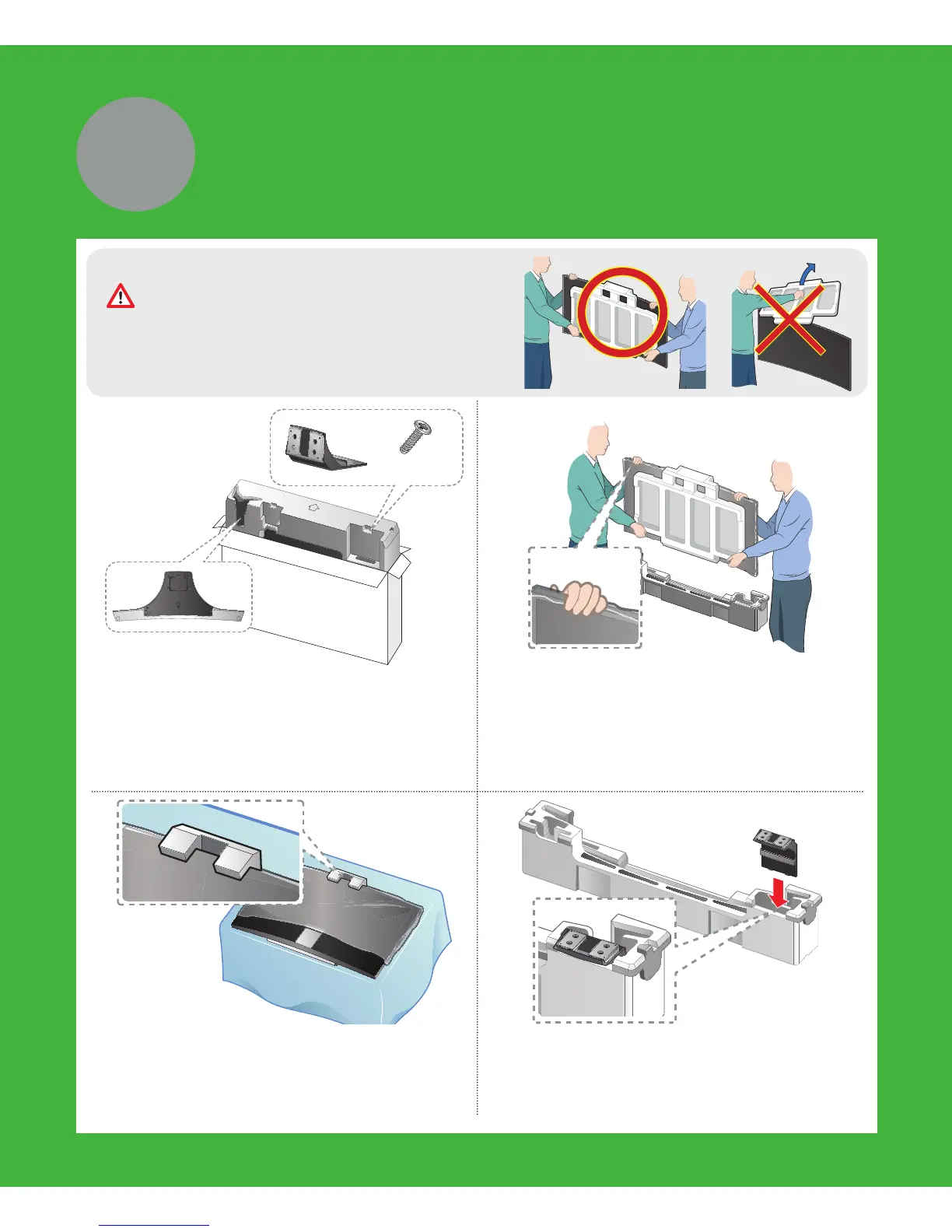
Do not remove the Styrofoam on the front
of TV screen.
x8
(M4 X L12)
1 Locate the Base, Stand Mount, and
Screws in the box and set them aside.
✎
Remove the top portion of the
box to locate the stand parts.
2 With another person, hold the TV by its
edges, and then remove it completely
from the box.
3 Place the TV on a soft surface, screen
side down. Use the Styrofoam to
protect the screen.
4 As shown in the diagram, attach the
Stand Mount to the Styrofoam holder
at the bottom of the TV.
2
Assemble


 To Next Page
 Loading...