3
Connect
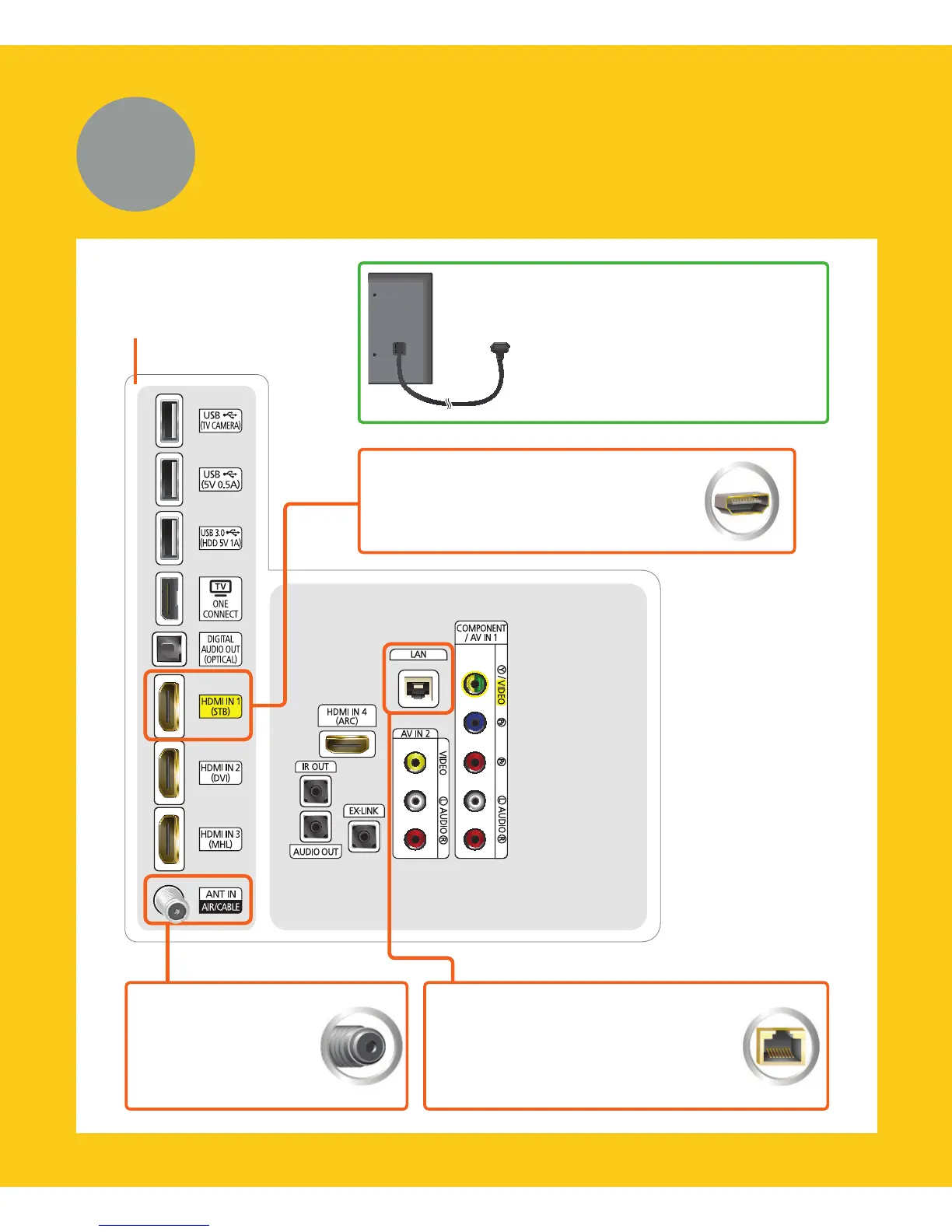
After you have connected all
your external devices, plug the
TV’s power cord into the back
of the TV. DO NOT plug it into
a wall outlet until you have
reached Section 7, Initial Setup.
Connection panel on
the back of the TV
Internet
Connect here with an Ethernet
cable or wirelessly later during
the Initial Setup.
TV signal
Connect your
coaxial cable to the
Antenna In port.
Cable/Satellite/DVR
Connect your Cable box or digital
video recorder with an HDMI cable.
* Recommended Connections




 To Next Page