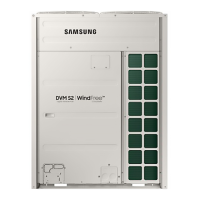
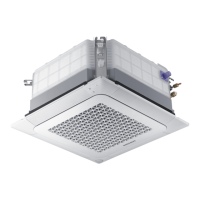
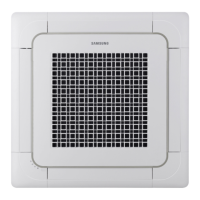
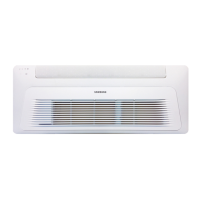
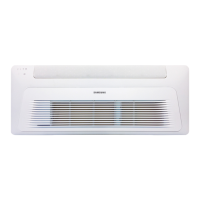
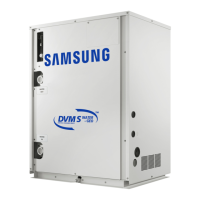
This document is a user manual for a Samsung Air Conditioner, specifically models AM***TNVD** and AM***TNQD**. It provides essential information for installation, operation, and maintenance of the appliance.
Function Description
The Samsung Air Conditioner is designed to regulate indoor temperature and humidity, offering cooling, heating, and drying modes. It features a WindFree panel for enhanced comfort and airflow control. The unit is intended for residential and commercial use, with specific warnings against installation in environments requiring a thermo-hygrostat (e.g., server rooms) due to potential performance degradation. The product incorporates a biocide substance, Silver zinc zeolite, for antimicrobial function.
Important Technical Specifications
The manual includes detailed technical specifications for various models, categorized by "CLIMATES CLASS" (T1, T3) and "RATED VOLTAGE & FREQUENCY" (220-240 V~50/60Hz). Key specifications provided are:
- RATED CURRENT: Varies by model and operation mode (Cooling, Heating(H1)). For example, AM015TNQDKH has a cooling current of 0.13 A (T1/T3) and heating current of 0.13 A. Larger models like AM082TNQDKH have a cooling current of 0.43 A (T1/T3) and heating current of 0.43 A.
- RATED POWER INPUT: Also varies by model and operation mode. For instance, AM015TNQDKH consumes 20 W for both cooling and heating (T1/T3), while AM082TNQDKH consumes 65 W for both cooling and heating (T1/T3).
- NET WEIGHT: Ranges from 9.0 kg for smaller models (e.g., AM015TNQDKH) to 13.0 kg for larger models (e.g., AM082TNQDKH).
- DIMENSIONS OF THE UNIT [WxHxD]: Two main sizes are listed: 820 X 299 X 215 mm for smaller models and 1055 X 299 X 215 mm for larger models.
- COUNTRY OF ORIGIN: All listed models are "MADE IN THAILAND."
Operation Ranges:
The air conditioner operates within specific temperature and humidity ranges for optimal performance:
- COOLING: Indoor temperature 18 °C to 32 °C, Outdoor temperature depends on outdoor unit specifications, Indoor humidity 80% or less. Exceeding these conditions can lead to condensation and water dripping.
- HEATING: Indoor temperature 27 °C or less, Outdoor temperature depends on outdoor unit specifications. Internal protection triggers and the air conditioner will stop if conditions are outside the range.
- DRYING: Indoor temperature 18 °C to 32 °C, Outdoor temperature depends on outdoor unit specifications, Indoor humidity 80% or less. Similar to cooling, condensation may occur if conditions are exceeded.
- Note: The standardized temperature for heating is 7 °C. Heating capacity may be reduced if outdoor temperature drops to 0 °C or below. Cooling operation at over 32°C (indoor temperature) will not operate at full capacity.
Usage Features
The indoor unit features include:
- Air intake and air filter.
- WindFree panel and airflow blades (up and down, left and right) for directing air.
- A power button/remote control receiver and a room temperature sensor.
- A display showing temperature (numeric), filter reset indicator (CF), auto clean indicator (C1), defrost indicator (dF), timer indicator, and good'sleep indicator.
The manual emphasizes several safety precautions for usage:
- Do not operate the appliance if it is flooded, generates strange noises, burning smells, or smoke; immediately cut power and contact service.
- In case of a gas leak, ventilate immediately without touching the power line or appliance.
- Do not touch the circuit breaker with wet hands or turn off the air conditioner with the circuit breaker during operation.
- Keep packaging materials away from children to prevent suffocation.
- Avoid touching the front panel during heating operation to prevent burns.
- Do not insert fingers or foreign substances into air inlet/outlet.
- Do not strike or pull the air conditioner with excessive force.
- Do not place objects near the outdoor unit that allow children to climb.
- Avoid prolonged use in badly ventilated locations or near infirm people; open a window at least once an hour.
- Do not attempt to repair, disassemble, or modify the appliance yourself.
- Do not drink water from the air conditioner.
- Handle remote control batteries carefully; keep them out of reach of infants and avoid skin contact with battery fluid.
- Do not touch connected pipes to prevent burns.
- Do not use the air conditioner to preserve precision equipment, food, animals, plants, or cosmetics.
- Avoid directly exposing humans, animals, or plants to the airflow for long periods.
Maintenance Features
The manual provides detailed instructions for cleaning and periodical checks:
- Cleaning the outside of the indoor unit: Turn off, disconnect power, and clean with a soft brush or tepid damp cloth. Avoid spraying water directly, and do not use harsh chemicals like benzene, thinner, alcohol, or acetone.
- Cleaning the filter: Clean every two weeks or when the "CF" indicator appears.
- Slide the filter off.
- Remove dust with a soft brush or vacuum cleaner.
- Soak in water and mild detergent for 30 minutes.
- Rinse and air dry in a well-ventilated area away from direct sunlight.
- Reinstall the filter.
- Reset the filter-cleaning reminder using the remote control (Options > Select Filter Reset > SET).
- Caution: Do not damage the filter, scrub with a hard-bristle brush, or expose to direct sunlight.
- Cleaning the WindFree panel: Clean at least once a month.
- Pull the airflow blade open.
- Hold and pull both sides of the WindFree panel until it detaches.
- Use a soft brush or vacuum cleaner to remove dust.
- Hang the panel in the bottom left and right grooves.
- Align projections with grooves at the top, middle, and bottom of the front panel.
- Press the panel at the top 4 and bottom 3 places to ensure no gap.
- Caution: Attaching the WindFree panel without the airflow blade open may obstruct it.
- Maintaining the Air Conditioner (for extended non-use):
- Dry the unit by operating in Fan mode for 3-4 hours, then disconnect power.
- Before re-use, run in Fan mode for 3-4 hours to remove odors.
- Periodical checks: A chart outlines maintenance frequency:
- Monthly: Clean air filter.
- Every 4 months: Replace remote control batteries, clean heat exchanger on the outside of the unit.
- Once a year: Clean condensate drain pan, thoroughly clean heat exchanger, clean condensate drain pipe, clean heat exchanger on the inside of the unit, clean electric components with jets of air, verify electric components are firmly tightened, clean fan, verify fan assembly is firmly tightened, clean condensate drain pan.
- Note: Operations marked (1) should be done more frequently in dusty areas. Operations marked (2) must be performed by qualified personnel (refer to Installation Manual for details).
- Internal protections: The unit has a control system for internal faults:
- Against cold air: Internal fan turns off during heat pump heating.
- De-ice cycle: Internal fan turns off during heat pump heating to remove frost from the outdoor unit at low temperatures. This may generate strange sounds, which is normal.
- Protect compressor: Prevents immediate startup to protect the outdoor unit's compressor.
Troubleshooting
The manual includes a troubleshooting guide for common issues:
- Air conditioner not operating immediately after restart: Due to protective mechanism; unit will start in 3 minutes.
- Air conditioner not working at all: Check power plug, circuit breaker, power failure, or blown fuse.
- Temperature not changing: Check if Fan mode is selected, set temperature is appropriate, or air filter is blocked. Wait 3 minutes if just turned on.
- Cool/warm air not coming out: Check set temperature, air filter, or wait 3 minutes if just turned on.
- Fan speed not changing: Check if Auto or Dry mode is selected (fan speed adjusts automatically).
- Timer function not set: Ensure the timer and SET buttons were pressed after setting the time.
- Odors in the room: Operate in Fan mode or open windows if running in a smoky area or if outside smells are entering.
- Bubbling sound: Normal refrigerant circulation sound.
- Water dripping from airflow blades: May occur if cooling for an extended period with blades pointed downwards, due to condensation.
- Remote control not working: Check depleted batteries, correct battery installation, blocked sensor, or strong lighting apparatus interfering with electric waves.



 To Next Page

 General