
 Need help?
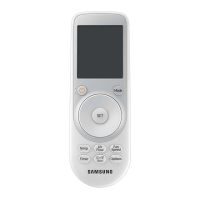
Do you have a question about the Samsung AR-KH03E and is the answer not in the manual?
Covers warnings and cautions related to product installation procedures.
Covers warnings and cautions related to operating the air conditioner.
Lists all items included in the air conditioner product package.
Step-by-step guide for inserting batteries into the remote control.
Instructions for mounting the remote control holder on the wall.
Guide to changing between Auto, Cool, Dry, Fan, and Heat modes.
Steps to adjust the set temperature for different operating modes.
How to select and adjust the fan speed for optimal airflow.
Instructions on how to adjust the direction of the air flow.
Steps for using the Cool mode and tips for comfort and energy saving.
Guide on operating the air conditioner in Dry mode for dehumidification.
How to activate the air purification feature for cleaner air.
Steps for operating the air conditioner in Heat mode.
Automatic operation mode that optimizes comfort and efficiency.
Operating the unit as a fan to provide a natural breeze.
How to individually adjust the air flow direction of each outlet.
Energy-saving sleep mode that automatically adjusts settings for comfort.
Customizing the display lights and indicators on the indoor unit.
Enabling or disabling the beep sound confirmation for button presses.
Self-cleaning feature to remove moisture and prevent internal growth.
Resetting the reminder after cleaning or replacing the air filter.
Selecting and operating specific indoor units in a multi-unit system.
How to connect and manage the air conditioner via Wi-Fi.
Indirect airflow based on room occupancy for comfort.
Direct airflow towards detected occupants for targeted cooling.
Setting automatic on and off times for energy efficiency.
Guidelines for environmentally safe disposal of electronic equipment.
Guidelines for proper and safe disposal of product batteries.
 General
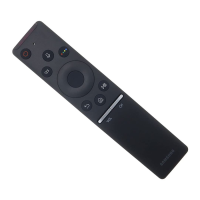
| Brand | Samsung |
|---|---|
| Model | AR-KH03E |
| Type | Remote Control |
| Power Source | Battery |
| Battery Type | AAA |
| Number of Batteries | 2 |
| Buttons | Multiple |
| Infrared | Yes |





 To Next Page