EasyManua.ls Logo

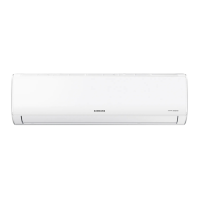
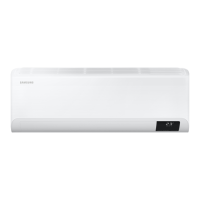
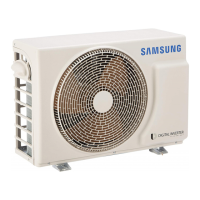
Samsung AR09TXHQBWKNEU - User Manual

Samsung AR09TXHQBWKNEU
240 pages
Print Icon
To Next Page IconTo Next Page
Loading...
AR09TXHQASINEU AR09TXHQBWKNEU AR12TXHQASINEU AR12TXHQBWKNEU
AR18TXHQASINEU AR18TXHQBWKNEU AR24TXHQASINEU AR24TXHQBWKNEU

Table of Contents

Questions and Answers

  • J
    John PetersonAug 8, 2025
    Why is my Samsung AR09TXHQBWKNEU Air Conditioner not cooling properly?
    • D
      Deanna LiuAug 8, 2025
      If your Samsung Air Conditioner isn't cooling well, try these steps: * Lower the temperature setting. * Clean the heat exchanger on both the indoor and outdoor units. * Clean the air filter after removing it. * Ensure that nothing is blocking the air inlet or outlet; turn the unit off before removing any obstructions, then turn it back on. * Close all doors and windows. * Close windows and curtains to reduce heat from sunlight. * Reduce the number of heat sources in the room. * Check for refrigerant leaks and refill if necessary. * Turn off the SILENCE function, if it's on.
  • H
    herreraclaytonAug 15, 2025
    What to do if my Samsung Air Conditioner is not working?
    • D
      Denise HernandezAug 15, 2025
      If your Samsung Air Conditioner isn't working, here's what you can check: * Wait for the power to be restored in case of a power failure. * Make sure the power is turned on. * Replace the fuse if it's burned out. * Replace the remote control batteries. * Wait three minutes if the unit’s 3-minute protection has been activated. * Turn off the timer if it's activated.
  • V
    villarrealerinAug 23, 2025
    Why does my Samsung AR09TXHQBWKNEU Air Conditioner start and stop frequently?
    • M
      Matthew RodriguezAug 23, 2025
      If your Samsung Air Conditioner starts and stops frequently, it could be due to several reasons: * There might be too much or too little refrigerant in the system. Check for leaks and recharge the system. * Incompressible gas or moisture might have entered the system. Evacuate and recharge the system with refrigerant. * The compressor might be broken and needs replacement. * The voltage might be too high or too low. Install a manostat to regulate the voltage.
  • D
    David MendozaAug 31, 2025
    How to improve heating performance of my Samsung AR09TXHQBWKNEU?
    • D
      Daniel BallAug 31, 2025
      If your Samsung Air Conditioner isn't heating well, consider these factors: * If the outdoor temperature is extremely low, use an auxiliary heating device. * Ensure all doors and windows are closed to prevent cold air from entering. * Check for refrigerant leaks and refill if necessary.

Summary

Installation Manual

Accessories

Lists and describes the parts included with the air conditioning system for installation.

Installation Summary - Indoor Unit

Step-by-step visual guide for the indoor unit installation process.

Unit Parts

Identifies and illustrates the various components of the indoor and outdoor units.

Indoor Unit Installation

Detailed instructions for selecting the location and mounting the indoor unit.

Outdoor Unit Installation

Guidelines for selecting the location and anchoring the outdoor unit.

Refrigerant Piping Connection

Procedures for cutting, flaring, and connecting refrigerant pipes for optimal performance.

Air Evacuation

Steps for evacuating the refrigerant circuit to remove non-condensable gas and moisture.

Electrical and Gas Leak Checks

Procedures for verifying electrical safety and checking for refrigerant leaks before operation.

Test Run

Instructions for performing a test run to ensure proper operation of all functions.

Safety Precautions

WARNINGS FOR PRODUCT USE

General safety guidelines for using the air conditioner, including handling abnormal situations and physical safety.

CLEANING AND MAINTENANCE WARNINGS

Safety precautions to follow before cleaning or performing maintenance on the unit.

ELECTRICAL WARNINGS

Critical safety information regarding electrical connections, wiring, and power supply.

WARNINGS FOR PRODUCT INSTALLATION

Safety guidelines and precautions for the installation process of the air conditioner.

User Manual

Unit Specifications and Features

Details about the indoor unit display indicators and various operational features.

Operating temperature

Specifies the acceptable temperature ranges for COOL, HEAT, and DRY modes for optimal performance.

Other Features

Describes additional functions like Auto-Restart, Anti-mildew, Wireless Control, and Sleep Operation.

Setting Angle of Air Flow

Instructions on how to adjust the vertical and horizontal airflow direction.

Manual Operation (without remote)

Guide on how to operate the unit manually using the control button on the indoor unit.

Care and Maintenance

Cleaning Your Indoor Unit

Steps for cleaning the indoor unit's exterior and air filters.

Maintenance - Long Periods of Non-Use

Procedures for preparing the unit for extended periods of inactivity.

Maintenance - Pre-Season Inspection

Checks to perform before seasonal use or after long periods of non-use.

Troubleshooting

Common Issues

Lists common problems and their possible causes, like unit not turning on or emitting mist.

Poor Cooling Performance

Addresses issues related to poor cooling and provides solutions like cleaning or checking refrigerant.

Unit Not Working; Frequent Stops

Diagnoses and solutions for the unit not starting or stopping intermittently.

Poor Heating Performance; Indicator Lamps

Troubleshooting for heating issues, flashing indicators, and error codes.

Impedance Information

Appliance Impedance Specifications

Details system impedance limits for specific appliance models.

Remote Manual

Remote Controller Specifications

Provides technical specifications for the remote controller, including model and range.

Operation buttons

Explains the function of each button on the remote controller.

Indicators on LCD

Describes the meaning of various indicators displayed on the remote control's LCD screen.

How to use the buttons

Guides on operating the air conditioner using auto, cooling, heating, fan, and dehumidifying modes.

Timer operation

Instructions on setting auto-on and auto-off timers for the air conditioner.

Handling the remote controller

Tips on proper usage, placement, and care of the remote controller.

Replacing batteries

Steps for replacing the batteries in the remote controller and important cautions.

Samsung AR09TXHQBWKNEU Specifications

General IconGeneral
Cooling Capacity9000 BTU/h
Energy Efficiency Class CoolingA++
RefrigerantR32
Weight (Indoor Unit)8.5 kg
Power Supply220-240 V, 50 Hz
TypeSplit
Noise Level (Indoor)19 dB
FeaturesWi-Fi Control, Turbo Mode

Related product manuals