Need help?
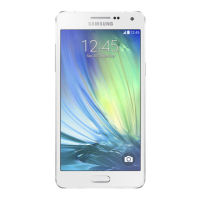
Do you have a question about the Samsung ARRAY and is the answer not in the manual?
Instructions for inserting and securing the battery into the phone's compartment.
Steps to connect the charger and fully charge the phone's battery.
How to power on the Samsung Array phone using the power key.
Optional guide to changing phone language settings to Spanish.
Information and steps for activating the Sprint service on your new phone.
Instructions for dialing and making a phone call from standby mode.
How to accept or reject an incoming phone call.
Options to send calls to voicemail or reply with a text message.
How to silence the phone's ringer during an incoming call.
Steps to save a phone number to your contacts list.
How to search and find saved phone numbers in your contacts.
Guide to creating a new contact with name and phone number.
Instructions for setting up voicemail, password, and greeting.
How to access and listen to voicemail messages.
Step-by-step guide to sending text and picture messages.
Instructions for accessing the internet and browsing websites.
Guide to connecting your phone to social media accounts.
Steps to capture photos using the phone's camera.
Options for sharing photos and videos taken with the camera.
Instructions to register for the service to locate child phones.
Guide on how to track a child's phone location.
Steps to download and set ringtones, wallpapers, and more.
How to manage your Sprint account using the phone.
Contact information for Sprint customer service.
Information on accessing user guides, tutorials, and support.
Details on using the Sprint 411 service for listings and directions.
Information on accessing expanded instructional materials online.
Information about Sprint's environmental initiatives and practices.
 General
| Brand | Samsung |
|---|---|
| Model | ARRAY |
| Category | Cell Phone |
| Language | English |


 To Next Page