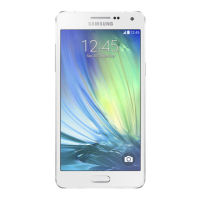
Get Ready
visit sprint.com/support for complete user guide 1d
Get Your Phone Ready
Install the Battery
1. Insert a coin or other flat object into the slot at
the top of the battery compartment cover and lift
the cover up gently.
2. Insert the battery, contacts end first, and gently
press the battery into place.
3. Replace the battery compartment cover, making
sure all the tabs are secure and there are no
gaps around the cover.
Charge the Battery
1. Plug the USB connector into the charger/
accessory jack on the bottom of your phone.
2. Plug the AC adapter into an electrical outlet and
charge your battery. Fully charging a battery may
take up to three hours.
Turn the Phone On
• Press and hold to turn the phone on.
Switch to Spanish Menus (optional)
1. Press > Settings > Others > Language.
2. Highlight Español and press .



 To Next Page