EasyManua.ls Logo

Samsung AS12HPCN - User Manual

Samsung AS12HPCN
77 pages
Print Icon
To Next Page IconTo Next Page
Loading...
THE FEATURE OF PRODUCTAIR CONDITIONER
Energy Saving Function
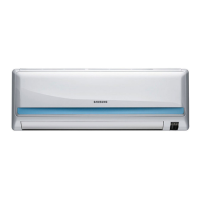
High Impressive & Elegant Design
Excellent Dust Collection Filter
: The metallic dust filter is used.
Multi Functional Cleaning System
: The anti allergy filter and activated deodorizing
filter are adopted.
Human Touch Remote control
SERVICE
Manual
For more information, Please access to our service web site (http://itself.sec.samsung.co.kr)
Basic
: AS12HPCN
Model
:
AS12HM3
Model
:
Model Code :
Model Code :
Model Code :
SPLIT-TYPE AIR CONDITIONER
AS09HPCN/AS12HPCN/AS09HPDN/AS12HPDN
AS09HPCX/AS12HPCX/AS09HPDX/AS12HPDX

Questions and Answers

Summary

1. Precautions

1-1 Installing the air conditioner

Guidelines for safe and proper installation of the air conditioner.

1-2 Power supply and circuit breaker

Requirements for safe electrical connection and circuit protection.

1-3 During operation

Important safety instructions and precautions during unit operation.

1-4 Disposing of the unit

Instructions and considerations for environmentally sound disposal of the unit.

1-5 Others

Additional safety guidelines and operational notes for users.

2. Product Specifications

2-1 The Feature of Product

Highlights key features and benefits of the air conditioner.

2-2 Name of Each Part

Identifies and labels all parts of the indoor and outdoor units.

2-3 Product Specifications

Detailed technical specifications for the air conditioner models.

2-4 The Comparative Specifications of Product

Compares specifications across different product models.

2-5 Accessory and Option Specifications

Lists included accessories and optional items with their details.

3. Alignment and Adjustments

3-1 Error mode and check method

Lists error codes and corresponding checks for troubleshooting.

3-2 Setting Option Setup Method

Procedure for setting various operational options via the remote control.

4. Disassembly and Reassembly

4-1 Indoor Unit

Step-by-step instructions for disassembling the indoor unit.

4-2 Outdoor Unit

Step-by-step instructions for disassembling the outdoor unit.

5. Exploded Views and Parts List

5-1 Indoor Unit

Exploded view diagram and parts list for the indoor unit.

5-2 Outdoor Unit

Exploded view diagram and parts list for the outdoor unit.

5-3 Assy Control In

Exploded view and parts list for the control assembly.

6. Electrical Parts List

7. Wiring Diagram

8. Schematic Diagram

9. Circuit Descriptions

9-1 PCB Circuit Descriptions

Explains the function of different circuit sections on the PCB.

10. PCB Diagram

11. Operating Instruction and Installation

11-1 Main Function

Basic functions of the air conditioner operation modes.

11-1-2 Applied Function

Advanced operational functions like Turbo, Energy Saving, etc.

11-2 Wireless Remote Control-Buttons and Display

Details of remote control buttons and display features.

12. Troubleshooting

12-1 Items to be checked first

Initial checks for common operational issues before diagnosing faults.

12-2-1 No Power (completely dead)-Initial diagnosis

Troubleshooting steps for when the unit does not power on.

12-2-2 When the Outdoor Unit Does Not Operate. (Initial Diagnosis)

Troubleshooting steps for outdoor unit failure to operate.

12-2-3 When the Up;Down Louver Motor Does Not Operate. (Initial Diagnosis)

Troubleshooting steps for louvre motor malfunction.

12-2-5 When the remote control is not receiving

Troubleshooting steps for remote control signal issues.

12-3 PCB Inspection Method

Procedures for inspecting and testing the PCB components.

12-3-4 Temperature Sensor Feature Conversion Table(Room Temperature Sensor); 103 AT

Conversion table for room temperature sensor resistance values.

12-4 Main Part Inspection Method

Methods for inspecting key internal components for faults.

13. Block Diagram

14. Reference Sheet

14-1 Index for Model Name

Guide to understanding model naming conventions and specifications.

14-2 Refrigerant Pressure during the Charging

Recommended refrigerant pressures for charging based on temperature.

14-3 Pressure & Capacity mark

Table showing pressure and capacity markings for the unit.

14-4 Q & A for Non-trouble

Frequently asked questions and answers for common non-trouble issues.

14-5 Cleaning;Filter Change

Instructions for cleaning the air filter and optional filters.

14-6 Installation

Guidelines and procedures for installing the air conditioner unit.

14-7 Installation Diagram of Indoor Unit and Outdoor Unit

Diagrams detailing the installation and connection process.

Samsung AS12HPCN Specifications

General IconGeneral
BrandSamsung
ModelAS12HPCN
CategoryAir Conditioner
LanguageEnglish

Related product manuals