4-8 Samsung Electronics
Disassembly and Reassembly
No. Part name Procedures Remarks
&
*
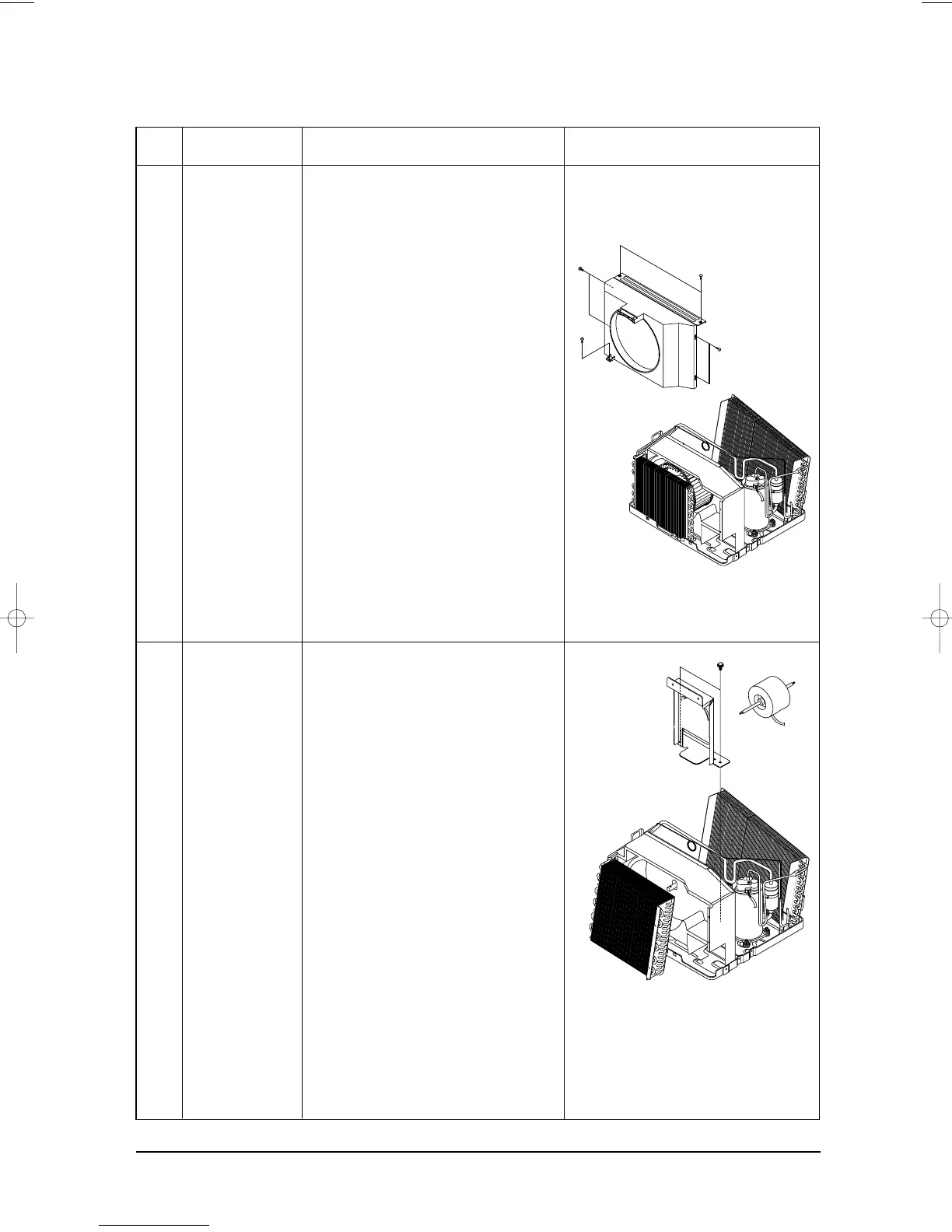
CASE COND
MOTOR
&
the others parts
1. Remove the CASE COND.
1. Remove 4 screws on the MOTOR,
and remove the motor.
2. Remove 4 bolts on the mounter motor,
and remove the mounter motor.
3. Remove the CASE EVAP.
4. Remove 4 screws on the partition.
DB98_04511A(2)-1 2/18/03 4:09 PM Page 4-6



 To Next Page