English 55
07 Network Services
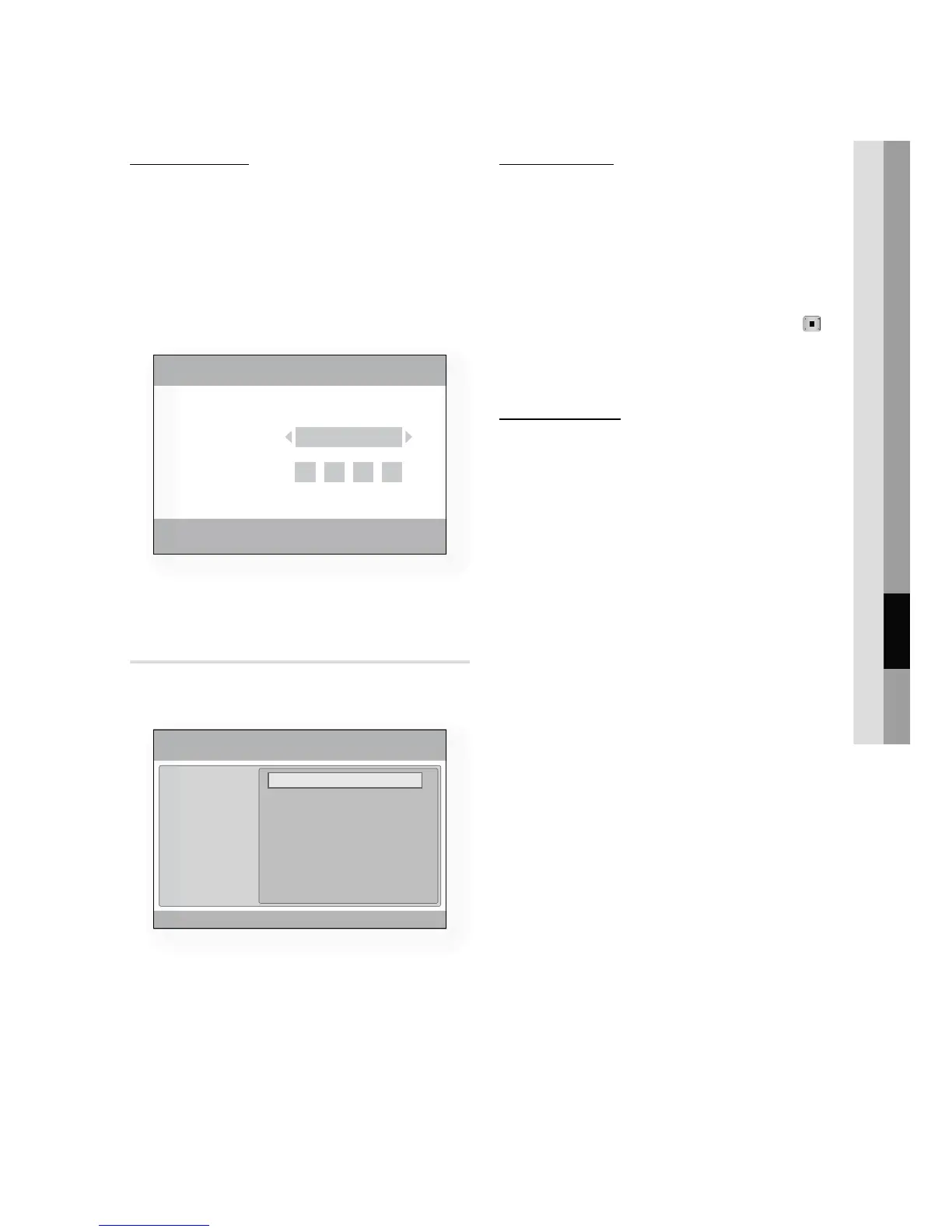
Account Login
For a more enjoyable application experience,
register and log in to your account.
To do this, you must create an account first.
(For instructions on creating an account, refer to
Internet@TV ID on this page)
Press the ▲▼◄► buttons to select the
desired application and press the RED(A)
button.
Enter the user account and password.
Settings
Create IDs and configure Internet@TV settings
from this screen.
1.
2.
System Setup
Reset
Resets Internet@TV settings to factory default
settings.
NOTE
If you forgot your password, press the STOP (
)
button on the front panel of the player for more than
5 seconds with no disc inserted.
Internet@TV ID
You can use this menu when creating, deleting
the account.
You can control your account including contents
site’s account information.
Account is only for Internet@TV.
Create
Create an account and link it with desired service
applications.
NOTE
Account will be made less than 10 and Maximum
number of characters is 10.
Manager
Service Site : Register login information for
service sites.
Change Password : Change account
password.
Delete : Delete the account.
✎
ƒ
✎
ƒ
•
•
•
Login
a
Create [0~9] Enter PIN
'
Cancel
adgim
User Account :
Password :
System setup
Internet@TV ID
Service Manager
Properties
Settings
Change the Service Lock password
Reset
' Cancel












 To Next Page