16 English
Getting Started
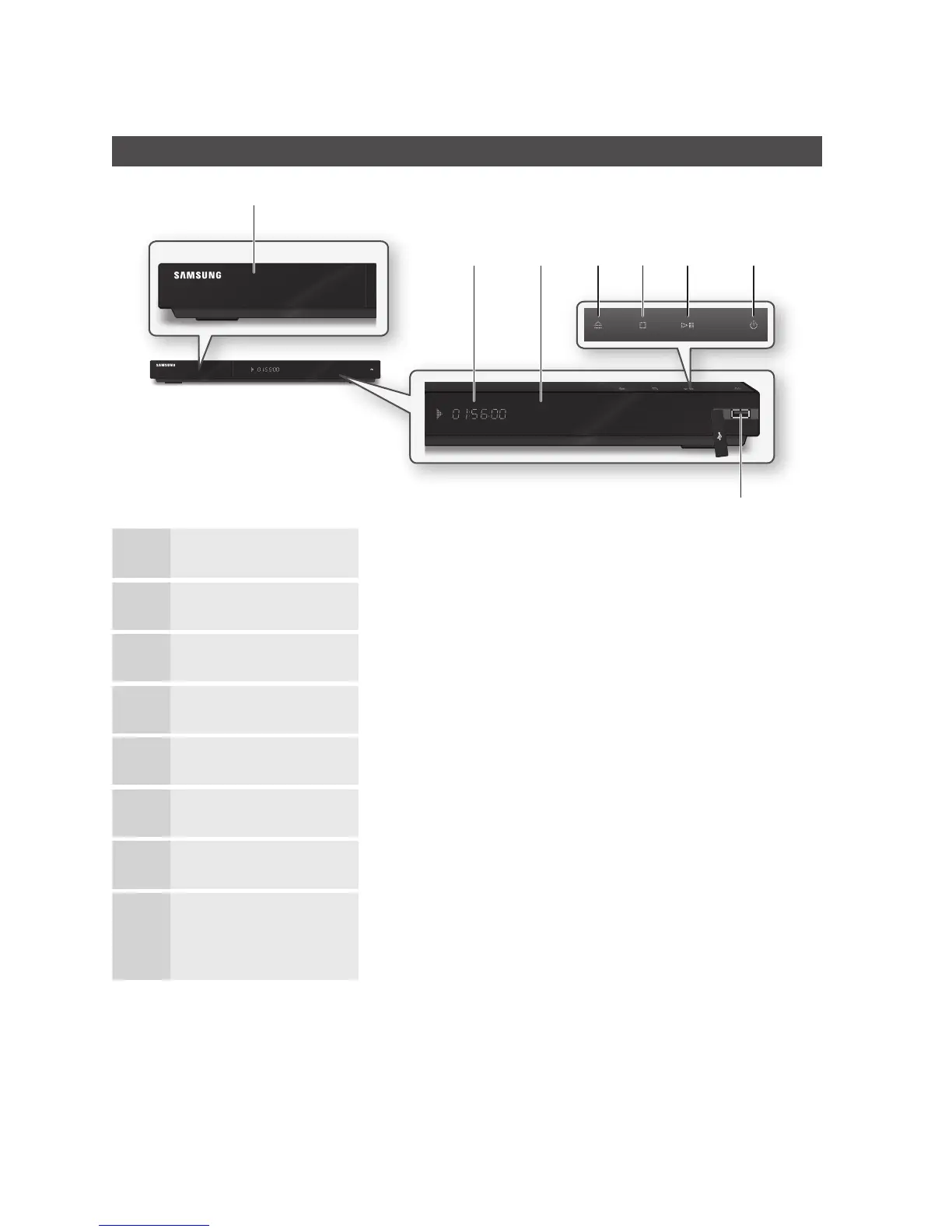
Front Panel
1
DISC TRAY Opens to accept a disc.
2
DISPLAY Displays the playing status, time, etc.
3
REMOTE CONTROL SENSOR Detects signals from the remote control.
4
OPEN/CLOSE BUTTON Opens and closes the disc tray.
5
STOP BUTTON Stops disc playback.
6
PLAY/PAUSE BUTTON Plays a disc or pauses playback.
7
POWER BUTTON Turns the player on and off.
8
USB HOST
A USB memory flash stick can be connected here and used as storage when
connected to BD-LIVE. It can also be used for software upgrades and MP3/JPEG/
DivX/MKV/MP4 playback.
NOTE
Software upgrades using the USB Host jack must be performed with a USB memory flash stick only.
The front panel's Play button does not start some BD titles from the Blu-ray disc's menu.
✎
▪
▪
a
d e f gb c
h



 To Next Page