40 English
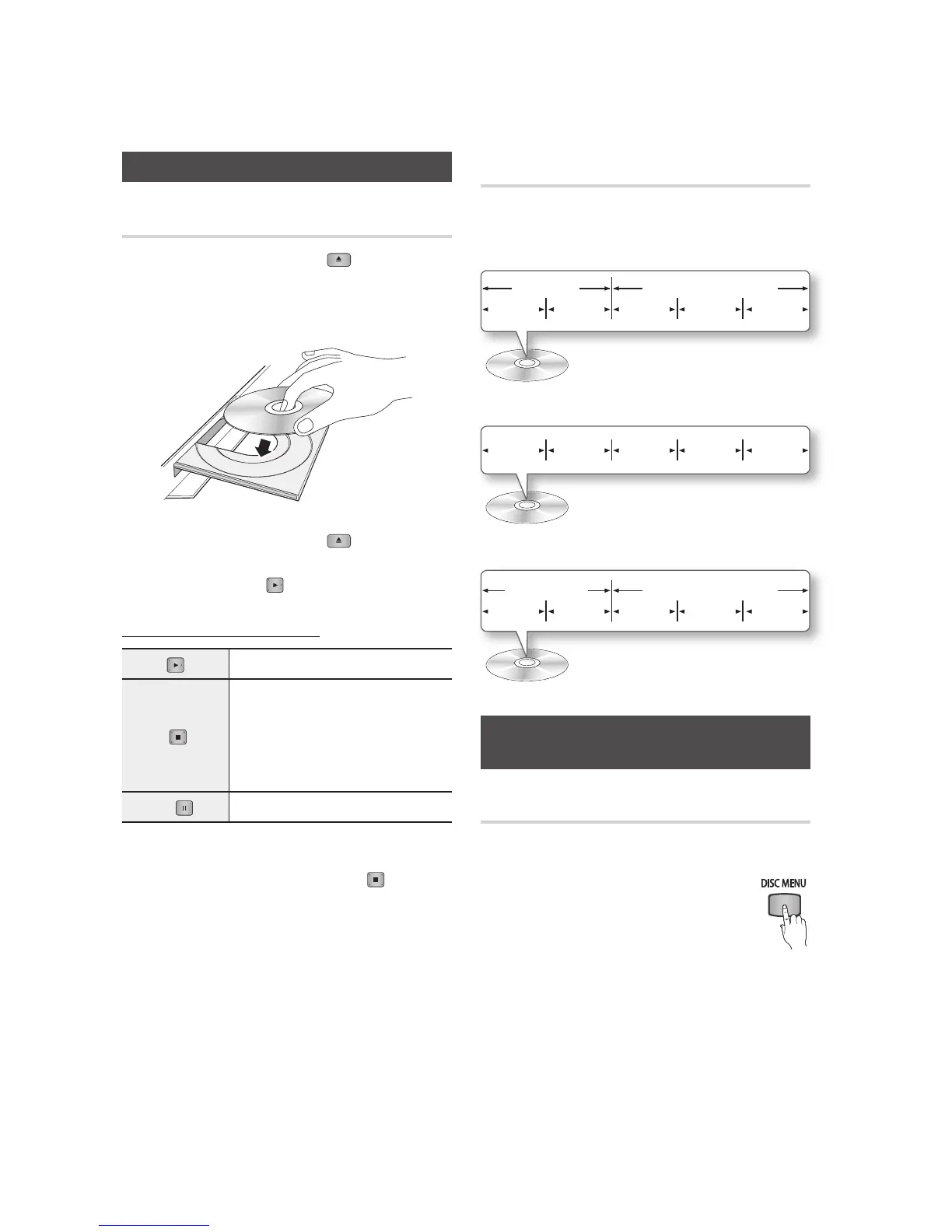
Playing a Video
Playback
Press the 1. OPEN/CLOSE ( ) button to
open the disc tray.
Place a disc gently into the tray with the disc’s 2.
label facing up.
Press the 3. OPEN/CLOSE ( ) button to
close the disc tray.
Press the 4. PLAY (
) button.
Playback related buttons
PLAY (
) Starts playback.
STOP (
)
Stops playback.
If you press the button once : • The
stop position is memorized.
If you press the button twice• : The
stop position
is not memorized.
PAUSE (
) Pauses playback.
✎
NOTE
For some discs, pressing the
▪
STOP (
) button
once may not memorize the stop position.
Video files with high bit rates of 20Mbps or more
▪
strain the player’s capabilities and may stop playing
during playback.
Disc Structure
The content of discs are usually divided as shown
below.
Blu-ray Disc, DVD-VIDEO•
Audio CD (CD-DA)•
MP3, WMA, DivX, MKV and MP4•
Using the Disc Menu/Title Menu/
Popup Menu
Using the Disc Menu
hZ
During playback, press the 1. DISC
MENU button on the remote control.
Press the ▲▼◄►2.
buttons to make a
selection, and then press the ENTER
button.
✎
NOTE
Depending on the disc, the menu items may differ
▪
and this menu may not be available.
Basic Functions
title 1 title 2
chapter 1 chapter 2 chapter 1 chapter 2 chapter 3
folder (group) 1 folder (group) 2
file 1 file 2 file 1 file 2 file 3
track 1 track 2 track 3 track 4 track 5












 To Next Page