EasyManua.ls Logo

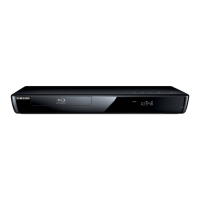
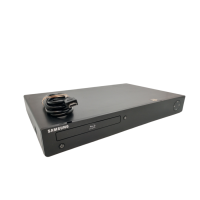
Samsung BD P3600 - Blu-Ray Disc Player - User Manual

Samsung BD P3600 - Blu-Ray Disc Player
104 pages
Print Icon
To Next Page IconTo Next Page
Loading...
imagine the possibilities
Thank you for purchasing this Samsung product.
To receive more complete service,
please register your product at
www.samsung.com/register
Blu-ray Disc Player
user manual
BD-P3600

Table of Contents

Questions and Answers

  • D
    David HallAug 19, 2025
    How to fix a Samsung BD P3600 - Blu-Ray Disc Player remote that is not working?
    • T
      Toni MartinezAug 19, 2025
      If your Samsung Blu-ray Player's remote control isn't working, first, try replacing the batteries. If that doesn't work, make sure you're within 20 feet of the player. As a last resort, remove the batteries, press and hold any button(s) for a few minutes to reset the remote's microprocessor, then reinstall the batteries and try again.
  • L
    Linda CarpenterAug 21, 2025
    Why is there no HDMI output from my Samsung BD P3600 - Blu-Ray Disc Player?
    • M
      Mr. Thomas Mitchell Jr.Aug 21, 2025
      If you're not getting any HDMI output from your Samsung Blu-ray Player, begin by checking the connection between the player's HDMI jack and your TV. Also, verify that your TV supports the HDMI input resolution (480p/720p/1080i/1080p).
  • J
    Jeremy GonzalezAug 23, 2025
    What to do if my Samsung BD P3600 - Blu-Ray Disc Player Blu-ray Player disc does not play?
    • D
      Donald LopezAug 23, 2025
      If your Samsung Blu-ray Player isn't playing a disc, ensure that the disc is placed in the player with the label side facing up. Also, check that the Blu-ray Disc/DVD region number is compatible with your player.
  • S
    Shannon RamirezAug 26, 2025
    What to do if I forgot the password on my Samsung Blu-ray Player?
    • E
      Erica HatfieldAug 26, 2025
      If you forgot your password for your Samsung Blu-ray Player, you can reset all settings, including the password, to the factory defaults. To do this, press and hold the SKIP (]) button on the front panel for more than 5 seconds without a disc inside. Be aware that this will erase all user data stored in the BD data, so only use this method if absolutely necessary.
  • A
    Ashley YoungAug 28, 2025
    What to do if my Samsung BD P3600 - Blu-Ray Disc Player HDMI output resolution is not supported?
    • V
      Valerie BestAug 28, 2025
      If you can't see a picture on your TV because the HDMI output resolution of your Samsung Blu-ray Player is not supported, reset the player to its factory settings. Press and hold the SKIP (]) button on the front panel for more than 5 seconds without any disc inside. Note that this will erase all user data stored in the BD data.
  • K
    Katherine VincentAug 30, 2025
    Why is there no audio from my Samsung Blu-ray Player?
    • W
      williamsonmatthewAug 30, 2025
      If there is no audio from your Samsung Blu-ray Player, ensure that you have selected the correct Digital Output in the Audio Options Menu.
  • N
    Nancy RothSep 1, 2025
    How to fix a noisy or distorted picture on a Samsung BD P3600 - Blu-Ray Disc Player Blu-ray Player?
    • T
      Todd HowellSep 1, 2025
      If the picture on your Samsung Blu-ray Player is noisy or distorted, check the disc for dirt or scratches. If necessary, clean the disc.
  • J
    Jennifer GoodwinSep 4, 2025
    What to do if the screen is blocked on my Samsung BD P3600 - Blu-Ray Disc Player?
    • W
      walkerianSep 4, 2025
      If the screen of your Samsung Blu-ray Player is blocked, you can revert all settings to the factory defaults. Press the SKIP (]) button on the front panel for more than 5 seconds without a disc inside. Keep in mind that all user data stored in the BD data will be deleted.
  • A
    Anthony SolisSep 6, 2025
    Why does an icon appear on the screen of my Samsung BD P3600 - Blu-Ray Disc Player Blu-ray Player?
    • D
      Danielle CooperSep 6, 2025
      The icon on the screen of your Samsung Blu-ray Player appears when an invalid button is pressed. It can also mean that the Blu-ray Disc/DVD’s software restricts a feature, the software doesn’t support the feature, the feature is currently unavailable, or you’ve requested a title, chapter number, or search time that is out of range.
  • K
    Kristen CarterSep 8, 2025
    What causes an abnormal HDMI output screen on a Samsung Blu-ray Player?
    • H
      Haley CrosbySep 8, 2025
      If random noise appears on the screen of your Samsung Blu-ray Player, it means that your TV does not support HDCP (High-bandwidth Digital Content Protection).

Summary

Key Features and Getting Started

Key Features Overview

Details Blu-ray capabilities, video highlights, and interactive features like BD-LIVE.

Disc Types and Characteristics

Lists playable/non-playable discs, logos, and their recorded content and shape.

Whats Included

Lists all accessories supplied with the Blu-ray Disc Player, including cables and remote.

Product Description and Basic Operation

Front and Rear Panel Descriptions

Describes the player's front panel controls, display, and rear panel connection ports.

Remote Control Operation

Explains remote buttons, TV control setup, and battery replacement.

Basic Functions and Setup

Covers initial player setup, disc playback, and on-screen menu navigation.

Connections and System Setup

Connecting to TV and Audio Systems

Guides for connecting to TVs via HDMI, DVI, Component, and audio systems.

Network and Internet Connectivity

Steps for wired/wireless network setup for online services and firmware updates.

System Setup Options

Configuration of clock, language, audio, display, HDMI, and parental settings.

Advanced Functions and Online Services

Audio and Display Settings

Fine-tuning audio output, downmixing, speaker setup, and display aspect ratios.

PC Streaming and BD Data Management

Streaming media from a PC via shared folders and managing BD data stored on the player.

System Upgrade and e-Contents

Updating firmware and accessing online services like Blockbuster, Netflix, Pandora, and YouTube.

Appendix and Support

Troubleshooting Common Issues

Solutions for common problems like remote control issues, disc playback errors, and no audio.

Specifications and Legal Notices

Technical specifications, warranty, software licenses, and important disclaimers.

Samsung BD P3600 - Blu-Ray Disc Player Specifications

General IconGeneral
Video Output1080p
BD ProfileProfile 2.0
Ethernet PortYes
HDMI OutputYes
Component Video OutputYes
Composite Video OutputYes
Analog Audio OutputStereo
Dolby Digital DecodingYes
DTS DecodingYes
Disc Capacity1
USB PortYes
Audio Formats SupportedDTS, Dolby Digital
ConnectivityEthernet, USB
Disc TypesBD, DVD, CD
Digital Audio OutputCoaxial

Related product manuals