EasyManua.ls Logo

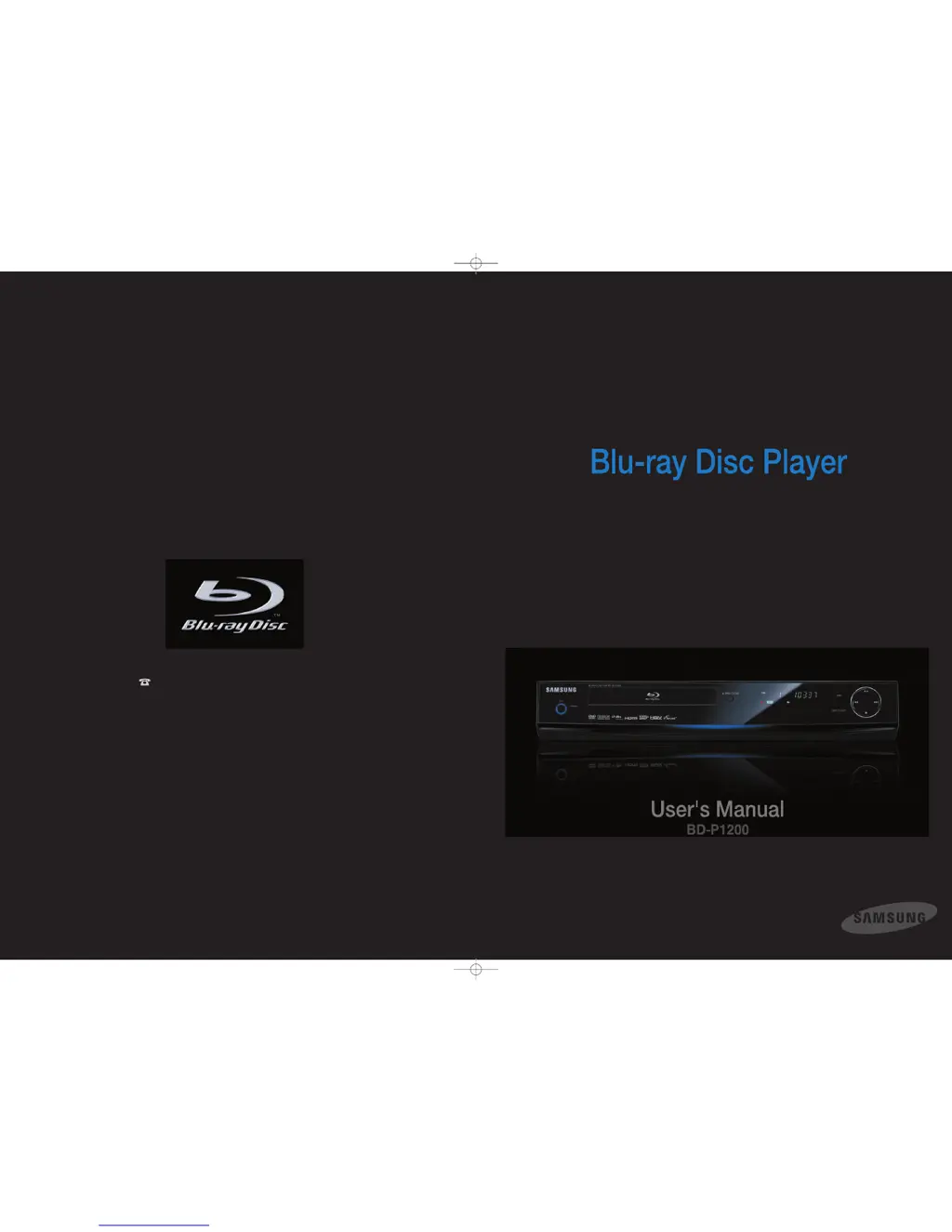
Samsung BD-P1200 - User Manual

Samsung BD-P1200
56 pages
Print Icon
To Next Page IconTo Next Page
Loading...
Contact SAMSUNG WORLD WIDE
If you have any questions or comments relating to Samsung products,
please contact the SAMSUNG customer care center.
1-800-SAMSUNG (7267864)/www.samsung.com
Samsung Electronics America,Inc.
105 Challenger Road
Ridgefield Park,NJ 07660-0511
1-800-SAMSUNG (7267864)
www.samsung.com
AK68-01357A
P1200_XAA 2/5/07 7:59 PM Page 1

Questions and Answers

  • K
    Kaitlyn HarrisJul 26, 2025
    How to fix no HDMI output on Samsung BD-P1200 Blu-ray Player?
    • M
      michele37Jul 26, 2025
      If you're not getting any HDMI output from your Samsung Blu-ray Player, first, ensure that the Video output is set to HDMI in the settings. Next, verify the connection between your TV and the HDMI jack on the Blu-ray player. Finally, confirm that your TV supports the HDMI input resolution (480p/720p/1080i/1080p).
  • A
    Amanda GalvanJul 30, 2025
    How to fix a noisy or distorted picture on Samsung BD-P1200 Blu-ray Player?
    • E
      Edward FischerJul 30, 2025
      If the picture from your Samsung Blu-ray Player is noisy or distorted, it may be due to a dirty or scratched disc. Ensure that the disc is clean. Also, some functions selected in the Setup Menu may not work properly if the disc is not encoded with the corresponding function.
  • P
    pmarshallAug 3, 2025
    What to do if I forgot the password on my Samsung BD-P1200?
    • R
      Raymond EllisAug 3, 2025
      If you've forgotten your password for your Samsung Blu-ray Player, press the button on the front panel for more than 5 seconds without a disc inside. This will revert all settings, including the password, to the factory defaults. Use this as a last resort.
  • P
    Pamela WellsAug 7, 2025
    Why is there no HDMI output from my Samsung BD-P1200?
    • C
      Cheryl CamachoAug 7, 2025
      If you're getting no HDMI output from your Samsung Blu-ray Player, first, ensure the video output is set to HDMI. Then, check the connection between your TV and the HDMI jack on the Blu-ray player. Finally, verify that your TV supports the HDMI input resolution (480p/720p/1080i/1080p).
  • L
    Luke AliAug 12, 2025
    What to do if the screen is blocked on my Samsung Blu-ray Player?
    • H
      Heather FreemanAug 12, 2025
      If you're experiencing a blocked screen on your Samsung Blu-ray Player, try pressing the button on the front panel for more than 5 seconds with no disc inside. This will revert all settings to the factory defaults. Also, check the video output mode.
  • P
    priceAug 16, 2025
    Why is the picture noisy or distorted on my Samsung BD-P1200?
    • B
      Brenda BrockAug 16, 2025
      If you're experiencing a noisy or distorted picture on your Samsung Blu-ray Player, make sure the disc is not dirty or scratched. Clean the disc to resolve the issue. Also, some functions selected in the Setup Menu may not work properly if the disc is not encoded with the corresponding function.
  • B
    Brian BowersAug 20, 2025
    Why is there no audio from my Samsung BD-P1200?
    • L
      Lauren WoodAug 20, 2025
      If you're not getting any audio from your Samsung Blu-ray Player, make sure you have selected the correct Digital Output in the Audio Options Menu.

Summary

Safety and Precautions

General Warnings and Cautions

Covers warnings, safety instructions, and notes for proper usage and installation.

Player Overview and Disc Information

General Features Overview

Details on graphic planes, player features (photo, MP3, HDMI), and Blu-ray disc capabilities.

Disc Type, Format, and Handling

Lists disc types, formats, compatibility, handling, and storage guidelines.

Player Description and Connections

Front Panel Description

Describes buttons and indicators on the player's front panel.

Rear Panel Connections

Identifies and explains all rear panel audio and video output/input terminals.

Remote Control and Initial Setup

Explains remote functions, unpacking, and initial setup procedures.

Connections Overview

Overview of connecting the Blu-ray player to TVs and audio systems.

Playback Operations

Basic Playback Controls

Steps before playing, and controls for playing, pausing, and stopping discs.

Navigation and Media Playback

How to navigate content and play various media file types.

Picture Viewing and Slideshows

How to view JPEG images and control slideshows, including zoom and rotate.

System Setup and Configuration

On-Screen Menu Navigation

Explains how to navigate and use the on-screen menu system effectively.

Language, Audio, and Video Settings

Configuring language, audio, video display, and HDMI settings.

System Upgrade and Maintenance

Procedures for firmware upgrades, system info, network setup, and parental controls.

Troubleshooting and Reference

Troubleshooting Common Issues

Solutions for common operational problems and error messages.

Technical Specifications and Warranty

Details technical specs, warranty, and legal notices.

Samsung BD-P1200 Specifications

General IconGeneral
BD-ProfileProfile 1.1
Disc CompatibilityBlu-ray, DVD, CD
HDMI Version1.3
USB PortYes
Video Output1080p
Audio Formats SupportedDolby Digital, Dolby Digital Plus, Dolby TrueHD, DTS, DTS-HD
ConnectivityHDMI, Component, Composite, Ethernet
Video UpconversionYes
Analog Audio Output2.0 Channel
BD-Live SupportNo

Related product manuals