EasyManua.ls Logo

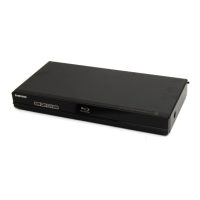
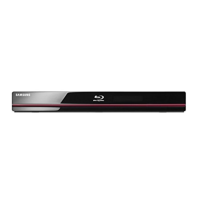
Samsung BD-P1600A - User Manual

Samsung BD-P1600A
93 pages
Print Icon
To Next Page IconTo Next Page
Loading...
imagine the possibilities
Thank you for purchasing this Samsung product.
To receive a more complete service,
please register your product at
www.samsung.com/register
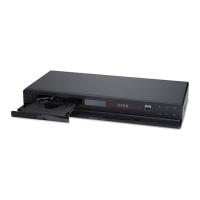
Blu-ray Disc Player
user manual
BD-P1600
BD-P1650

Table of Contents

Questions and Answers

  • J
    Jacqueline MartinAug 18, 2025
    How to fix Samsung Blu-ray Player remote control not working?
    • C
      Charles DuncanAug 19, 2025
      If your Samsung Blu-ray Player's remote control isn't working, here are a few things you can try: * First, check the batteries and replace them if needed. * Ensure that you are within 6.1 meters (20 feet) of the player. * As a last resort, try resetting the remote by removing the batteries, pressing and holding down one or more buttons for a few minutes, then reinstalling the batteries.
  • L
    Lucas FreemanAug 21, 2025
    How to reset forgotten password on Samsung Blu-ray Player?
    • M
      Monique DunnAug 21, 2025
      If you forgot your password for the Samsung Blu-ray Player, you can reset all settings to factory defaults, including the password, by pressing the SKIP button (]) on the front panel for more than 5 seconds without a disc inside. Keep in mind that this will erase all user data stored in the BD Data, so only use this method if absolutely necessary.
  • J
    Joshua HughesAug 23, 2025
    Why no HDMI output from Samsung Blu-ray Player?
    • K
      Kimberly RussellAug 23, 2025
      If you're not getting any HDMI output from your Samsung Blu-ray Player, first, check the HDMI connection between the player and your TV. Also, verify that your TV supports the HDMI input resolution (576p/480p/720p/1080i/1080p).
  • R
    ramseylaurenAug 26, 2025
    What to do if Samsung Blu-ray Player HDMI output resolution is not supported?
    • M
      Michael GilbertAug 26, 2025
      If you can't see a picture on your TV because the HDMI output resolution of your Samsung Blu-ray Player is not supported, press the SKIP (]) button on the front panel for more than 5 seconds without a disc inside. This will revert all settings to the factory defaults. Note that all user data stored in the BD Data will be deleted.
  • C
    Charles BeckAug 28, 2025
    Why Samsung Blu-ray Player disc does not play?
    • J
      Jeanne MirandaAug 28, 2025
      If your Samsung Blu-ray Player isn't playing discs, ensure that the disc is inserted correctly with the label side facing up. Also, check the region code of the Blu-ray Disc or DVD to ensure it's compatible with your player.
  • R
    robert68Aug 30, 2025
    Why no audio from Samsung Blu-ray Player?
    • K
      Kathleen EdwardsAug 30, 2025
      If there is no audio from your Samsung Blu-ray Player, ensure that you have selected the correct Digital Output in the Audio Options Menu.
  • W
    Wanda ValenciaSep 1, 2025
    How to fix noisy or distorted picture on Samsung Blu-ray Player?
    • R
      renee09Sep 2, 2025
      If the picture on your Samsung Blu-ray Player is noisy or distorted, make sure that the disc is not dirty or scratched. Clean the disc if necessary.
  • M
    Michael EstradaSep 3, 2025
    What to do if the screen is blocked on Samsung Blu-ray Player?
    • A
      Andrea JonesSep 4, 2025
      If the screen is blocked on your Samsung Blu-ray Player, press the SKIP (]) button on the front panel for more than 5 seconds with no disc inside. This will revert all settings to the factory settings. Note that all user data stored in the BD Data will be deleted.
  • J
    Jose SanchezSep 6, 2025
    Why is there an abnormal HDMI output screen on Samsung Blu-ray Player?
    • L
      Lisa BradySep 6, 2025
      If you see random noise on the screen when using the HDMI output of your Samsung Blu-ray Player, it indicates that your TV does not support HDCP (High-bandwidth Digital Content Protection).
  • K
    Kathryn DurhamSep 8, 2025
    Why Samsung Blu-ray Player disc menu does not appear?
    • R
      richardsonmatthewSep 8, 2025
      If the disc menu doesn't appear on your Samsung Blu-ray Player, first check if the disc actually has a menu.

Samsung BD-P1600A Specifications

General IconGeneral
BrandSamsung
ModelBD-P1600A
CategoryBlu-ray Player
LanguageEnglish

Related product manuals