50 English
Basic Functions
8
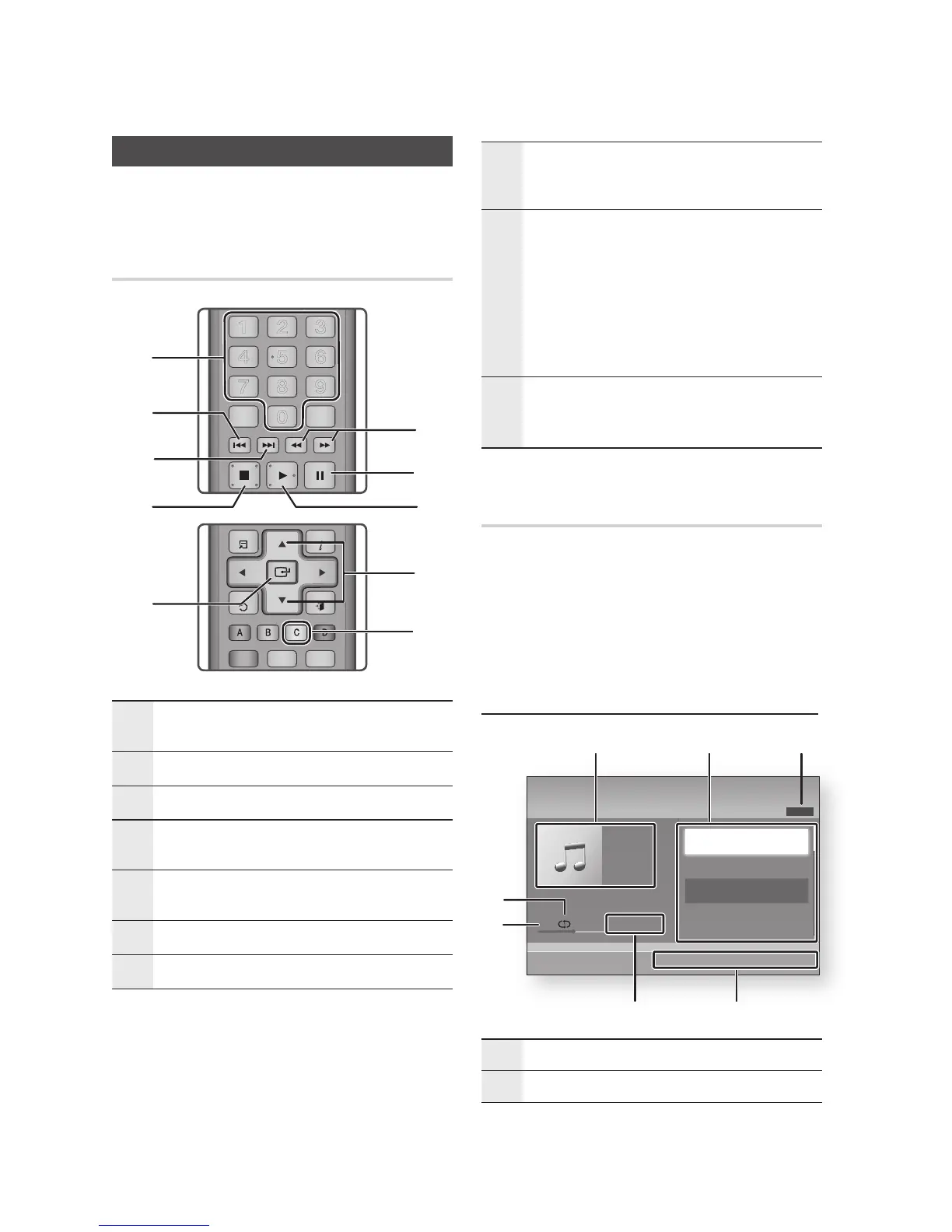
SKIP button : During playback, moves to the next
page in the Music List or moves to the next track in
the Playlist.
9
SKIP button : During playback, moves to the
previous page in the Music List or moves to the
previous track in the Playlist.
If you press this button after three seconds of
playback in the Playlist, the current track is
replayed from the beginning. But, if you press this
button less than three seconds after playback starts
in the Playlist, the previous track is played.
0
NUMBER buttons : During the Playlist playback,
press the desired track number. The selected track
is played.
Playing an Audio CD (CD-DA)/MP3
Insert an Audio CD (CD-DA) or an MP3 Disc.
For an Audio CD (CD-DA), the first track
plays automatically.
For an MP3 disc, press the ▲▼ buttons
to select Music, then press the ENTER
button.
Audio CD (CD-DA)/MP3 Screen Elements
1
Displays the music information.
2
Displays the playlist.
1.
•
•
Listening to Music
ow
Buttons on the Remote Control
used for Music Playback
1
SEARCH buttons : Fast Play.
(Audio CD (CD-DA) only)
2
PAUSE button : Pauses playback.
3
PLAY button : Plays the currently selected track.
4
▲▼ buttons : Select a track in the Music List or
Playlist.
5
YELLOW (C) button : Displays check box in the
music list.
6
ENTER button : Plays the selected track.
7
STOP button : Stops a track.










 To Next Page