EasyManua.ls Logo

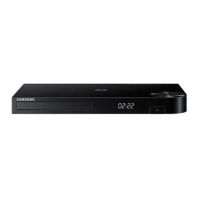
Samsung BD-H5100 - User Manual

Samsung BD-H5100
26 pages
Print Icon
To Next Page IconTo Next Page
Loading...
imagine the possibilities
Thank you for purchasing this Samsung product.
To receive more complete service,
please register your product at
www.samsung.com/register
Blu-ray
Disc Player

BD-H5100


Questions and Answers

  • M
    michael51Aug 20, 2025
    Why is there no HDMI output from my Samsung Blu-ray Player?
    • C
      Catherine WhiteAug 20, 2025
      First, verify the connection between your TV and the HDMI port on the Blu-ray player. Also, ensure your TV supports the HDMI input resolution being output, such as 480p, 720p, 1080i, or 1080p.
  • M
    megan93Aug 21, 2025
    What to do if my Samsung BD-H5100 remote control is not working?
    • N
      Nicole ClarkAug 21, 2025
      Try these steps: 1. Check and replace the batteries in the remote control. 2. Ensure you are within 20 feet of the player. 3. Reset the remote by removing the batteries, holding down one or more buttons for a few minutes, and then reinstalling the batteries.
  • K
    Kevin ParsonsAug 25, 2025
    How to reset the password on a Samsung BD-H5100 Blu-ray Player?
    • P
      Peggy GonzalesAug 25, 2025
      To reset the password on your Samsung Blu-ray Player, press and hold the '?' button on the front panel for more than 5 seconds when there is no disc inside. This will revert all settings, including the password, to the factory defaults. Note that this will delete all stored user BD data, so use it only when absolutely necessary.
  • C
    Crystal ThomasAug 26, 2025
    What to do if the screen is blank when using my Samsung BD-H5100 Blu-ray Player?
    • M
      Mary AndersonAug 26, 2025
      If you have a blank screen, it could be due to the HDMI output being set to a resolution your TV doesn't support, like 1080p. You can try resetting the player to factory settings by pressing the '?' button on the front panel for more than 5 seconds without a disc inside. Note that this will erase all stored user BD data.
  • J
    Jonathan RiosAug 27, 2025
    Why is the DLNA connection between my Samsung Blu-ray Player and PC unstable?
    • R
      robert14Aug 28, 2025
      An unstable DLNA connection can occur if the IP addresses on your network are not unique within the same subnetwork. Ensure each device has a unique IP address to avoid interference. Also, check if your firewall is enabled, and if so, disable it to see if it resolves the issue.
  • J
    Joshua WrightAug 29, 2025
    Why do I get an abnormal HDMI output screen with my Samsung BD-H5100 Blu-ray Player?
    • D
      David AndersonAug 29, 2025
      If random noise appears on the screen, it could mean that your TV does not support HDCP (High-bandwidth Digital Content Protection).
  • R
    royliuAug 31, 2025
    Why does my Samsung BD-H5100 Blu-ray Player video play intermittently?
    • A
      April NewtonSep 1, 2025
      Intermittent video playback can be due to network issues. Check if your network connection is stable and ensure the network cable is properly connected. Also, verify that your network isn't overloaded.
  • E
    Eric LawsonSep 3, 2025
    Why does my Samsung BD-H5100 disc not play?
    • S
      Stephen FletcherSep 3, 2025
      First, make sure the disc is placed in the player with the label side facing up. Also, check the region code of the Blu-ray Disc or DVD to ensure it is compatible with your player.
  • V
    Vanessa RoachSep 4, 2025
    Why is the picture noisy or distorted on my Samsung BD-H5100?
    • L
      Laura BarrSep 5, 2025
      A noisy or distorted picture may be due to a dirty or scratched disc. Try cleaning the disc to resolve the issue.
  • H
    Hannah SmithSep 6, 2025
    Why do I see folders but not files on my Samsung BD-H5100 Blu-ray Player via DLNA?
    • J
      Jesse BrownSep 6, 2025
      When using DLNA, the Samsung Blu-ray Player only displays files that correspond to the Image, Music, and Movie categories. Files that do not fall into these categories will not be shown.

Summary

Safety Information

Warning

General warnings and precautions related to electric shock, fire, and moisture.

CLASS 1 LASER PRODUCT

Classification and safety precautions for Class 1 laser products.

Precautions

Important safety instructions for operating the unit correctly.

Getting Started

Video File Support

Detailed specifications for supported video file formats, codecs, and resolutions.

Connections

Connecting to a TV

Instructions for connecting the player to a television using an HDMI cable.

Remote Control Tour

Detailed guide to the functions of each button on the remote control.

Connecting to an Audio System

Methods for connecting the player to an AV receiver for audio output.

Connecting to a Network Router

Instructions for establishing a wired network connection to your router.

Settings

Initial Settings Procedure

Step-by-step guide to configure language, aspect ratio, and network settings upon first use.

Display Settings

Options to adjust TV aspect ratio, resolution, and BD Wise settings for optimal picture.

Audio Settings

Configure digital audio output formats, downsampling, dynamic range, and downmixing.

Network Settings

Wired Network Settings

Configuration steps for connecting the player to a network via a wired connection.

System Settings

Software Upgrade

Methods for upgrading player software online or via USB for improvements.

Media Play

Playing Files on a USB Device

Methods for playing media files from a connected USB storage device.

Playing Content Located on Your PC or DLNA Device

Streaming media files from a PC or DLNA device over the network.

Controlling Video Playback

Functions for controlling video playback: play, pause, stop, skip, fast motion.

Controlling Music Playback

Functions for controlling music playback: play, pause, stop, skip, fast play.

Using Netflix

Guide to accessing and using the Netflix streaming service, including setup.

Using Pandora

Guide to accessing and using the Pandora music streaming service, including setup.

Using You Tube

Guide to accessing and using the YouTube streaming service, including setup.

Starting Pandora for the First Time

Initial setup steps for activating and using the Pandora service.

Appendix

Troubleshooting

Solutions for common problems encountered with the player's operation and connectivity.

LIMITED WARRANTY TO ORIGINAL PURCHASER

Samsung BD-H5100 Specifications

General IconGeneral
TypeBlu-ray Player
Output Resolution1080p
HDMI OutputYes
USB PortYes
Network ConnectivityYes
Ethernet PortYes
Wi-FiNo
Smart HubNo
3D PlaybackYes
Playable Media FormatsBD, DVD, CD
Video Playback FormatsAVCHD, MKV, WMV
Audio Playback FormatsMP3, WMA, AAC, LPCM, Dolby Digital, DTS
Audio OutputOptical

Related product manuals