EasyManua.ls Logo

Samsung BD-JM63 - User Manual

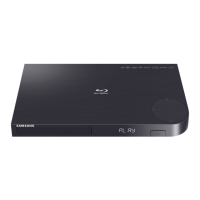
Samsung BD-JM63
62 pages
Print Icon
To Next Page IconTo Next Page
Loading...
imagine the possibilities
Thank you for purchasing this Samsung product.
To receive more complete service,
please register your product at
www.samsung.com/register
Blu-ray™ Disc Player
user manual
BD-JM63
BD-JM63C
BD-J6300

Table of Contents

Questions and Answers

  • K
    Karen FreyAug 21, 2025
    Why is my Samsung Blu-ray Player remote not working?
    • T
      Tanya LewisAug 21, 2025
      If your Samsung Blu-ray Player remote control isn't working, first check the batteries and replace them if needed. Ensure you're within 20 feet of the player when using the remote. If that doesn't work, try resetting the remote by removing the batteries, holding down one or more buttons for several minutes, then reinstalling the batteries.
  • G
    Gary BaileyAug 23, 2025
    How to fix no audio on Samsung Blu-ray Player?
    • P
      ppetersenAug 25, 2025
      If you're not getting any sound from your Samsung Blu-ray Player, ensure that you have selected the correct Digital Output in the Audio Options Menu.
  • D
    Daniel OlsonAug 26, 2025
    What to do if my Samsung Blu-ray Player does not play the disc?
    • C
      Clayton PerezAug 26, 2025
      If your Samsung Blu-ray Player isn't playing a disc, make sure the disc is placed with the label side facing up. Also, verify that the Blu-ray Disc or DVD region code is compatible with your player.
  • S
    Samuel HuntAug 27, 2025
    What to do if the Samsung BD-JM63 Blu-ray Player remote control is not working?
    • R
      rodriguezcynthiaAug 28, 2025
      If your Samsung Blu-ray Player's remote control isn't working, try these steps: * Check and replace the batteries in the remote. * Ensure you're within 20 feet of the Blu-ray player. * Reset the remote by removing the batteries, holding down one or more buttons for several minutes, then reinstalling the batteries.
  • K
    Kimberly KellerAug 30, 2025
    Why the screen ratio cannot be changed on Samsung BD-JM63?
    • D
      Dylan StevensAug 30, 2025
      The screen ratio on your Blu-ray Disc/DVD Disc is fixed and cannot be changed. This is not a problem with the product.
  • S
    Shawn NicholsSep 1, 2025
    What does the prohibition message on my Samsung BD-JM63 Blu-ray Player mean?
    • M
      Matthew SteinSep 1, 2025
      This message appears when an invalid button is pressed. The Blu-ray Disc/DVD's software doesn't support the feature (e.g., angles). You've requested a title or chapter number or search time that is out of range.
  • R
    Ricardo ChanSep 3, 2025
    Why does the disc menu not appear on my Samsung BD-JM63?
    • J
      Jesse BeltranSep 3, 2025
      If the disc menu isn't showing up on your Samsung Blu-ray Player, it might be because the disc itself doesn't have any disc menus.
  • G
    Gregory NobleSep 5, 2025
    Why play mode differs from the Setup Menu selection on Samsung BD-JM63?
    • K
      Keith SanchezSep 5, 2025
      Some of the functions selected in the Setup Menu may not work properly if the disc is not encoded with the corresponding function.
  • A
    April BoothSep 7, 2025
    Why is my Samsung BD-JM63 screen blank?
    • S
      Savannah CollinsSep 8, 2025
      If your Samsung Blu-ray Player's screen is blank, it might be due to the HDMI output being set to a resolution your TV doesn't support (for example, 1080p). To fix this, press the @ button (on top panel) for more than 5 seconds with no disc inside. The player will show an initialization message and turn off automatically, resetting all settings. Note that restoring factory default settings will delete all stored user BD data.
  • M
    Mrs. Donna Page DVMSep 10, 2025
    What to do if my Samsung Blu-ray Player disc does not play?
    • T
      Taylor KennedySep 10, 2025
      If your Samsung Blu-ray Player isn't playing discs, make sure the disc is inserted with the label side facing up and verify that the Blu-ray Disc/DVD region number is compatible with your player.

Summary

Safety Information

Warning

Essential safety warnings to prevent hazards like electric shock and internal damage.

CAUTION

Precautions to avoid electrical shock and ensure safe operation of the apparatus.

Precautions

Key instructions for safe operation, placement, and maintenance of the device.

Connections

Connecting to a TV

Provides instructions for connecting the Blu-ray player to a television via HDMI.

Connecting to an Audio System

Explains methods for connecting the player to an audio system using HDMI or optical cables.

Connecting to a Network Router

Details wired and wireless connection methods to a network router.

Settings

Network Settings

Configure network connection, status, and wireless security settings.

Media Play

Controlling Video Playback

Details on using remote control buttons for video playback functions like play, pause, and skip.

Controlling Music Playback

Explains how to control music playback using the remote control and menus.

Appendix

Troubleshooting

Common problems and their solutions related to remote control, disc playback, and audio.

Samsung BD-JM63 Specifications

General IconGeneral
3D PlaybackYes
Wi-FiYes
USB Ports1
Smart TVNo
HDMI Output1
Ethernet PortYes
Dolby DigitalYes
DTSYes
Disc PlaybackBlu-ray, DVD, CD
Video UpscalingYes
Output Resolution1080p
Audio DecodingDolby Digital, DTS
Video OutputHDMI
Audio OutputHDMI
Playable Media FormatBD, DVD, CD

Related product manuals