EasyManua.ls Logo

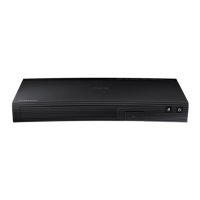
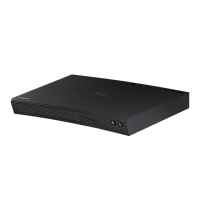
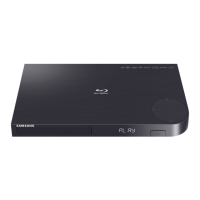
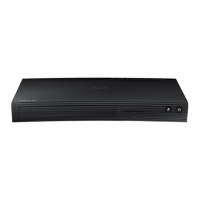
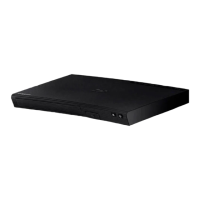
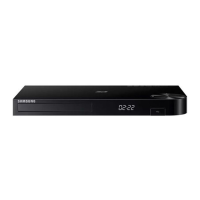
Samsung BD-JM63C - User Manual

Samsung BD-JM63C
62 pages
Print Icon
To Next Page IconTo Next Page
Loading...
imagine the possibilities
Thank you for purchasing this Samsung product.
To receive more complete service,
please register your product at
www.samsung.com/register
Blu-ray™ Disc Player
user manual
BD-JM63
BD-JM63C
BD-J6300

Table of Contents

Questions and Answers

  • S
    Sarah CookeAug 19, 2025
    What to do if the screen is blank on my Samsung BD-JM63C Blu-ray Player?
    • A
      amayAug 19, 2025
      If your Samsung Blu-ray Player's screen is blank, it might be due to the HDMI output being set to a resolution your TV doesn't support, like 1080p. To resolve this, press and hold the '@' button on the top panel for more than 5 seconds while there is no disc inside. The player will show an initialization message and then turn off. When you turn it back on, all settings will be reset to factory defaults, which may resolve the resolution issue. Note that this will erase all your stored user BD data.
  • K
    Kathryn MillsAug 22, 2025
    Why is my Samsung Blu-ray Player remote not working?
    • E
      eddie11Aug 22, 2025
      If your Samsung Blu-ray Player remote control isn't working, first check the batteries and replace them if needed. Ensure you're within 20 feet of the player when using the remote. If that doesn't work, try resetting the remote by removing the batteries, holding down one or more buttons for several minutes, then reinstalling the batteries.
  • J
    Joyce BoydAug 25, 2025
    How to fix no audio on Samsung BD-JM63C?
    • Z
      zbradshawAug 25, 2025
      If you're not getting any sound from your Samsung Blu-ray Player, ensure that you have selected the correct Digital Output in the Audio Options Menu.
  • O
    ograyAug 26, 2025
    What to do if my Samsung BD-JM63C does not play the disc?
    • R
      Richard GainesAug 26, 2025
      If your Samsung Blu-ray Player isn't playing a disc, make sure the disc is placed with the label side facing up. Also, verify that the Blu-ray Disc or DVD region code is compatible with your player.
  • C
    Christopher HernandezAug 28, 2025
    What to do if the Samsung BD-JM63C Blu-ray Player remote control is not working?
    • J
      jonathanbakerAug 28, 2025
      If your Samsung Blu-ray Player's remote control isn't working, try these steps: * Check and replace the batteries in the remote. * Ensure you're within 20 feet of the Blu-ray player. * Reset the remote by removing the batteries, holding down one or more buttons for several minutes, then reinstalling the batteries.
  • L
    Larry BlairAug 30, 2025
    Why the screen ratio cannot be changed on Samsung BD-JM63C Blu-ray Player?
    • B
      Brianna HouseAug 30, 2025
      The screen ratio on your Blu-ray Disc/DVD Disc is fixed and cannot be changed. This is not a problem with the product.
  • T
    Tiffany BerrySep 1, 2025
    What does the prohibition message on my Samsung BD-JM63C Blu-ray Player mean?
    • B
      Brandon CurtisSep 1, 2025
      This message appears when an invalid button is pressed. The Blu-ray Disc/DVD's software doesn't support the feature (e.g., angles). You've requested a title or chapter number or search time that is out of range.
  • G
    Gregory ChurchSep 3, 2025
    Why does the disc menu not appear on my Samsung BD-JM63C?
    • V
      Veronica BennettSep 4, 2025
      If the disc menu isn't showing up on your Samsung Blu-ray Player, it might be because the disc itself doesn't have any disc menus.
  • T
    taylorstephanieSep 5, 2025
    Why play mode differs from the Setup Menu selection on Samsung BD-JM63C?
    • J
      Jennifer HernandezSep 6, 2025
      Some of the functions selected in the Setup Menu may not work properly if the disc is not encoded with the corresponding function.
  • K
    Kimberly LawrenceSep 8, 2025
    Why is my Samsung Blu-ray Player screen blank?
    • I
      ijohnsonSep 8, 2025
      If your Samsung Blu-ray Player's screen is blank, it might be due to the HDMI output being set to a resolution your TV doesn't support (for example, 1080p). To fix this, press the @ button (on top panel) for more than 5 seconds with no disc inside. The player will show an initialization message and turn off automatically, resetting all settings. Note that restoring factory default settings will delete all stored user BD data.

Samsung BD-JM63C Specifications

General IconGeneral
Video Up-Scale (Resolution)Up to 1080p
Video OutputHDMI
DTS DecodingDTS, DTS-HD Master Audio
HDMI OutputYes
USBYes
Ethernet PortYes
Smart HubYes
AppsYes
Full BrowserYes
Playable Media FormatBD, DVD, CD
Dolby DecodingDolby TrueHD
BD ProfileProfile 5.0

Related product manuals