EasyManua.ls Logo

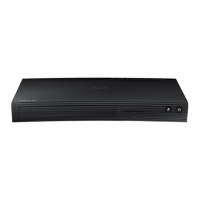
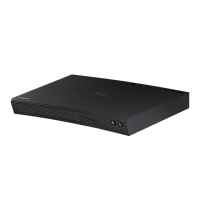
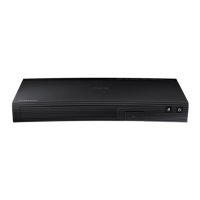
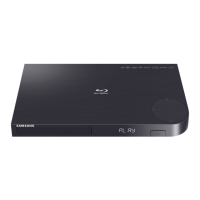
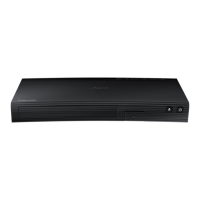
Samsung BD-J5500 - User Manual

Samsung BD-J5500
24 pages
Print Icon
To Next Page IconTo Next Page
Loading...
imagine the possibilities
Thank you for purchasing this Samsung product.
To receive more complete service,
please register your product at
www.samsung.com/register
Blu-ray
Disc Player
user manual
BD-J5500
ENGLISH

Other manuals for Samsung BD-J5500

Questions and Answers

  • J
    Julia HarrisSep 14, 2025
    What does prohibition message mean on Samsung Blu-ray Player?
    • M
      Michelle DavenportSep 14, 2025
      The prohibition message on your Samsung Blu-ray Player appears when an invalid button is pressed, or the Blu-ray Disc/DVD software doesn’t support the feature you’re trying to use (e.g., angles). It can also occur if you request a title, chapter number, or search time that is out of range.
  • K
    Kelly OsbornAug 25, 2025
    How to fix a Samsung Blu-ray Player remote control that is not working?
    • H
      Hannah LawrenceAug 25, 2025
      If your Samsung Blu-ray Player remote control isn't working, try these steps: First, check and replace the remote's batteries. Then, make sure you're within 6.1 meters (20 feet) of the player. As a last resort, reset the remote by removing the batteries, holding down one or more buttons for several minutes, and then reinstalling the batteries.
  • A
    Angela GallowayAug 25, 2025
    How to reset the password on a Samsung BD-J5500?
    • R
      Richard BairdAug 26, 2025
      If you forgot the password for your Samsung Blu-ray Player, you can reset all settings, including the password, to factory defaults. To do this, press the ^ button on the front panel for more than 5 seconds without a disc inside. Note: Use this method only when absolutely necessary.
  • N
    njacksonAug 26, 2025
    How to fix no audio on Samsung Blu-ray Player?
    • J
      johnsonkeithAug 26, 2025
      If you're not getting any audio from your Samsung Blu-ray Player, ensure that you have selected the correct Digital Output in the Audio Options Menu.
  • L
    Linda HernandezSep 14, 2025
    Why can't I change screen ratio on Samsung BD-J5500 Blu-ray Player?
    • T
      Theresa SanchezSep 15, 2025
      If you can't change the screen ratio on your Samsung Blu-ray Player, it means the screen ratio is fixed on the Blu-ray Disc/DVD itself. This is not a problem with the player.
  • H
    Heidi CooperSep 23, 2025
    Why play mode differs from the Setup Menu selection on my Samsung BD-J5500 Blu-ray Player?
    • J
      Jason LaneSep 23, 2025
      If the play mode differs from the Setup Menu selection on your Samsung Blu-ray Player, it may be that some of the functions selected in the Setup Menu may not work properly if the disc is not encoded with the corresponding function.
  • J
    John PowellSep 7, 2025
    What to do if an error occurs when using the BD-LIVE service on Samsung BD-J5500?
    • J
      Juan HenrySep 7, 2025
      When using the BD-LIVE service on your Samsung Blu-ray Player, an error can occur if the memory device does not have at least 1GB of free space. Check the available space in BD Data Management.
  • J
    Jamie CollinsSep 8, 2025
    Why does play mode differ from Setup Menu selection on Samsung BD-J5500?
    • R
      Ryan MartinezSep 8, 2025
      If your Samsung Blu-ray Player's play mode differs from the Setup Menu selection, it could be that the disc isn't encoded with the corresponding function selected in the Setup Menu.
  • R
    Robin TaylorSep 23, 2025
    Why the screen ratio cannot be changed on my Samsung BD-J5500?
    • M
      Michelle SalasSep 23, 2025
      The screen ratio is fixed on your Blu-ray Disc/DVD. This is not a problem with the player.
  • P
    Paul KeithAug 31, 2025
    How to troubleshoot no HDMI output on a Samsung Blu-ray Player?
    • M
      Michael DavisAug 31, 2025
      If your Samsung Blu-ray Player is not providing HDMI output, first check the connection between your TV and the player's HDMI jack. Next, confirm that your TV supports the HDMI input resolution (576p/480p, 720p, 1080i, or 1080p).

Summary

Safety Information

General Safety Precautions

Covers ventilation, heat sources, water exposure, and battery handling.

Electrical Safety and Warnings

Addresses risk of shock, internal components, power cord safety, and proper grounding.

System Settings and Configuration

Initial Setup and Menu Navigation

Guides through initial setup, accessing the menu, and navigating options.

Display and Picture Settings

Covers aspect ratio, resolution, color formats, BD Wise, and progressive mode.

Network and Internet Connectivity

Explains wired network setup, BD-Live connection, and network status checks.

Appendix and Support

Troubleshooting Common Issues

Provides solutions for common problems like no operation, disc errors, or no picture.

Samsung BD-J5500 Specifications

General IconGeneral
3DYes
Depth221 mm
Width290 mm
Height39 mm
Weight1000 g
Full HDNo
Device typeBlu-Ray player
Product colorBlack
Audio decodersDolby Digital, DTS
Package weight1670 g
AC input voltage220-240 V
AC input frequency50 - 60 Hz
Composite video out0
Disc types supportedBD, CD-R, CD-RW, DVD, DVD+R, DVD+RW, DVD-R, DVD-RW
Card reader integrated-
USB 2.0 ports quantityUSB 2.0 ports have a data transmission speed of 480 Mbps, and are backwards compatible with USB 1.1 ports. You can connect all kinds of peripheral devices to them.
Image formats supportedJPEG XR
Video formats supportedAVCHD, DIVX, DIVX HD, MKV, MPEG2, MPEG4, WMV
Power consumption (standby)0.4 W
Power consumption (typical)10.8 W
Consumer Electronics Control (CEC)Anynet+
Audio output channels2.0 channels

Related product manuals