EasyManua.ls Logo

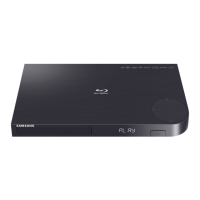
Samsung BD-J5900 - User Manual

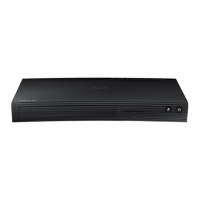
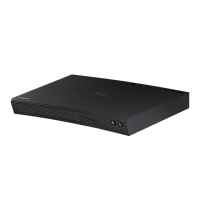
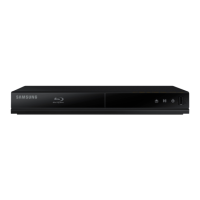
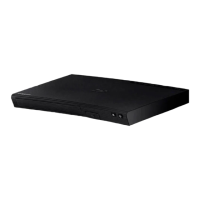
Samsung BD-J5900
31 pages
Print Icon
To Next Page IconTo Next Page
Loading...
imagine the possibilities
Thank you for purchasing this Samsung product.
To receive more complete service,
please register your product at
www.samsung.com/register
Blu-ray
Disc Player

BD-J5900


Questions and Answers

  • J
    Jonathan MoyerJul 27, 2025
    How to fix no HDMI output on Samsung Disc player?
    • M
      michael21Jul 28, 2025
      First, verify the connection between your TV and the HDMI jack on the player. Also, confirm that your TV supports the necessary HDMI input resolutions (576p/480p, 720p, 1080i, or 1080p).
  • D
    Debbie WatsonJul 31, 2025
    What to do if I forgot the password on my Samsung Disc player?
    • A
      Angela CraneAug 1, 2025
      If you've forgotten your password, press and hold the ^ button on the front panel for more than 5 seconds when there is no disc inside. This will restore all settings, including the password, to the factory defaults. Note that all stored user BD data will be deleted.
  • J
    James OneillAug 5, 2025
    Why can't I connect to the BD-LIVE server on my Samsung Disc player?
    • M
      Melissa BaldwinAug 5, 2025
      First, check your network connection using the Network Status menu. Then, make sure a USB memory device is connected to the player and that it has at least 1GB of free space. Also, verify that the BD-LIVE Internet Connection menu is set to Allow(All). If the issue persists, consider contacting the content provider or updating the player's firmware.
  • S
    Stephanie HarperAug 9, 2025
    Why is video playing intermittently on my Samsung Disc player?
    • J
      Jennifer WebbAug 9, 2025
      An unstable network can cause this issue. Check if your network is stable, if the network cable is properly connected, and if the network is overloaded. If you're using a wireless connection between a DLNA-compatible device and the player, check that connection as well.
  • W
    William FinleyAug 13, 2025
    How to fix a noisy or distorted picture on Samsung Disc player?
    • V
      virginiarichardsonAug 13, 2025
      Ensure that the disc is not dirty or scratched. If it is, clean the disc.
  • D
    daltonfloresAug 17, 2025
    Why is the DLNA connection between my Samsung Disc player and PC unstable?
    • T
      Travis PhamAug 17, 2025
      IP address interference can cause an unstable connection. Ensure that the IP addresses are unique under the same subnetwork. Also, check if you have a firewall enabled and, if so, disable it.
  • M
    Morgan Marquez DVMAug 22, 2025
    Why can I see folders but not files shared through DLNA on my Samsung Disc player?
    • A
      alexisrobinsonAug 22, 2025
      DLNA only displays files corresponding to the Image, Music, and Movie categories. Files that do not fall into these categories will not be shown.

Summary

Safety Information

Electrical Safety and Warnings

Covers shock, opening, service, symbols, and general electrical hazards.

Operational and Placement Precautions

Advises on ventilation, location, water spills, heat, and sunlight exposure.

Environmental, Fire Safety, and Notices

Environmental, Fire Safety, and Notices

Covers battery disposal, fire prevention, chemical safety, FCC compliance, and laser warnings.

Using the 3 D Function

3 D Viewing Health and Safety

Details potential discomforts, eye strain, and safe usage practices for 3D content.

3 D Playback and Connectivity

Explains HDMI connection requirements, resolution limits, and playback function restrictions.

Getting Started

Disc and File Compatibility

Lists playable/unplayable discs, region codes, supported file formats, and USB connection notes.

USB Connection Notes

Provides specific advice and warnings regarding the use of USB storage devices.

Media Playback Features

Playback Limitations and File Formats

Outlines limitations like DRM, frame rate, USB compatibility, and details supported file formats.

Product Overview

Included Accessories

Lists all items provided in the Blu-ray player's packaging.

Front and Rear Panel Layout

Describes the location and function of buttons, ports, and indicators on the player.

Connections

Connecting to a TV

Guides users on establishing an HDMI connection between the player and their television.

Installing Remote Control Batteries

Instructions on how to properly insert batteries into the remote control.

Audio and Network Connections

Connecting to an Audio System

Explains methods for connecting the player to AV receivers via HDMI or digital coaxial cables.

Connecting to a Network Router

Details how to establish a wired or wireless network connection for the player.

Settings and Initial Setup

Initial Setup Procedure

Walks users through the first-time setup wizard for languages, aspect ratio, and network.

Wireless Network Setup

Provides step-by-step instructions for connecting the player to a Wi-Fi network.

Menu Navigation

Wired Network Setup

Details the process for connecting the player to a network using a LAN cable.

Menu Navigation

Explains how to use the remote control buttons to navigate menus and options.

Picture Settings

3 D, Aspect Ratio, and BD Wise

Settings for 3D playback, TV aspect ratio, and Samsung's BD Wise feature.

Resolution Settings

Explains how to set the player's video output resolution for optimal display.

HDMI and Sound Settings

HDMI Color, Deep Color, and Progressive Mode

Details adjustments for HDMI output quality and DVD picture enhancement.

Digital Audio Output Configuration

Guides on selecting and configuring digital audio output formats.

Network Settings

Wired Network Setup (Automatic & Manual)

Provides detailed steps for both automatic and manual wired network configurations.

Wireless Network Setup

Automatic and Manual Configuration

Offers comprehensive instructions for connecting to Wi-Fi using automatic or manual methods.

Wireless Network Connection Methods

WPS and Wi-Fi Direct Setup

Explains alternative wireless connection methods (WPS) and direct device connections (Wi-Fi Direct).

Network Test and Status

Instructions for checking the player's network connectivity and internet access.

Advanced Connectivity Features

Screen Mirroring and BD-Live

Covers displaying smart device screens and accessing online Blu-ray content.

System Settings

DLNA, Anynet+, BD Data Management

Explains network media playback, device control, and managing downloaded BD-Live content.

Language and Security Settings

Covers selecting on-screen languages and managing security PINs, including parental controls.

General and Support Settings

Time Zone and Software Upgrade

Instructions for setting the time zone and updating the player's firmware.

Media Play

Disc and USB Playback

Covers playing commercial discs, USB files, and user-recorded discs.

DLNA Network Streaming

Explains how to play media files stored on network devices.

Controlling Playback

Video and Music Playback Controls

Details the remote control functions for managing video and music playback.

Audio Playback and Ripping

Audio CD Playback, Playlists, and Ripping

Covers managing audio playback, creating playlists, and copying audio from CDs to USB.

Photo Playback and Data Transfer

Photo Features and Disc to USB Copy

Details photo slide show options and copying data from discs to USB devices.

Using Netflix

Instructions for setting up and streaming content from the Netflix service.

Streaming Services

Using Pandora and YouTube

Guides on streaming music from Pandora and videos from YouTube.

YouTube Features

Video Playback, Search, and Account Management

Navigating YouTube content, searching, and managing account settings.

Troubleshooting and Repairs

Common Problems and Solutions

Provides troubleshooting steps for various operational issues.

Service and Support Information

Details on contacting customer support for repairs and assistance.

Specifications

Technical Specifications

Lists detailed hardware specifications of the Blu-ray player.

Compliance and Compatibility Notices

Information on disc compatibility and format support.

Legal Notices

Copy Protection and Network Disclaimers

Explains copy protection systems and disclaimers for network services.

Limited Warranty

Warranty Terms and Conditions

Details the terms and conditions of the manufacturer's warranty for the product.

Support and Contact Information

Customer Service and Online Support

Information on how to contact Samsung for questions, comments, or support.

Samsung BD-J5900 Specifications

General IconGeneral
3DYes
Depth221 mm
Width290 mm
Height39 mm
Weight1000 g
Device typeBlu-Ray player
Product colorBlack
Audio decodersDolby Digital, DTS
Package weight1620 g
AC input voltage110 - 120 V
AC input frequency50 - 60 Hz
Disc types supportedBD, CD-DA, CD-R, CD-RW, DVD, DVD+R, DVD+RW, DVD-R, DVD-RW
Playback disc formatsBlu-Ray video, VCD
Supported video modes-
Card reader integratedNo
USB 2.0 ports quantityUSB 2.0 ports have a data transmission speed of 480 Mbps, and are backwards compatible with USB 1.1 ports. You can connect all kinds of peripheral devices to them.
Video formats supportedAVCHD, DIVX, DIVX HD, MKV, MPEG2, MPEG4, MPO, WMV
Digital audio coaxial out0
Power consumption (standby)0.4 W
Power consumption (typical)9.8 W
Sustainability certificatesENERGY STAR
Consumer Electronics Control (CEC)Anynet+
Audio output channels2.0 channels

Related product manuals