EasyManua.ls Logo

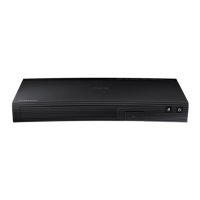
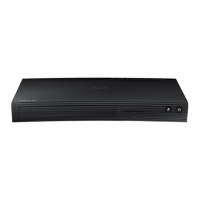
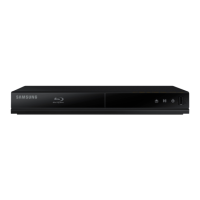
Samsung BD-JM59 - User Manual

Samsung BD-JM59
31 pages
Print Icon
To Next Page IconTo Next Page
Loading...
imagine the possibilities
Thank you for purchasing this Samsung product.
To receive more complete service,
please register your product at
www.samsung.com/register
Blu-ray
Disc Player

BD-JM59
BD-JM59C


Questions and Answers

  • S
    Samuel PhillipsAug 18, 2025
    How to fix a Samsung Blu-ray Player remote control that is not working?
    • B
      Bradley GarciaAug 18, 2025
      If your Samsung Blu-ray Player's remote control isn't working, try these steps: First, ensure the batteries aren't depleted and replace them if needed. Next, make sure you're within 20 feet of the player. Finally, you can reset the remote by removing the batteries, holding down one or more buttons for a few minutes, and then reinstalling the batteries.
  • V
    Valerie SimmonsAug 20, 2025
    What to do if my Samsung Blu-ray Player screen is blank?
    • M
      Michael ThompsonAug 20, 2025
      If your Samsung Blu-ray Player's screen is blank, and the HDMI output is set to a resolution your TV doesn't support (like 1080p), press and hold the ^ button on the front panel for more than 5 seconds without a disc inside. This will revert all settings to the factory defaults. Note that restoring factory default settings will erase all stored user BD data.
  • S
    Sean WaltonAug 22, 2025
    How to reset the password on a Samsung Blu-ray Player?
    • D
      Danielle AllenAug 22, 2025
      If you forgot your password for your Samsung Blu-ray Player, press and hold the ^ button on the front panel for more than 5 seconds without a disc inside. This will revert all settings, including the password, to the factory defaults. Note: This will erase all stored user BD data, so only use this method if absolutely necessary.
  • J
    Jerry DrakeAug 26, 2025
    Why can't I connect my Samsung Blu-ray Player to the BD-LIVE server?
    • C
      Crystal DavisAug 26, 2025
      If you cannot connect to the BD-LIVE server with your Samsung Blu-ray Player: * Check your network connection by accessing Network Status in Network Settings (Settings > Network Settings > Network Status). * Ensure a USB memory device is connected to the player. * Verify the memory device has at least 1GB of free space, which you can check in BD Data Management. * Confirm the BD-LIVE Internet Connection menu is set to Allow(All). If these steps don't work, consider contacting the content provider or updating the player's firmware.
  • O
    omckinneyAug 27, 2025
    Why is there no audio coming from my Samsung Blu-ray Player?
    • J
      Jennifer ShawAug 27, 2025
      If you're experiencing no audio with your Samsung Blu-ray Player, ensure that you have selected the correct Digital Output in the Audio Options Menu.
  • M
    Mr. Troy Carroll Jr.Aug 30, 2025
    What to do if my Samsung Blu-ray Player disc does not play?
    • C
      Cynthia HallAug 30, 2025
      If your Samsung Blu-ray Player isn't playing discs, first ensure that the disc is installed with the label side facing up. Also, check the region number of the Blu-ray Disc/DVD to ensure it is compatible with your player.
  • M
    Michael MartinSep 2, 2025
    Why is there no HDMI output from my Samsung Blu-ray Player?
    • B
      Bryan CampbellSep 2, 2025
      If you're not getting any HDMI output from your Samsung Blu-ray Player, check the HDMI connection between the player and your TV. Also, verify that your TV supports the HDMI input resolution (480p, 720p, 1080i, or 1080p).
  • A
    April HortonSep 4, 2025
    How to fix a noisy or distorted picture on a Samsung Blu-ray Player?
    • A
      Amber ScottSep 4, 2025
      If the picture on your Samsung Blu-ray Player is noisy or distorted, make sure the disc is not dirty or scratched. If it is, clean the disc.
  • W
    William WhiteSep 6, 2025
    What does the prohibition message mean on my Samsung Blu-ray Player?
    • J
      John SchmidtSep 7, 2025
      The prohibition message on your Samsung Blu-ray Player appears when an invalid button is pressed, the Blu-ray Disc/DVD’s software doesn’t support the feature (e.g., angles), or you’ve requested a title, chapter number, or search time that is out of range.
  • P
    Pamela StewartSep 9, 2025
    Why does the play mode differ from the Setup Menu selection on my Samsung Blu-ray Player?
    • W
      William RodriguezSep 9, 2025
      If the play mode differs from the Setup Menu selection on your Samsung Blu-ray Player, it may be because some functions selected in the Setup Menu are not encoded on the disc.

Samsung BD-JM59 Specifications

General IconGeneral
BrandSamsung
ModelBD-JM59
CategoryBlu-ray Player
LanguageEnglish

Related product manuals