EasyManua.ls Logo

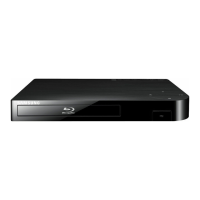
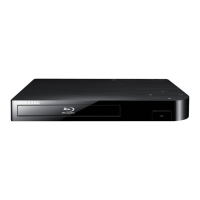
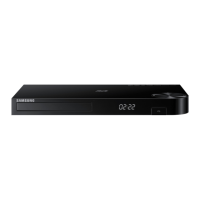
Samsung BD-HM57C - User Manual

Samsung BD-HM57C
32 pages
Print Icon
To Next Page IconTo Next Page
Loading...
imagine the possibilities
Thank you for purchasing this Samsung product.
To receive more complete service,
please register your product at
www.samsung.com/register
Blu-ray
Disc Player




Questions and Answers

  • K
    Kelsey EatonAug 18, 2025
    How to fix Samsung BD-HM57C Blu-ray Player remote control not working?
    • K
      Kathleen PowellAug 18, 2025
      If the remote control for your Samsung Blu-ray Player isn't working, first check and replace the batteries if needed. Ensure you are within 20 feet of the player. If problems persist, try resetting the remote by removing the batteries, holding down one or more buttons for a few minutes, and then reinstalling the batteries.
  • J
    Julia CrossAug 21, 2025
    What to do if I forgot the password on my Samsung BD-HM57C Blu-ray Player?
    • S
      singhmelissaAug 21, 2025
      If you forgot your password for the Samsung Blu-ray Player, press the '?' button on the front panel for more than 5 seconds when there is no disc inside. Note that this will revert all settings, including the password, to the factory defaults and all stored user BD data will be deleted. Use this method only when absolutely necessary.
  • K
    Kayla ThompsonAug 23, 2025
    Why is there no HDMI output from my Samsung Blu-ray Player?
    • S
      Steven PhillipsAug 23, 2025
      If your Samsung Blu-ray Player is not showing an HDMI output, verify the connection between the TV and the player's HDMI jack. Also, confirm that your TV supports the HDMI input resolution (480p, 720p, 1080i, or 1080p).
  • S
    Shannon Davis DDSAug 26, 2025
    Why won't my Samsung BD-HM57C play the disc?
    • D
      derrick25Aug 26, 2025
      If your Samsung Blu-ray Player disc does not play, make sure the disc is installed with the label side facing up. Also, check the region number of the Blu-ray Disc or DVD to ensure it is compatible with your player.
  • D
    dlozanoAug 28, 2025
    What causes an abnormal HDMI output screen on a Samsung BD-HM57C Blu-ray Player?
    • M
      Mark NicholsAug 28, 2025
      If you are experiencing abnormal HDMI output on your Samsung Blu-ray Player, and random noise appears on the screen, it likely means that your TV does not support HDCP (High-bandwidth Digital Content Protection).
  • C
    Carrie LinAug 30, 2025
    Why is the picture noisy or distorted on my Samsung BD-HM57C?
    • N
      ncrossAug 30, 2025
      If the picture on your Samsung Blu-ray Player is noisy or distorted, make sure the disc is not dirty or scratched. Clean the disc if necessary.
  • T
    Terrance DelgadoSep 1, 2025
    What causes errors when using the BD-LIVE service on a Samsung BD-HM57C Blu-ray Player?
    • S
      Sean MartinSep 1, 2025
      If you're using the BD-LIVE service on your Samsung Blu-ray Player and encounter an error, ensure that the memory device has at least 1GB of free space available for the BD-LIVE service. You can check the available size in BD Data Management.
  • T
    torreskathySep 3, 2025
    Why does the disc menu not appear on my Samsung Blu-ray Player?
    • C
      chernandezSep 4, 2025
      If the disc menu does not appear on your Samsung Blu-ray Player, ensure that the disc actually has disc menus.
  • A
    Angela SmithSep 6, 2025
    What does the prohibition message on my Samsung Blu-ray Player mean?
    • W
      Wesley GrahamSep 6, 2025
      If you see a prohibition message on the screen of your Samsung Blu-ray Player, it appears when an invalid button is pressed, the Blu-ray Disc/DVD’s software doesn’t support the feature (e.g., angles), or you’ve requested a title or chapter number or search time that is out of range.
  • G
    Gregory SchultzSep 8, 2025
    Why can't I see files in DLNA folders on my Samsung Blu-ray Player?
    • G
      Gina McphersonSep 8, 2025
      If you cannot see files, but you can see folders shared through DLNA on your Samsung Blu-ray Player, DLNA only shows files corresponding to the Image, Music, and Movie categories. Files that do not correspond to these categories are not displayed.

Summary

Safety Information

General Safety Warnings

Essential safety guidelines for device placement, power, and protection.

Electric Shock and Handling Precautions

Warnings about electric shock, opening the unit, and safe handling.

Safety Precautions and Compliance

Laser Safety Warnings

Details on Class 1 and Class 3B laser product warnings and precautions.

Important Safety Instructions

Comprehensive list of safety instructions for operating the Blu-ray player.

Player Hardware Overview

Remote Control Operation

Explains the functions of each button on the remote control for operation.

Connecting to a Television

HDMI Connection Guide

Step-by-step guide for connecting the player to a TV using an HDMI cable.

Audio and Network Connectivity

Network Router Connection

Details on connecting the player to a network router for online functionality.

Initial Setup and Wireless Network

Initial Settings Procedure

Step-by-step guide for the initial setup of the player after connection.

Connecting to a Wireless Network

Guide for connecting the player to a wireless network.

Network Configuration Methods

Wired Network Setup

Instructions for setting up a wired network connection.

Wireless Network Setup Options

Details on automatic, manual, WPS(PBC), and WPS(PIN) wireless connection methods.

Player Menus and Display Settings

Video and Audio Output Settings

HDMI Output Configuration

Adjustments for HDMI output, color, deep color, progressive mode, and audio formats.

Advanced Audio and Network Configuration

Network Configuration Process

Steps to configure the player's network connection, including wired setup.

Manual Network Configuration

Manual Wireless Network Setup

Steps for manually configuring wireless network settings.

Network Connection Methods

Advanced Wireless Connectivity

BD-Live Service and DLNA

Configuring BD-Live settings and playing media via DLNA.

Player Features and Settings Management

Security and Parental Controls

Configuring security settings, parental ratings, and changing PIN.

System Configuration and Updates

General and Support Settings

Adjusting time zone and managing software upgrades for the player.

Software Upgrade Procedures

Procedures for upgrading player software via online or USB.

Networked Media and Video Playback

Streaming Service Configuration

Troubleshooting Common Issues

Remote and Playback Troubleshooting

Solutions for common problems like remote control issues and playback errors.

HDMI and Connectivity Troubleshooting

Solutions for HDMI output issues and unstable DLNA connections.

Advanced Troubleshooting and Specifications

Samsung BD-HM57C Specifications

General IconGeneral
BrandSamsung
ModelBD-HM57C
CategoryBlu-ray Player
LanguageEnglish

Related product manuals