1-
English
2-
English
3-
English
1 Unpacking
Accessories
TOOLS
RETURN
EXIT
INFO
SUBTITLE HOME REPEAT
1
2
3
7
89
DISC MENU TITLE MENU
0
POPUP
4
56
MUTE
MO/ST
TUNER
MEMORY
ABCD
TUNING
DOWN
UP
VOLUME
-
+
DSP/EQTV SOUND
FUNCTION
Main Unit
Power Cable FM Antenna User Manual Remote Control / Batteries (AAA size)
Speaker Components
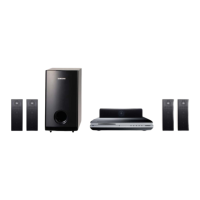
HT-J4500
Center
Front x 2 Surround x 2 Speaker Cable x 6 Subwoofer
HT-J4500/HT-J4530
Quick Installation Guide
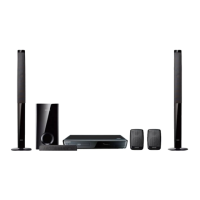
5.1CH Blu-ray™ Home Entertainment System
AH68-02796L-02
AH68-02796L-02
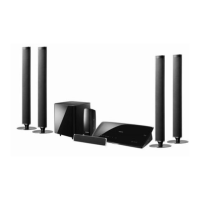
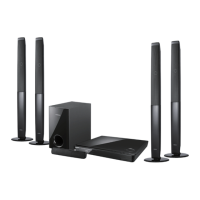
HT-J4530
Screw (5x20) x 8 Center Stand Base x 2
Front x 2 Stand x 2 Surround x 2 Speaker Cable x 6 Subwoofer
2 Installing and Connecting the Speakers
Installing the Speakers on the Tallboy Stand
* HT-J4530 only - Front Speakers
1 Turn the Stand Base upside-down and connect it to the
Stand.
2 Use the driver to combine the screws on the
3 marked holes.
3 Straighten a supplied speaker wire to the gravity
direction and put in the hole on the center of Stand
Base.
4 Connect the upper Speaker to the assembled Stand.
5 Insert a screw clockwise into the hole on the rear of the
speaker using a screwdriver.
And then connect a speaker cable.
6 This is the appearance after the speaker is installed.
Follow this steps to install other speaker.
Stand Base
Stand
Speaker
Stand
Speaker Cable Connections
1 Match each speaker cable bundle to the correct speaker by matching the colored band on each bundle
to the colored sticker on the bottom of each speaker.
2 Connect the speaker wire plugs from each speaker to the back of the product by matching the colored
band on each cable to the colors of the speaker jacks. When connecting, make sure to match label
color on the back of speaker.
HT-J4500
SURROUND
SURROUND

 Need help?
 General






 To Next Page