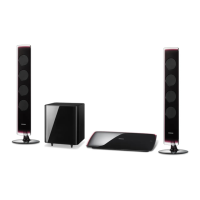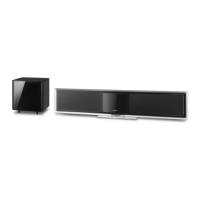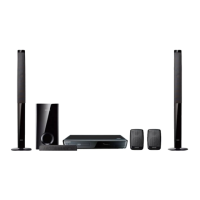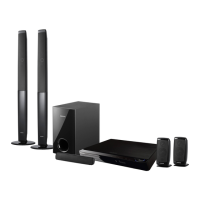
EasyManua.ls Logo

Samsung HT-BD3252 - User Manual

Samsung HT-BD3252
113 pages
Print Icon
To Next Page IconTo Next Page
Loading...
5.1CH Blu-ray
Home Theater System
user manual
imagine the possibilities
Thank you for purchasing this Samsung product.
To receive more complete service,
please register your product at
www.samsung.com/register
HT-BD3252
HT-BD3252A_XAA_0724-1.indd Sec1:1HT-BD3252A_XAA_0724-1.indd Sec1:1 2009-07-24  5:26:512009-07-24  5:26:51

Table of Contents

Questions and Answers

  • J
    Janice BakerSep 10, 2025
    Why is my Samsung HT-BD3252 Home Theater System rotating the disc but not showing a picture?
    • K
      Karen PierceSep 10, 2025
      If your Samsung Home Theater System is rotating a disc but not producing a picture, and the picture quality is poor or shaking, check the following: * Is the TV power on? * Are the video cables connected properly? * Is the disc dirty or damaged? Also, a poorly manufactured disc may not be playable.
  • B
    brady46Aug 22, 2025
    Why is Dolby Digital 5.1 CH Surround Sound not working on my Samsung HT-BD3252?
    • C
      Christian WestAug 23, 2025
      If your Samsung Home Theater System isn't producing Dolby Digital 5.1 CH Surround Sound, first, confirm that the disc has the "Dolby Digital 5.1 CH" mark, indicating it was recorded with 5.1 channel sound. Also, check that the audio language is correctly set to Dolby Digital 5.1CH in the information display.
  • M
    michaelcarsonAug 25, 2025
    Why is sound only coming from some speakers on my Samsung Home Theater System?
    • J
      juanpriceAug 25, 2025
      If sound is only coming from a few speakers and not all six on your Samsung Home Theater System: * Check if the speakers are connected properly. * Adjust the volume. * Note that when listening to a CD or radio, sound is output to the front speakers only; also, sound is sometimes only output from the front speakers on certain BD/DVD discs.
  • G
    Gary HernandezAug 27, 2025
    How to reset the rating level password on a Samsung Home Theater System?
    • R
      Ryan HumphreyAug 27, 2025
      If you've forgotten the password for the rating level on your Samsung Home Theater System, make sure the (NO DISC) message appears on the main unit's display. Then, press and hold the STOP button on the main unit for more than 5 seconds.
  • R
    Ryan GomezAug 27, 2025
    Why is there no sound when listening to TV audio through my Samsung Home Theater System?
    • J
      Jacob ManningAug 27, 2025
      If you're listening to TV audio through your Samsung Blu-ray Home Theater and no sound is heard, it could be that pressing the OPEN/CLOSE button while using the D.IN or AUX functions turned on the BD/DVD functions, muting the TV audio.
  • B
    Bradley NelsonAug 29, 2025
    Why is no sound produced by my Samsung HT-BD3252 Home Theater System?
    • K
      Kelli HallAug 29, 2025
      If your Samsung Home Theater System isn't producing sound, note that no sound is heard during fast playback, slow playback, and step motion playback. Also, check if the speakers are connected properly and the speaker setup is customized correctly. Finally, see if the disc is severely damaged.
  • N
    Nathan Cummings DDSSep 18, 2025
    What does the icon on my Samsung HT-BD3252 Home Theater System screen mean?
    • R
      Robert CooperSep 18, 2025
      If the icon appears on the screen of your Samsung Home Theater System, it means that the feature or action cannot be completed at this time because: 1. The BD/DVD’s software restricts it. 2. The BD/DVD’s software doesn’t support the feature (e.g., angles). 3. The feature is not available at the moment. 4. You’ve requested a title or chapter number or search time that is out of range.
  • D
    Daniel KempSep 12, 2025
    What to do if the iPod fails to connect to my Samsung HT-BD3252 Home Theater System?
    • M
      Michelle RobinsonSep 12, 2025
      If the iPod fails to connect to your Samsung Home Theater System, check the condition of the iPod connector and Dock. Also, keep the iPod software version up to date.
  • M
    mikegonzalezSep 8, 2025
    Why does playback not start on my Samsung Home Theater System?
    • E
      Elizabeth CollinsSep 8, 2025
      If playback does not start on your Samsung Home Theater System, it might be due to the region number of the BD/DVD. Discs purchased from abroad may not be playable. Also, ensure that the rating level is correct.
  • H
    hooperstaceySep 5, 2025
    Why is my Samsung Home Theater System showing an abnormal HDMI output screen?
    • A
      Angela RollinsSep 5, 2025
      If you are experiencing an abnormal HDMI output screen, such as random noise, with your Samsung Home Theater System, it may indicate that your TV does not support HDCP (High-bandwidth Digital Content Protection).

Summary

Key Features of Your Blu-ray Home Theater

Player Features Overview

Details on disc playback capabilities, FM tuner, and audio/video format support.

Blu-ray Disc Features

Video Highlights and Playback

Information on BD-ROM video codecs, HD resolutions, and HDTV requirements for playback.

Safety Information

Safety Warnings and Precautions

Essential safety warnings, precautions, and instructions for safe operation and installation.

Important Safety Instructions

Detailed list of safety instructions covering installation, usage, and maintenance.

Getting Started

Disc Type and Characteristics

Details on playable and unplayable disc types, regional codes, and compatibility.

Description

Remote Control

Connections

Connecting the Speakers

Guidance on speaker placement and connecting speaker wires to the main unit.

Connecting the Wireless Receiving Module

Steps for connecting the wireless receiver module for surround sound.

Connecting to TV via HDMI (Best Quality)

Instructions for connecting the unit to a TV using an HDMI cable for optimal video/audio.

Connecting to the Network

Methods for connecting the unit to a network via LAN cable or wireless IP sharer.

Basic Functions of Your Blu-ray Home Theater

Before Playing

Initial setup, language selection, and supported disc types for first-time use.

Playing a Disc

Step-by-step guide for inserting and playing discs, including resume function.

System Setup

Setting the Clock

Instructions for choosing the time zone and setting the system clock.

Language Setup

Setting Language Options

Configuring audio, subtitle, disc menu, and player menu language preferences.

Audio Setup

Setting Speaker Options

Adjusting dynamic compression, AV sync, and speaker distance for optimal sound.

Sound Edit and DSP Function

Fine-tuning individual speaker levels and using Smart Sound (DSP) features.

Auto Sound Calibration

Using the ASC microphone to automatically calibrate sound settings for the environment.

Display Setup

Setting Display Options

Adjusting TV aspect ratio, movie frame rate, and screen messages.

HDMI Setup

Setting HDMI Setup Options

Configuring Anynet+ (HDMI-CEC), HDMI Format, and BD Wise settings.

Parental Setup

Setting Up Parental Lock

Enabling parental lock, setting rating levels, and managing the password.

Password Recovery and Rating Level

Procedure for forgotten passwords and adjusting content rating levels.

Network Setup

Setting Up Network Options

Configuring network connection type, cable, wireless, proxy, and NTP server settings.

BD Data Management

System Upgrade

Firmware Upgrade Process

Steps for performing firmware upgrades via network or USB.

Watching a Movie

Selecting Audio and Subtitle Languages

Changing audio tracks and subtitle languages during movie playback.

Sound Mode

Using the USB Function

Playing Media Files via USB Host

Connecting USB devices to play media files and safe removal procedure.

Using an iPod

PC Streaming Function

Connecting to PC and Playing Content

Steps for connecting to a PC and playing MP3, JPEG, DivX, MKV, MP4 files from shared folders.

Using the e-Contents

Troubleshooting

Disc Ejection & iPod Connectivity Issues

Resolving problems with ejecting discs or connecting an iPod.

Playback and Sound Output Problems

Troubleshooting issues related to playback errors, no sound, or incorrect speaker output.

Remote Control and Picture Display Issues

Resolving problems with the remote control not working or abnormal picture display.

HDMI and Network Connectivity Problems

Addressing issues with HDMI output, wireless search, and aspect ratio.

Warranty Information

Limited Warranty to Original Purchaser

Details of the limited warranty period, coverage, exclusions, and service procedures.

Samsung HT-BD3252 Specifications

General IconGeneral
BrandSamsung
ModelHT-BD3252
CategoryHome Theater System
LanguageEnglish

Related product manuals