EasyManua.ls Logo

Samsung HT-J4500 - User Manual

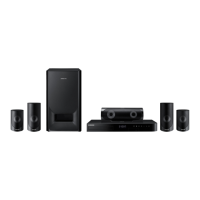
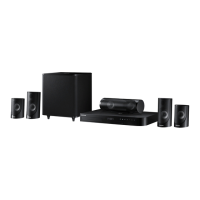
Samsung HT-J4500
45 pages
Print Icon
To Next Page IconTo Next Page
Loading...
5.1CH Blu-ray™
Home Entertainment System
User manual
HT-J4500
This Nanum Gothic Eco font is provided by NAVER.
imagine the possibilities
Thank you for purchasing this Samsung product.
To receive more complete service, please register your product at
www.samsung.com/register

Questions and Answers

Summary

Safety Information and Precautions

General Safety Warnings

Covers electric shock, ventilation, placement, and hazard warnings.

Additional Safety Guidelines

Handling and Usage Precautions

Covers children, stability, cleaning, liquids, batteries, and fire prevention.

3 D Viewing Precautions

Connections

Speaker Setup and Placement

Guidance on connecting and positioning speakers for optimal audio.

Settings Configuration

Initial Setup Procedure

Step-by-step guide for initial setup of language, aspect ratio, and network.

Sound and Audio Settings

System and Network Settings

Network Settings Configuration

Settings for wired network, BD-Live, and Anynet+ (HDMI-CEC).

Network Connection Setup

Detailed steps for automatic or manual network setup.

Software Upgrade Procedures

Steps for upgrading product software via online or USB.

DLNA and Software Updates

Playing Content

Video Playback Control

How to control playback functions like play, pause, stop, fast motion, etc.

Music and Playlist Operations

Photo and Bluetooth Media Playback

Connecting and Disconnecting Bluetooth Devices

Steps to pair, connect, and disconnect Bluetooth devices.

Network Services

BD-LIVE and DLNA Connectivity

How to connect to networks for BD-LIVE and DLNA media access.

Appendix: File Formats and Output Settings

Supported Media File Formats

Tables detailing supported video, music, and picture file types.

Digital Output Selection Details

Options for digital audio output settings and their implications.

Troubleshooting and Repairs

Troubleshooting Guide

Common problems and their solutions, categorized by symptom.

Troubleshooting: Audio, Remote, and Menu Issues

Further troubleshooting for sound, remote, menu, aspect ratio, and password problems.

Troubleshooting: HDMI, DLNA, and BD-LIVE Errors

Troubleshooting steps for HDMI, DLNA, BD-LIVE connection, and general errors.

Samsung HT-J4500 Specifications

General IconGeneral
Disc types supportedBD, CD-R, CD-RW, DVD, DVD+R, DVD+RW, DVD-R, DVD-RW
Playback disc formatsBlu-Ray video, VCD
Number of optical discs1 discs
Optical disc player typeBlu-Ray player
Built-in HDD-
TV tuner integratedYes
Image formats supportedJPG
Video formats supportedAVCHD, DIVX, DIVX HD, MKV, WMV
Analog signal format systemPAL
Audio decodersDolby Digital, Dolby Digital Plus, Dolby TrueHD, DTS, DTS 96/24, DTS-HD, DTS-HD Master Audio
RMS rated power500 W
Audio output channels5.1 channels
Audio formats supportedAAC, FLAC, LPCM, MP3, WMA, WMV
Preset stations quantity15
Subwoofer typePassive subwoofer
Product colorBlack
Consumer Electronics Control (CEC)Anynet+
Wi-FiNo
HDMI in0
USB version2.0
Number of HDMI outputs1
Power consumption (standby)0.5 W
Power consumption (typical)39 W
Cables includedHDMI
Package depth412 mm
Package width527 mm
Package height327 mm
Weight and Dimensions IconWeight and Dimensions
Main unit weight1900 g
Subwoofer weight2900 g
Center speaker weight500 g
Main unit dimensions (WxDxH)430 x 224 x 55 mm
Subwoofer dimensions (WxDxH)155 x 285 x 300 mm
Front speaker dimensions (WxDxH)77 x 70 x 108 mm
Center speaker dimensions (WxDxH)228 x 70 x 77 mm

Related product manuals