
 Need help?
Do you have a question about the Samsung BN68-01171B-03 and is the answer not in the manual?
Guidelines for preventing screen image retention and burn-in on the plasma panel.
Information on the operational height limit for the PDP television.
Explanation of normal heat dissipation and safety precautions.
Normal operational noise due to environmental changes.
Explanation of minor pixel variations in PDP panels.
Recommendation to avoid operating the TV below 5°C.
Warning about permanent damage from displaying static images for too long.
Details on what the warranty does not cover, like image retention.
Advice on contacting service for specific installation environments.
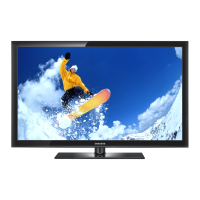
List of items provided with the television set.
List of accessories sold separately for the television.
Safety instructions for carrying and positioning the TV with its stand.
Information on the stand's ability to rotate the TV.
Function for selecting input sources on the TV.
Accesses the on-screen menu for TV features.
Adjusts the audio volume level of the TV.
Buttons for changing channels and navigating menus.
Confirms selections within menus.
Turns the TV on and off.
Details of audio/video input ports on the side.
Diagram and description of various input/output ports on the rear.
Specific HDMI input for certain models.
Inputs for external video and audio devices.
Port for connecting headphones for private listening.
Connection for the power cord.
Inputs/outputs for external devices like VCRs, DVD players.
Inputs for component video and audio signals.
Output for digital audio components.
Connection for PC video and audio output.
Slot for CI cards for conditional access.
HDMI inputs supporting DVI connection with analog audio.
Buttons for powering on/off and direct channel selection.
Buttons to adjust volume and navigate channels.
Buttons for accessing and operating the on-screen menu.
Buttons for controlling teletext and picture settings.
Buttons for switching input sources and Anynet+ features.
Buttons for powering on/off and direct channel selection.
Buttons to adjust volume and navigate channels.
Buttons for accessing and operating the on-screen menu.
Buttons for audio enhancement and picture settings.
Buttons for switching input sources and Anynet+ features.
Step-by-step guide for inserting AAA batteries into the remote.
Checks to perform if the remote control is not functioning.
Procedure to turn the TV on using the power button.
Procedure to turn the TV off using the power button.
How to navigate and select options within the TV's on-screen menus.
Guides through automatic setup for language, country, and channels.
Choosing the display language and TV's country.
Difference between home and retail display modes.
Automatic search and storage of digital TV channels.
Setting the television's internal clock and time zone.
How to switch between different connected AV devices.
Displays the list of available input sources.
Assigning custom names to external input sources.
Performing an automatic scan for available TV channels.
Choosing the country to optimize the channel scan.
Storing channels one by one using manual settings.
Setting the program number for stored channels.
Choosing correct color/sound systems for analog channels.
Searching for channels and selecting tuning modes.
Selecting channels to add to a custom favorites list.
Preventing unauthorized viewing of channels via PIN.
Reordering channels by program number.
Assigning or changing names for TV channels.
Adjusting channel reception for optimal picture and sound.
Restoring fine tuning adjustments to default.
Using LNA to boost weak TV signals.
Choosing between Dynamic, Standard, and Movie picture modes.
Fine-tuning brightness, contrast, sharpness, color, and tint.
Restoring picture settings to factory defaults.
Adjusting black level and screen contrast.
Adjusting picture brightness and color temperature.
Customizing colors and emphasizing object boundaries.
Setting color reproduction space for input signals.
Choosing from Auto Wide, 16:9, Zoom, 4:3, Just Scan.
Selecting display modes like 16:9, Wide Zoom, Zoom, 4:3.
Adjusting screen position and size using the Zoom function.
Enhancing picture quality with noise reduction and color improvements.
Enhancing skin tones and text in fast-moving scenes.
Pausing the current video image using the STILL button.
Choosing sound modes like Standard, Music, Movie, Speech.
Adjusting sound frequencies and enabling virtual surround.
Automatic volume adjustment and disabling internal amplifier.
Controls audio processing and output for stereo/mono signals.
Explanation of different sound output modes.
Setting the television's internal clock.
Setting a timer for the TV to turn off automatically.
Setting automatic on/off timers for the TV.
Automatic TV shutdown after prolonged inactivity.
Choosing the menu and indication language.
Controlling blue screen display and power-on melody.
Controlling front LED and adjusting brightness for power conservation.
Optimizing image quality for HDMI input.
Optimizing picture and sound for gaming experiences.
Notes on limitations and screen behavior when Game Mode is active.
Navigating the menu for adjusting TV position on a wall mount.
Using remote buttons for tilt, move, and reset functions.
Displaying a secondary picture within the main picture.
Choosing the video source and adjusting the size of the sub-picture.
Adjusting sub-picture placement and channel.
Minutely moving pixels to prevent image retention.
Using All White and Signal Pattern to remove after-images.
Preventing damage on side areas for 4:3 ratio content.
Configuring Windows display settings for PC connection.
Setting screen refresh rate for optimal display.
Table detailing compatible PC resolutions and frequencies.
Removing or reducing picture noise using coarse/fine settings.
Centering the PC screen display.
Self-adjusting PC screen to incoming video signal.
Restoring PC image settings to factory defaults.
Optimizing screen settings for enhanced PC picture quality.
Navigating program guide information.
Managing channels: Auto Store, Manual Store, Favorites.
Configuring various TV settings like transparency and parental lock.
Setting display languages.
Accessing current program details like parental rating and audio type.
Detailed language settings for audio, subtitle, and teletext.
Automatically scanning and storing digital channels.
Manually tuning and storing channels.
Creating and managing a list of preferred channels.
Preventing unauthorized viewing of channels via PIN.
Viewing all channels or favorite channels.
Accessing program guide information.
Setting programs to watch or record later.
Adding, editing, or deleting scheduled programs.
Selecting the preferred guide display style.
Toggling between all scanned channels and user-selected favorites.
Setting preferred languages for audio, subtitles, and teletext.
Setting preferred audio language options.
Setting preferred subtitle language options.
Setting preferred teletext language.
Adjusting the translucency of on-screen menus.
Setting a PIN to restrict access to channels or programs.
Changing or resetting the parental control PIN.
Enabling subtitles and selecting subtitle modes.
Choosing audio output format.
Enabling digital text services.
Viewing model, software, and firmware details.
Checking current signal status and strength.
Updating the TV's software for new features.
Installing and managing a Conditional Access Module.
Restoring all TV settings to factory defaults.
Introduction to the AV network system for controlling devices.
How to connect Anynet+ devices directly to the TV via HDMI.
Connecting Anynet+ devices through a home theater system.
Connecting optical audio cables for receiver output.
Activating the HDMI-CEC feature for device control.
Automatically turning off connected devices when the TV is turned off.
Choosing and switching to connected Anynet+ devices.
Actively scanning the network for Anynet+ devices.
Switching to TV broadcast mode and connecting devices.
Starting recording and accessing device menus.
Controlling playback and outputting sound via receiver.
How to start recording a TV program using a recorder.
Configuring the TV to output sound through an external receiver.
Solutions for common Anynet+ related issues.
Troubleshooting device playback and connection problems.
Resolving problems with recording and receiver sound.
Functions of buttons like TV/DTV, Index, Size, Mode.
Using page up/down, cancel, reveal, and hold buttons.
Using coloured buttons and storing teletext pages.
Organization of teletext pages into categories.
Technical details and screw sizes for wall mounting.
Safety advice regarding screw length and VESA compliance.
Switching the remote to control TV, VCR, Cable, DVD, STB.
Programming the remote to control a VCR.
Programming the remote to control a cable box.
Programming the remote to control a DVD player.
Programming the remote to control a set-top box.
List of codes for programming the remote to operate VCRs.
List of codes for programming the remote to operate cable boxes.
List of codes for programming the remote to operate set-top boxes.
List of codes for programming the remote to operate Samsung DVD players.
List of codes for programming the remote to operate various DVD players.
Steps for attaching the stand base to the TV.
Important safety precautions before moving the TV.
Checks for power, connections, and basic settings.
Resolving issues like no sound, black/white picture, or interference.
Troubleshooting steps for a non-responsive remote control.
Diagnosing issues related to screen display and power indicator.
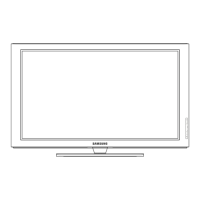
Technical specifications for different PDP TV models.
Physical dimensions, weight, and audio output power.
Operating and storage conditions for the TV.
Information on responsible recycling and disposal of the product.
Contact details for Samsung customer care centers in various languages.
List of customer care phone numbers and websites by country.





 To Next Page
 General