
 Need help?
Do you have a question about the Samsung BN68-01917B-00 and is the answer not in the manual?
Details warranty terms applicable only to the United States.
Details warranty terms applicable to countries other than the U.S.A.
Guidance on avoiding screen burn-in from static images and after-images.
Covers altitude, heat, cracking noise, low temperatures, and cell defects.
Specifies that damage from image retention is not covered by warranty.
Overview of the television's key features and capabilities.
Ensures all necessary parts and accessories are present with the TV.
Instructions for assembling cables and using ferrite cores for interference shielding.
Details the functions of the buttons located on the TV's front panel.
Guide to installing batteries and using the remote control buttons.
Diagrams and descriptions of all available input and output jacks on the TV.
Instructions for connecting various types of TV antennas.
Guides for connecting cable TV, with or without a cable box.
Connecting devices like DVD players via HDMI and DVI interfaces.
Instructions for connecting via component and composite AV cables.
Guides for connecting camcorders and VCRs to the TV.
Connecting digital audio systems, amplifiers, and personal computers.
Basic operations for powering the TV and navigating channels.
How to control the TV's audio output levels.
Utilizing TOOLS button, backlight, and INFO display features.
Accessing menus and initial TV setup via Plug & Play.
Setting up and organizing available TV channels.
Using channel list features like favorites, editing, and program reservations.
Selecting picture modes and adjusting core settings like brightness and contrast.
Detailed adjustments for black tone, contrast, gamma, and color space.
Adjusting image size, aspect ratio, and zoom options.
Features and methods to prevent or reduce screen burn-in.
Steps for connecting and setting up your PC to display on the TV.
Understanding and configuring different display modes and resolutions.
Using auto-adjustment, screen settings, and PC position for optimal display.
Selecting sound modes and customizing audio equalization.
Configuring SRS TruSurround HD and preferred audio languages.
Managing stereo/SAP audio and automatic volume adjustment.
Choosing internal or external speakers and resetting sound settings.
Setting up language, game mode, and other system preferences.
Setting up parental controls to block inappropriate content.
Configuring on-screen text captions and melody sounds.
Adjusting energy saving modes and setting the TV clock and timers.
Selecting and naming connected input sources.
Performing picture and sound tests for problem diagnosis.
Updating TV firmware and optimizing HD device connections.
Information for contacting Samsung customer service and support.
Accessing and navigating media playback features and remote controls.
Browsing, viewing, and manipulating JPEG photos from a USB device.
Browsing, playing, and managing MP3 music files from a USB device.
Configuring media playback settings like slide shows, screen savers, and safe removal.
Instructions for connecting Anynet+ compatible devices using HDMI.
Configuring Anynet+ features like auto turn-off and device switching.
Using Anynet+ for recording TV programs and routing audio to a receiver.
Solutions for common problems encountered with Anynet+ functionality.
Solutions for issues related to picture, sound, power, and remote control.
Steps for preparing wall mounts and attaching the TV stand base.
Safety instructions and methods for securely mounting the TV to a wall.
Technical specifications for VESA compliant wall mounting kits.
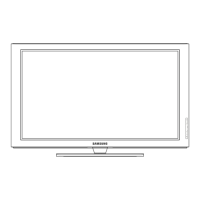
Details the different model names and their screen sizes.
Physical measurements and weight of the TV with and without the stand.
Operating and storage temperature and humidity requirements.
Detailed diagrams and measurements for the 50-inch TV models.
Detailed diagrams and measurements for the 58-inch TV models.
Detailed diagrams and measurements for the 63-inch TV model.



 To Next Page
 General