EasyManua.ls Logo

Samsung BN68-11568A - User Manual

Samsung BN68-11568A
13 pages
Print Icon
To Next Page IconTo Next Page
Loading...
Remote Control and Peripherals
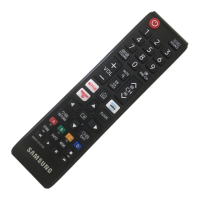
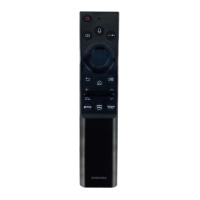
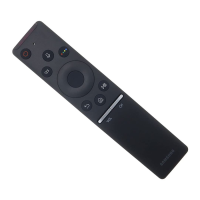
You can control TV operations with your Samsung Smart Remote. Pair external devices, such as a keyboard, for ease
of use.
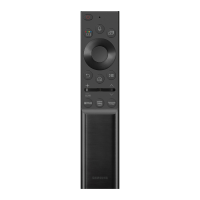
About the Samsung Smart Remote (QLED TV/AU9 Series or higher/The
Frame)
Learn about the buttons on the Samsung Smart Remote.
- 21 -
Question and Answer IconNeed help?

Do you have a question about the Samsung BN68-11568A and is the answer not in the manual?

Summary

Remote Control and Peripherals

About the Samsung Smart Remote (QLED TV;AU9 Series or higher;The Frame)

Learn about the buttons on the Samsung Smart Remote for QLED TV/AU9 Series or higher/The Frame models.

About the Samsung Smart Remote (AU8 Series)

Learn about the buttons on the Samsung Smart Remote (AU8 Series)

Details the buttons and functions of the Samsung Smart Remote for AU8 Series models.

Connecting the Samsung Smart Remote to the TV

Controlling External Devices with a Samsung Remote Control - Using the Universal Remote

Using Anynet+ (HDMI-CEC)

Controlling the TV with a Keyboard, Mouse, or Gamepad

Connecting a USB and Bluetooth Keyboard, Mouse, or Gamepad

Instructions for connecting USB and Bluetooth keyboards, mice, and gamepads to the TV.

Using the Keyboard and Mouse Functions

Details keyboard and mouse button functions and setup options for controlling the TV.

Summary

Remote Control and Peripherals

About the Samsung Smart Remote (QLED TV;AU9 Series or higher;The Frame)

Learn about the buttons on the Samsung Smart Remote for QLED TV/AU9 Series or higher/The Frame models.

About the Samsung Smart Remote (AU8 Series)

Learn about the buttons on the Samsung Smart Remote (AU8 Series)

Details the buttons and functions of the Samsung Smart Remote for AU8 Series models.

Connecting the Samsung Smart Remote to the TV

Controlling External Devices with a Samsung Remote Control - Using the Universal Remote

Using Anynet+ (HDMI-CEC)

Controlling the TV with a Keyboard, Mouse, or Gamepad

Connecting a USB and Bluetooth Keyboard, Mouse, or Gamepad

Instructions for connecting USB and Bluetooth keyboards, mice, and gamepads to the TV.

Using the Keyboard and Mouse Functions

Details keyboard and mouse button functions and setup options for controlling the TV.

Samsung BN68-11568A Specifications

General IconGeneral
BrandSamsung
ModelBN68-11568A
CategoryRemote Control
LanguageEnglish

Related product manuals