
 Need help?
Do you have a question about the Samsung Smart Remote BN68 Series and is the answer not in the manual?
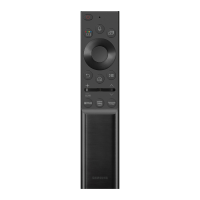
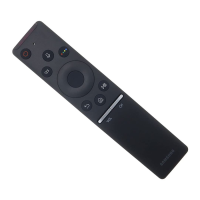
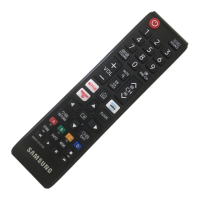
Details the functions of each numbered button on the SAMSUNG remote control for TV operation.
Explains how to access the TV's accessibility functions via the CC/VD button.
Covers Voice Guide, TV Background Volume, Picture Off, Video Description, and Multi-output Audio.
Includes High Contrast, Grayscale, Color Inversion, Enlarge, and Sign Language Zoom.
Details Learn TV Remote, Learn Menu Screen, Caption Settings, and Remote Button Repeat.
This document describes the features and functions of a Samsung TV remote control and its associated accessibility settings.
The Samsung TV remote control is a handheld device designed for intuitive interaction with a Samsung television. It features a comprehensive array of buttons for controlling various aspects of the TV's operation, from basic power and channel selection to advanced accessibility features and smart TV functions. The remote is designed with accessibility in mind, incorporating Braille points on key buttons (Power, Channel, Volume, and Select) to assist visually impaired users.
The remote control provides the following primary functions:
The remote control is designed for ease of use, with a logical layout and tactile feedback. Its primary usage involves pointing it towards the TV and pressing the desired buttons.
The Samsung TV and its remote offer extensive accessibility features, which can be accessed through the Accessibility Shortcuts menu (by pressing the CC/VD button). These features aim to make the TV usable for individuals with various impairments:
 General
| Brand | Samsung |
|---|---|
| Model | Smart Remote BN68 Series |
| Category | Remote Control |
| Language | English |




 To Next Page