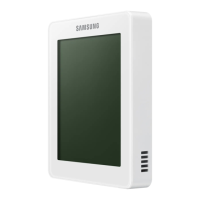
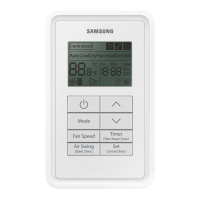
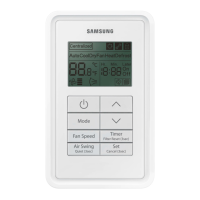
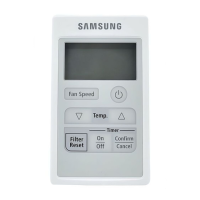
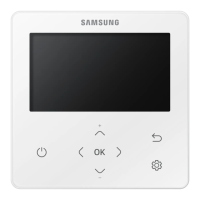
This document is a user manual for the Samsung Wired Remote Controller MWR-SH11UN, designed for use with Samsung air conditioners. It provides detailed instructions on the operation, advanced functions, and maintenance of the remote controller.
Function Description
The MWR-SH11UN wired remote controller serves as the primary interface for controlling a Samsung air conditioner. It allows users to select various operating modes, adjust temperature and fan speed, and access advanced features.
Basic Operations:
- Auto Mode: Automatically adjusts temperature and fan speed to maximize comfort. It provides strong, cold breeze when the indoor temperature is high and a weaker breeze as it cools down.
- Cool Mode: Allows manual adjustment of fan speed, temperature, and air flow direction. If heating operation is selected during cooling, cooling is canceled.
- Dry Mode: Effectively removes excess humidity, ideal for rainy days.
- Fan Mode: Produces a breeze similar to a powerful fan, without cooling or heating.
- Heat Mode: Produces warm air for use in colder seasons. The system may temporarily stop producing breeze at the start to avoid cold drafts. A defrost indicator (snowflake icon) turns on when the outdoor unit is defrosting, during which the indoor unit does not generate breeze. After heating, the air conditioner may produce some breeze to discharge residual heat. If cooling is selected during heating, heating is canceled.
Advanced Functions:
- Air Flow Direction (Swing): Allows users to adjust the vertical direction of the air flow by tilting the blade up and down. Pressing the "Swing" button once initiates the movement, and pressing it again stops the blade at the desired position. For duct-type indoor units, this function may not control air flow direction, and a specific lamp will blink.
- Quiet Operation: Reduces the noise level of the air conditioner. This mode can be activated by pressing and holding the "Quiet" button for more than 3 seconds. The availability of this function depends on the air conditioner model; if not supported, an icon will blink.
- Wind-Free Cooling: Provides a mild, cool breeze through micro-holes on the Wind-Free panel, with the main air flow blade closed, preventing direct cold drafts. The system automatically controls temperature and fan speed based on indoor conditions. It can be used in Cool, Dry, or Fan modes. Recommended set temperatures are 24-26°C (75-79°F). In Fan mode, the compressor stops, providing only mild air circulation for air cleaning. The air flow blades may open intermittently to control air currents depending on installation settings and changes in indoor temperature/humidity.
- Long Reach: Delivers a strong air flow over a long distance. This function is activated by pressing the "Long" button. Fan speed cannot be changed in this mode. If the indoor unit is off or does not support Long Reach, an indicator will appear.
- Clean Function: Removes moisture from inside the air conditioner to prevent the growth of fungi and bacteria. Activated by pressing and holding the "Clean" button for more than 3 seconds. The operation duration varies from 30 seconds to 20 minutes depending on indoor unit conditions. It continues automatically once started until canceled.
- On-Timer: Allows scheduling the air conditioner to turn on at a specific time when the indoor unit is off. Time can be set in 30-minute increments for less than 3 hours, and 1-hour increments for more than 3 hours, up to a maximum of 24 hours.
- Off-Timer: Allows scheduling the air conditioner to turn off at a specific time when the indoor unit is on. Similar to the On-Timer, time can be set up to 24 hours.
- Sleep Function: Automatically turns off the air conditioner after 6 hours without interrupting operation during the night. The availability of this function depends on the air conditioner model.
- Lock Function: Locks the entire display of the wired remote controller to prevent accidental changes. Activated by pressing and holding the "Lock" button for more than 3 seconds. An indicator will be displayed, and other buttons will blink if pressed while locked.
- S-Plasma Ion: Eliminates airborne contaminants, allergens, bacteria, and viruses. This function is set or canceled in the user setting mode. If not supported, an icon will blink.
- Outing Function: Maintains a minimum cooling or heating temperature when the user is away. If the indoor temperature differs by 5°C (9°F) from the desired outing temperature, the air conditioner will turn on automatically. It operates with low fan speed and is active only when the wired remote controller is off. It repeats for up to 12 hours before canceling. Desired outing temperatures can be set in user settings: Cool mode (25-30°C/77-86°F, default 27°C/81°F) and Heat mode (16-22°C/61-72°F, default 16°C/61°F).
Usage Features
The remote controller features a clear display that shows the current operating mode, set temperature, fan speed, scheduled times, and various indicators for active functions (e.g., Quiet, Wind-Free, Long Reach, Clean, S-Plasma Ion, Outing, Defrost, Lock, Centralized Control, Filter Cleaning, Check).
Buttons:
- Operation On/Off: Powers the air conditioner on or off.
- Mode: Selects the desired air conditioner operation mode (Auto, Cool, Dry, Fan, Heat).
- Temperature Setting (+/-): Adjusts the set temperature.
- Fan Speed: Changes the fan speed.
- Air Swing: Selects the air flow direction.
- Wind-Free: Activates Wind-Free Cooling.
- OK/Cancel: Confirms settings or cancels operations (by holding for 3 seconds).
- Long: Activates the Long Reach function.
- Outing/Lock: Selects outing operation or locks the controller (by holding for 3 seconds).
- Sleep/Clean: Selects sleep or clean operation (by holding for 3 seconds).
- Timer/Quiet: Selects timer function or quiet operation (by holding for 3 seconds).
User Setting Mode:
Accessed by pressing the top-left hidden button for more than 3 seconds. This mode allows users to customize various settings, including:
- Temperature limits (lower and upper).
- Outing desired temperatures for cooling and heating.
- Locking specific buttons or all buttons.
- Hiding operation modes from the display.
- Setting backlight timeout.
- Resetting filter cleaning alarm.
- Enabling S-Plasma Ion.
- Displaying current temperature.
- Enabling button melody.
- Using IR receiver for wireless remote controller (for duct-type indoor units without a separate display and receiver kit).
- Enabling Standby Mode.
- Controlling Indoor Unit Lighting ON/OFF.
- Setting/Checking Easy Tuning.
- Resetting to default user settings.
Maintenance Features
- Filter Cleaning Alarm: The remote controller displays an icon when the air filter needs cleaning. After cleaning, the alarm can be reset in the user setting mode.
- Clean Function: This function is specifically designed to remove moisture from the indoor unit's interior, preventing mold and bacterial growth, which contributes to better air quality and unit longevity.
Important Technical Specifications (Derived from context)
- Temperature Adjustment Range:
- Cool/Dry/Auto: 18°C~30°C (65°F~86°F) in 1°C (1°F) increments.
- Heat: 16°C~30°C (61°F~86°F) in 1°C (1°F) increments.
- Nordic models (AC***XSCH): 8°C~30°C (46°F~86°F).
- Timer Setting Range: 30 minutes to 24 hours.
- Outing Temperature Range:
- Cool mode: 25~30°C (77~86°F), default 27°C (81°F).
- Heat mode: 16~22°C (61~72°F), default 16°C (61°F).
- IR Receiver: Can be enabled for wireless remote controller use, particularly for duct-type indoor units without a dedicated display and receiver kit.
- Model Number: MWR-SH11UN.
- Document Part Number: DB68-08198A-01.
The manual emphasizes safety precautions, including proper installation by qualified technicians, grounding, avoiding contact with water, and not attempting self-repair or modification. It also advises against using volatile materials for cleaning and highlights the importance of stopping operation and contacting service if abnormal conditions (strange noise, burning smell, smoke) occur.

 Need help?
 General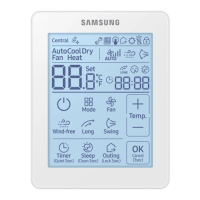

 To Next Page