EasyManua.ls Logo

Samsung MWR-SH00 - User Manual

Samsung MWR-SH00
12 pages
Print Icon
To Next Page IconTo Next Page
Loading...
Wired Remote Control
MWR-SH00
Air Conditioner
user manual
E
DB98-28134A(3)
imagine the possibilities
Thank you for purchasing this Samsung product.
MWR-SH00_IB_E_28134-3.indd 13 2010-09-03 오후 1:30:16

Other manuals for Samsung MWR-SH00

Question and Answer IconNeed help?

Do you have a question about the Samsung MWR-SH00 and is the answer not in the manual?

Summary

Safety Precautions

General Warnings

Critical warnings regarding installation, repair, and safe operation of the wired remote control to prevent hazards.

General Cautions

Important cautions to avoid misuse, damage, and ensure proper handling and operation of the wired remote control.

Wired Remote Control Overview

Function Indicator Meanings

Explains the meaning of the Filter sign, Mode lock, and Centralized control indicators on the wired remote control.

Getting Started

Selecting the Auto Mode

Selecting the Cool Mode

Selecting the Heat Mode

Selecting the Dry Mode

Selecting the Fan Mode

Displaying the Deice Mode

Adjusting the Fan Speed

Summary

Safety Precautions

General Warnings

Critical warnings regarding installation, repair, and safe operation of the wired remote control to prevent hazards.

General Cautions

Important cautions to avoid misuse, damage, and ensure proper handling and operation of the wired remote control.

Wired Remote Control Overview

Function Indicator Meanings

Explains the meaning of the Filter sign, Mode lock, and Centralized control indicators on the wired remote control.

Getting Started

Selecting the Auto Mode

Selecting the Cool Mode

Selecting the Heat Mode

Selecting the Dry Mode

Selecting the Fan Mode

Displaying the Deice Mode

Adjusting the Fan Speed

Overview

This document is the user manual for the Samsung Wired Remote Control MWR-SH00 for an air conditioner. It provides instructions on how to operate the air conditioner using the wired remote control, including selecting different modes, adjusting temperature, and fan speed, as well as important safety precautions and maintenance information.

Safety Precautions:

The manual emphasizes several safety precautions to ensure proper and safe operation of the wired remote control and the air conditioning system. Users are warned not to attempt to install or repair the wired remote control themselves, as it contains no user-serviceable parts. All repairs and installations should be handled by authorized service personnel. When moving the unit, authorized service personnel must be consulted for disconnection and reinstallation. It is crucial to ensure that the wall supporting the remote control is strong enough to bear its weight. The remote control must be installed with a rated power supply. In case of a malfunction, such as a burning smell, users should immediately stop operation, turn off the electrical breaker, and contact authorized service personnel.

Further cautions include not using inflammable gases near the remote control, avoiding spilling water on it, and not operating it with wet hands. The remote control should not be installed in locations where it might come into contact with combustible gases, machine oil, or sulphide gas. Users are advised not to press buttons with pointed objects, pull or bend the wired remote control cable excessively, or use the remote control for purposes other than its intended function. Spraying insecticides or other combustible materials on the remote control is prohibited. Cleaning the remote control with benzene, solvents, or other chemicals is also forbidden. Finally, users should not subject the wired remote control to shock or attempt to disassemble it.

Wired Remote Control Features and Indicators:

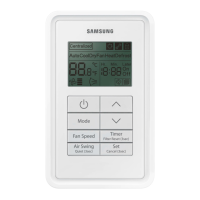
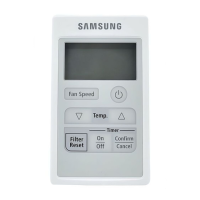
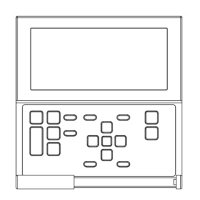
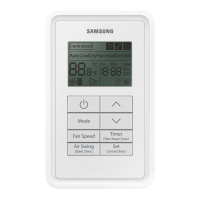
The wired remote control is designed to be installed on the wall and features several indicators and buttons for comprehensive control of the air conditioner.

  • Temperature Indicator: Displays the current temperature.
  • Operation Mode Indicator: Shows the active operation mode (Deice, Dry, Fan, Auto, Cool, Heat).
  • Fan Speed Indicator: Displays the current fan speed setting.
  • Function Indicator: Provides additional status information.
  • On/Off Button: Turns the indoor unit on or off.
  • Mode Button: Selects the operation mode.
  • Temperature Adjustment Buttons (Temp ▲/▼): Adjusts the desired temperature.
  • Fan Speed Button (Fan Speed): Adjusts the fan speed.

Function Indicators Explained:

  • Filter Sign Indicator:

    • On: Indicates that the air conditioner filter needs cleaning. To reset, clean the filter and press the Temp ▲ and Temp ▼ buttons simultaneously for 5 seconds.
    • Off: Indicates the filter is working correctly, and no action is needed.
  • Mode Lock Indicator:

    • On: The mode lock function is active, preventing changes to the operation mode. To activate or deactivate, press and hold the Mode and Fan Speed buttons for 5 seconds.
    • Off: The mode lock function is inactive, allowing changes to the operation mode by short-pressing the Mode button. Slave wired remote controls can only display the mode lock status and cannot activate the function.
  • Centralized Control Indicator:

    • On: Indicates that upper controllers (e.g., centralized controllers, S-NET series) have activated central control. In this state, the wired remote control cannot control the connected devices.
    • Off: Indicates central control is deactivated, allowing the wired remote control to control the connected devices.

Operating Modes:

The manual details how to select and adjust various operating modes:

  1. Selecting the Auto Mode:

    • Function: The room temperature and fan speed are automatically controlled.
    • Usage: Press the On/Off button to turn on the unit. Press the Mode button until "Auto" is displayed. Adjust the desired temperature using the Temp ▲/▼ buttons.
    • Temperature Range: 18°C (65°F) to 30°C (86°F).
    • Note: The air conditioner has a built-in protection mechanism that delays startup by 3 minutes if the unit was recently plugged in or stopped, to prevent damage.
  2. Selecting the Cool Mode:

    • Function: Lowers the room temperature.
    • Usage: Press the On/Off button. Press the Mode button until the "Cool" icon is displayed. Adjust the desired temperature using the Temp ▲/▼ buttons.
    • Temperature Range: 18°C (65°F) to 30°C (86°F).
    • Note: Cooling starts if the set temperature is lower than the room temperature. The fan runs even if the set temperature is higher. Fan speed can be adjusted (refer to page 11). Cool and Heat modes cannot be selected simultaneously.
  3. Selecting the Heat Mode:

    • Function: Raises the room temperature. Available only on heat pump models.
    • Usage: Press the On/Off button. Press the Mode button until the "Heat" icon is displayed. Adjust the desired temperature using the Temp ▲/▼ buttons.
    • Temperature Range: 16°C (61°F) to 30°C (86°F).
    • Note: Heating starts if the set temperature is higher than the room temperature. The fan runs even if the set temperature is lower. Fan speed can be adjusted (refer to page 11). Cool and Heat modes cannot be selected simultaneously.
  4. Selecting the Dry Mode:

    • Function: Reduces room humidity and slightly lowers the room temperature.
    • Usage: Press the On/Off button. Press the Mode button until the "Dry" icon is displayed. Adjust the desired temperature using the Temp ▲/▼ buttons.
    • Temperature Range: 18°C (65°F) to 30°C (86°F).
    • Note: Fan speed is adjusted automatically in Dry mode.
  5. Selecting the Fan Mode:

    • Function: Circulates air without changing the temperature.
    • Usage: Press the On/Off button. Press the Mode button until the "Fan" icon is displayed.
    • Note: When operating in Fan mode, automatic fan speed cannot be selected.

Displaying the Deice Mode:

  • Function: The Deice mode indicator illuminates when the air conditioner is defrosting its outdoor unit under Heat mode. This occurs in cold weather due to frost generation from temperature differences, improving efficiency and saving energy.
  • Note: Deice mode is activated automatically and cannot be manually controlled. The indicator remains on until the defrosting operation is complete, even if the operation mode is changed.

Adjusting the Fan Speed:

  • Usage: Press the On/Off button. Press the Fan Speed button to cycle through different fan speed settings.
  • Settings: Low, Medium, High, Automatic (indicated by a rotating fan icon).

This manual provides a comprehensive guide for users to effectively operate and maintain their Samsung air conditioner with the MWR-SH00 wired remote control, ensuring comfort and prolonging the device's lifespan.

Samsung MWR-SH00 Specifications

General IconGeneral
BrandSamsung
ModelMWR-SH00
CategoryRemote Control
LanguageEnglish

Related product manuals