connected.
Playback Mode
Once, Continuous
You can playback movie files either Once or Continuously.
Copy
Copy File, Copy All Files
You can copy the selected file to other connected storage devices.
Delete Delete the file.
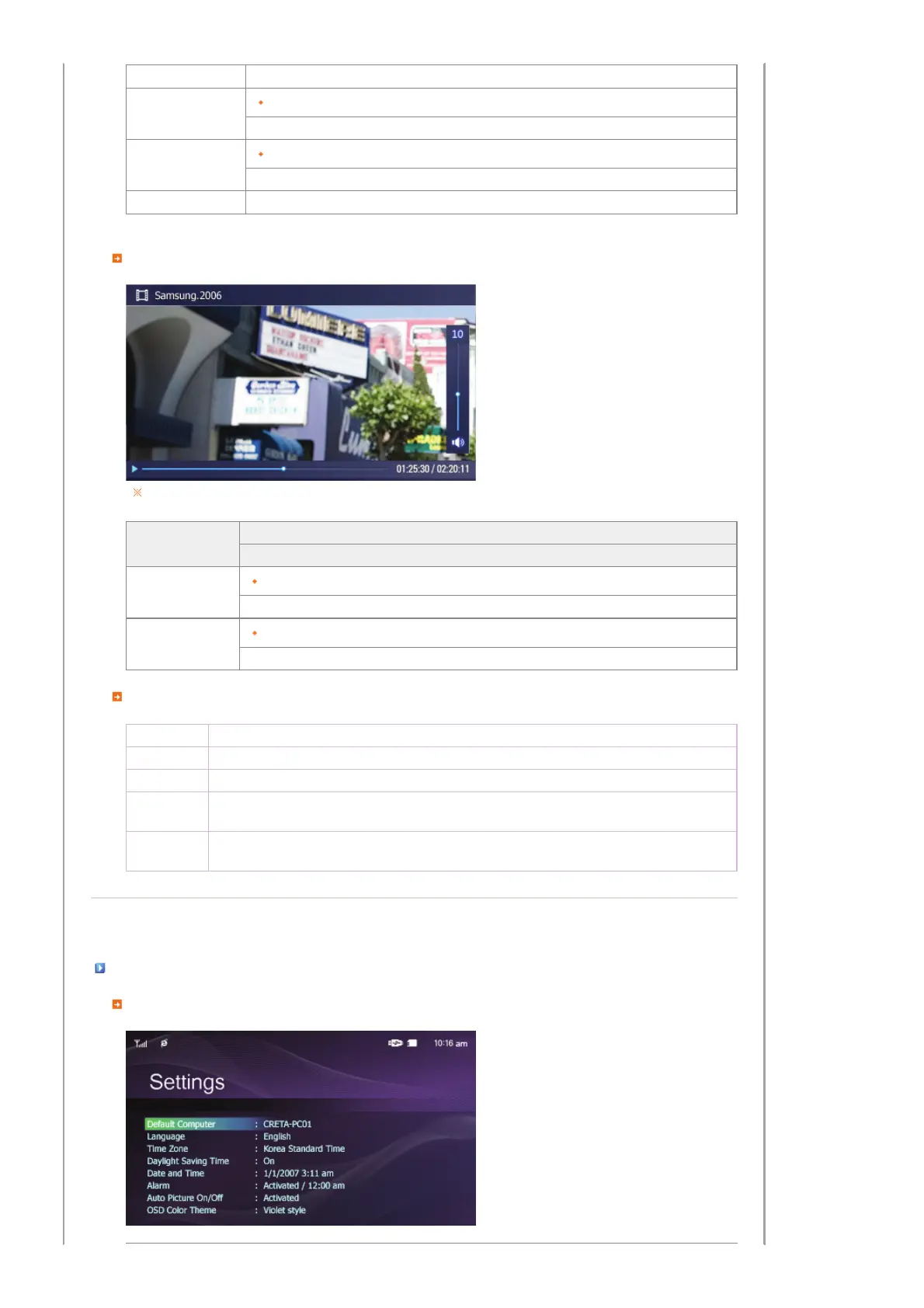
Play Menu
When pressing the MENU button, the on-screen menu is displayed on the screen.
Upper OSD
Sub OSD
Description
Playback Mode
Once, Continuous
Select a mode among Once, Continuous.
Brightness
0~100
Adjust the brightness from 0 to 100.
Direct Functions
>
Play the next file.
<
Play the previous.
∧,∨
Adjust volume.
▶ll
Plays and Pauses a file.
MENU
Displays the menu.
Exits the menu.
|
Buttons
|
Photos, Web Photos
|
Music
|
Video
|
Settings
|
Settings
Set the Settings


 To Next Page