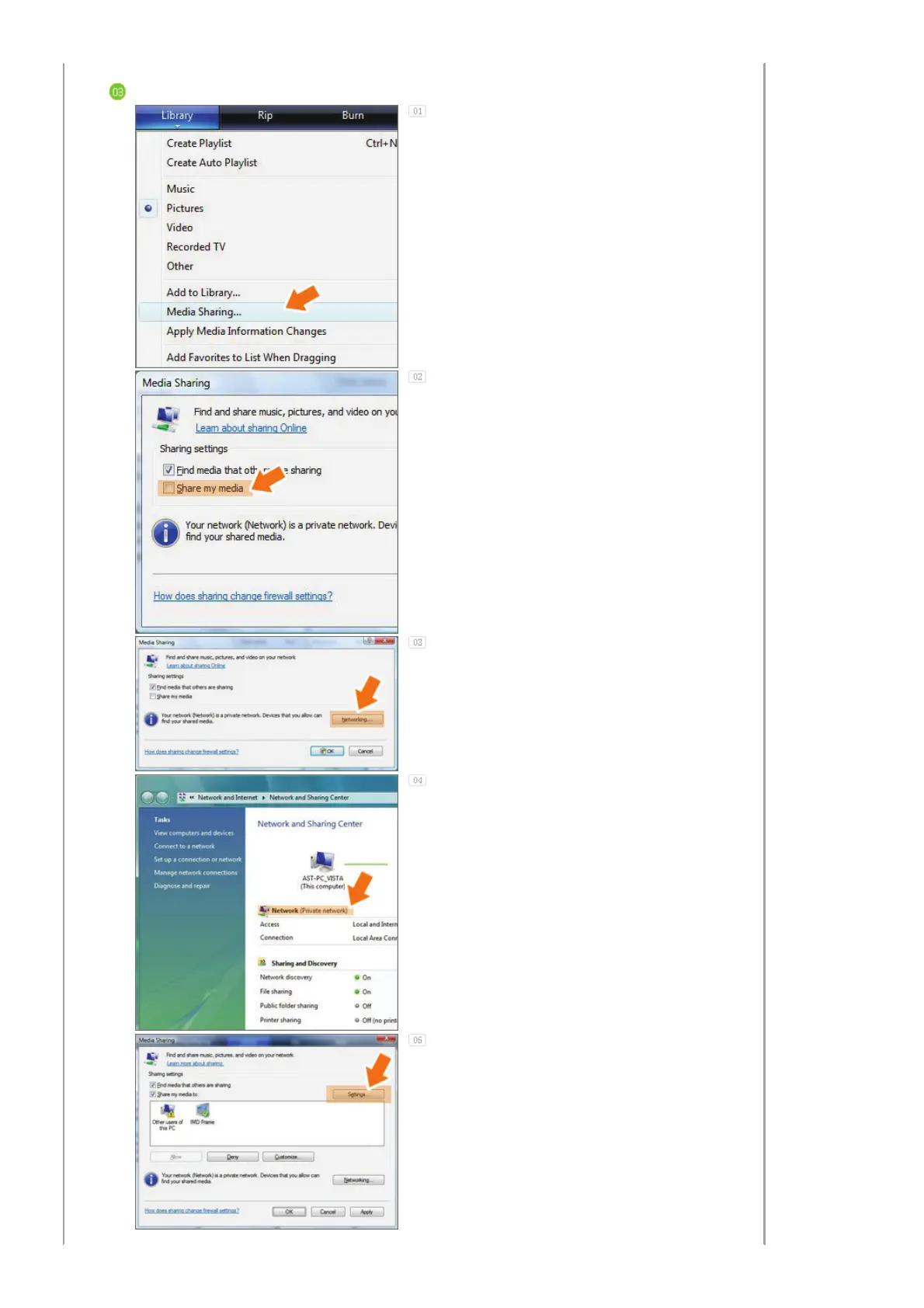
Sharing Settings for Accepting Connections from Your Photo Frame
In the [Library] tab, click on [Media Sharing].
In the [Media Sharing] window, check the [Share
my media] checkbox under [Sharing settings].
If no [Available device] is displayed in the [Media
Sharing] window, proceed to steps 4. If
displayed, proceed to step 5.
In the [Media Sharing] window, click
[Networking] and check whether the current
network is set to [Private network]. If not, set it
to [Private Network].
If your network is a Private network, the
[Available Device] list and the [Settings] button
are displayed in the [Media Sharing] window.


 To Next Page