EasyManua.ls Logo

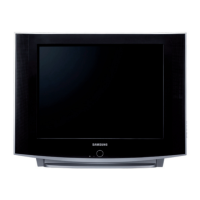
Samsung CL21S8MQU - User Manual

Samsung CL21S8MQU
63 pages
Print Icon
To Next Page IconTo Next Page
Loading...
Owner’s
Instructions
COLOR TELEVISION
...........................................................................................................................
.............
AA68-03258B-00
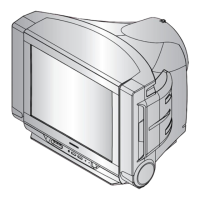
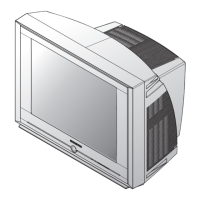
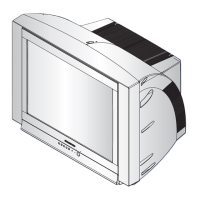
CL29A10
CL34A10
CL29M6
CL21S8MQU
CL25M6MQU
CL29M6MQU
CL29M16MQU
CL29K5MQU

Table of Contents

Questions and Answers

  • K
    Kendra WilliamsAug 1, 2025
    What to do if my Samsung CL21S8MQU TV has no picture or sound?
    • D
      David HuberAug 1, 2025
      If your Samsung TV isn't showing a picture or producing sound, here are a few things you can try: - Try switching to another channel to rule out a broadcast issue. - Press the TV/VIDEO button. - Ensure that the TV is properly plugged into a working power outlet. - Inspect the antenna connections to make sure they are secure.
  • P
    Patrick ChristensenAug 7, 2025
    What to do if my Samsung CL21S8MQU has no color, wrong colors or tints?
    • A
      Ashley RomeroAug 7, 2025
      If your Samsung TV displays no color, wrong colors, or tints, here are some troubleshooting steps: - First, ensure that the program you are watching is actually broadcast in color. - Next, try adjusting the picture settings on your TV. - Also, if you've recently moved the TV or turned it in a different direction, power it OFF for at least 30 minutes.
  • A
    ashleylewisAug 16, 2025
    What to do if my Samsung TV operates erratically?
    • A
      annakennedyAug 16, 2025
      If your Samsung TV is operating erratically, unplug the TV for 30 seconds, and then try operating it again.
  • M
    Mercedes CastanedaAug 23, 2025
    What to do if picture rolls vertically on Samsung CL21S8MQU TV?
    • A
      Andrea BarberAug 25, 2025
      If the picture on your Samsung TV rolls vertically, try the following: - Adjust the antenna. - Check all wire connections.

Summary

YOUR NEW TV

Front Panel Buttons

Details the function and location of buttons on the TV's front panel.

Remote Control

Describes the functions of the remote control and its buttons.

INSTALLATION

Connecting VHF and UHF Antennas

Guides on connecting both 300-ohm and 75-ohm antennas.

Connecting Cable TV

Instructions for connecting the TV to a cable TV system.

Connecting to a Cable Box that Descrambles All Channels

Steps to connect the TV to a cable box that unscrambles all channels.

Connecting a VCR

Guides on connecting a VCR to the TV for continuous use.

Connecting a DVD Player

Instructions for connecting a DVD player to the TV for easy viewing.

Installing Batteries in the Remote Control

Step-by-step guide on how to insert batteries into the remote control.

OPERATION

Turning the TV On and Off

How to power the TV on and off using the remote or front panel.

Storing Channels in Memory (Automatic Method)

Step-by-step guide for automatically storing all available TV channels.

Adjusting the Volume

How to increase or decrease the TV's audio volume level.

Customizing the Picture

Adjusts picture settings like contrast, brightness, and sharpness.

Customizing the Sound

Adjusts sound settings such as bass, treble, and balance.

Viewing an External Signal Source

How to switch between different input sources like VCR, DVD, etc.

SPECIAL FEATURES

Changing the Screen Size

Modifies the aspect ratio of the displayed picture (e.g., Normal, Zoom).

DNIe JrTM (Digital Natural Image engine)

Enhances image detail, contrast, and reduces noise using Samsung's technology.

Viewing Picture-in-Picture

Allows simultaneous viewing of two video sources on the screen.

Customizing Your Remote Control

Guides on setting up the universal remote to control VCR, Cable box, or DVD.

TROUBLESHOOTING

Identifying Problems

Lists common TV problems and their possible solutions.

APPENDIX

Cleaning and Maintaining Your TV

Provides guidelines for proper cleaning and care of the TV unit.

Samsung CL21S8MQU Specifications

General IconGeneral
BrandSamsung
ModelCL21S8MQU
CategoryTV
LanguageEnglish

Related product manuals