6
BEFORE READING THE USER’S MANUAL
Note the following terms before reading the user manual.
Icons used in this manual
Icon Term Definition
Caution
Indicates a situation where a function does not operate or settings may be
canceled.
Note
Indicates tips or instructions on the page that help a function operate.
Safety Instructions and Troubleshooting
1) Familiarise yourself with the Safety Instructions before using this product. (See page 3)
2) If a problem occurs, check Troubleshooting. (See page 25)
Copyright
©2012 Samsung Electronics Co.,Ltd.
All rights reserved; no part or whole of this user’s manual may be reproduced or copied without the prior
written permission of Samsung Electronics Co.,Ltd.
getting started
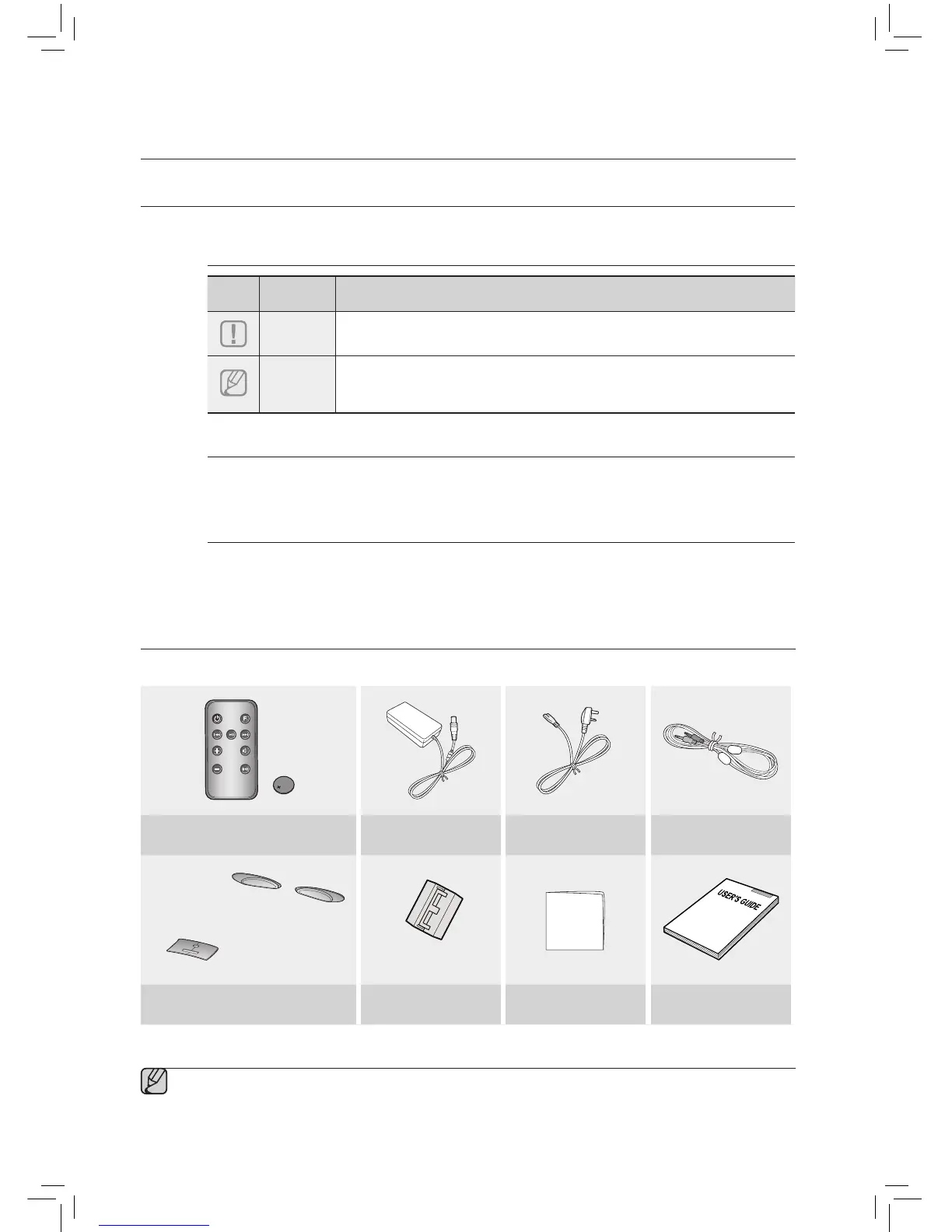
▪ The appearance of the accessories may differ slightly from the illustrations above.
WHAT’S INCLUDED
Check for the supplied accessories shown below.
MUTE
VOL
BASS
FUNCTION
Remote Control / Lithium Battery (3V) DC Adapter Power Cable
Audio Cable
(Rubber-Support: 2EA)
(Rubber-Skin)
(Large)
(For Power Cable 1EA)
Rubber-Support / Rubber-Skin Ferrite Core Cloth User Manual



 To Next Page