or
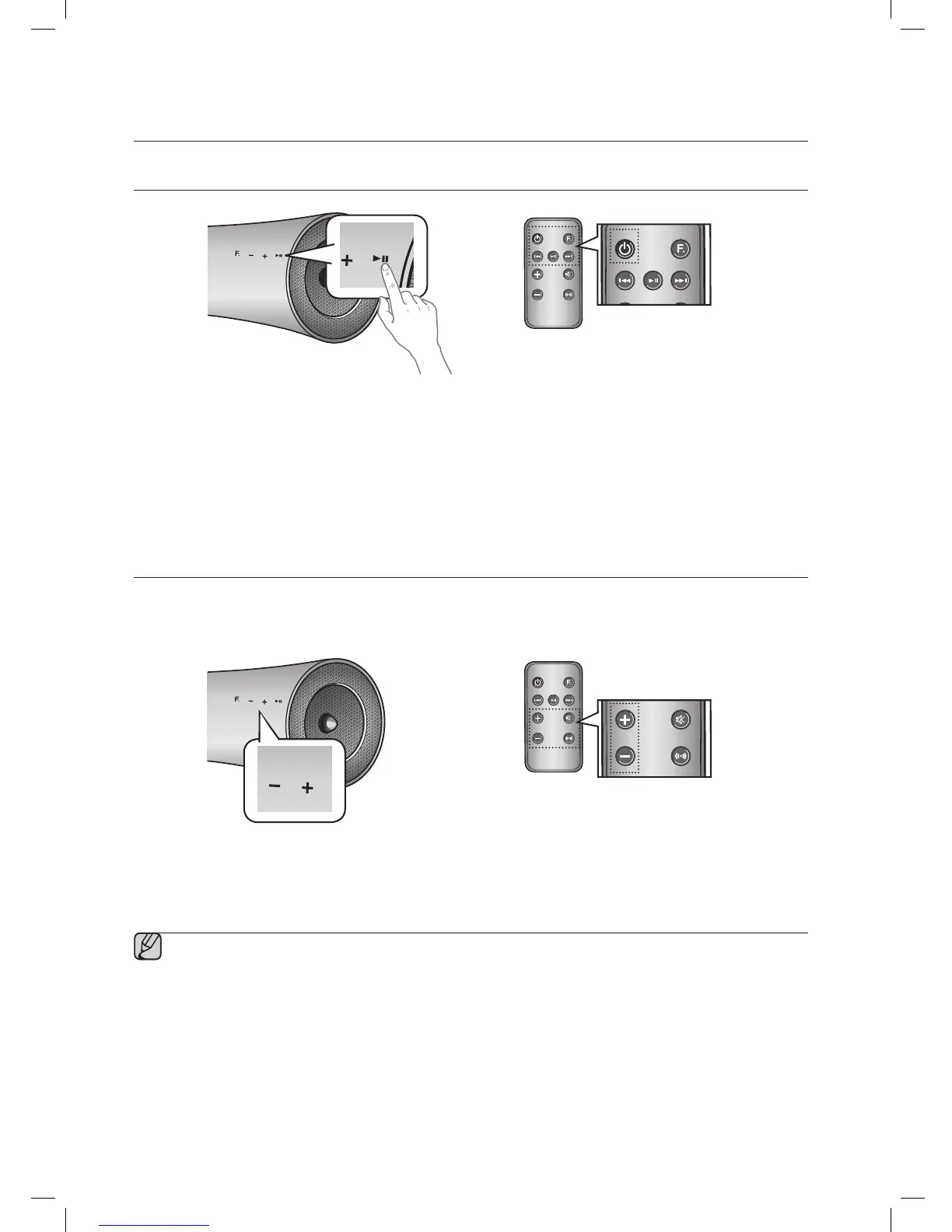
1. To turn on this unit, touch any button on the unit's front panel when the unit is in Standby mode.
or,
Press POWER on the remote control.
2. To turn off this unit, touch the +# button on the unit's front panel for more than 3 seconds.
or,
Press POWER on the remote control again.
ADJUSTING THE VOLUME
Use +,- buttons to adjust the volume. The function LEDs light from left to right when you turn the volume up and
from right to left when you turn the volume down. The LEDs do not light if you try to increase the volume when it has
already been set to maximum or try to decrease the volume when it has already been set to minimum.
or
Touch the +/– button on the right side of the front panel.
or,
Press VOL +/– on the remote control.
▪ The volume level increases or decreases when you press VOL +/–.
▪ You can also use the volume controls of devices connected using the Dual Dock or Bluetooth to control
the volume. However, your ability to control the volume using the volume controls of devices connected
using Bluetooth may be limited.


 To Next Page