This document is a user manual for a Samsung System Air Conditioner, covering various models of indoor and outdoor units. It provides essential information for installation, operation, maintenance, and troubleshooting.
Function Description:
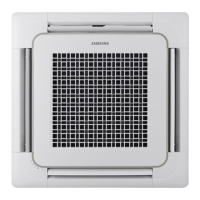
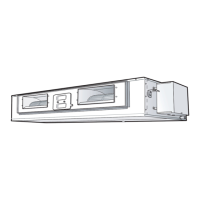
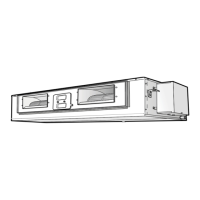
The Samsung System Air Conditioner is designed to provide cooling, and for some models, heating, to indoor spaces. It operates by circulating refrigerant between an indoor unit and an outdoor unit to regulate the indoor temperature and humidity. The system includes various indoor unit configurations (concealed type and standard type) and corresponding outdoor units, catering to different installation and capacity requirements. The indoor units feature air inlets and outlets for efficient air circulation, while the outdoor units include air outlets and connection valves for the refrigerant lines.
Important Technical Specifications:
The manual lists several indoor and outdoor unit models with their respective power supply requirements:
- Indoor Units (DC18BTSA, DC24BTSA, DC30BTSA, DC36BTSA, DC42BTSA, DC48BTSA): These models operate on a single-phase (1Ø) 220V~, 60Hz power supply.
- Indoor Units (DC48FTSA, DC60FTSA): These models require a three-phase (3Ø) 220V~, 60Hz power supply.
- Indoor Unit (DC60HTSA): This model operates on a three-phase (3Ø) 380V~, 60Hz power supply.
- Outdoor Units (DC18BTSX, DC24BTSX, DC30BTSX, DC36BTSX, DC42BTSX, DC48BTSX, DC48FTSX, DC60FTSX, DC60HTSX): These correspond to the indoor units and would have matching power requirements.
The manual also defines several abbreviated technology terms:
- COMP (Compressor): A machine used to compress gases, essential for the refrigeration cycle.
- BLOWER: A mechanical device, such as a fan, that produces a current of air.
- FAN: A device for creating a current of air or a breeze.
- ASSY CONTROL BOX (Assemble Control Box): A restraining device for air conditioning, measurement, or limitation.
- MOTOR: Something, such as a machine or an engine, that produces or imparts motion.
- ASSY EVAP / ASSY COND (Assemble Evaporator / Assemble Condenser): Heat exchangers used to transfer heat from a fluid on one side of a barrier to a fluid on the other side without direct contact.
Usage Features:
The air conditioner can be controlled via a wireless remote controller or a wired remote controller, both optional accessories.
Wireless Remote Controller:
- Buttons and Display: Includes buttons for Mode selection, Temperature adjustment, Filter Reset, Fan speed adjustment, Swing (not operated for duct type), On Timer, Off Timer, and On/Off & Timer Set/Cancel. The display shows operating mode, set temperature, fan speed, air flow direction, on/off timer settings, and battery discharge indicator.
- Operating Recommendations: The system is designed to automatically restart after a power failure.
- Temperature and Humidity Ranges:
- Cooling Mode: Outdoor Temperature: 21°C to 54°C approx.; Indoor Temperature: 21°C to 32°C approx.; Indoor Humidity: 80% or less.
- Drying Mode: Outdoor Temperature: 21°C to 54°C approx.; Indoor Temperature: 21°C to 32°C approx.
- Note: If cooling operation is used over 32°C (indoor temperature), it may not cool at its full capacity. High temperatures can trigger automatic protection, stopping the unit. Low temperatures can cause water leakage or malfunction due to the heat exchanger freezing. High humidity levels can cause water to condense and drip from the indoor unit.
Wired Remote Controller:
- Buttons and Display: Features buttons for Fan Speed, Fan Speed adjustment, Temperature adjustment, Filter Reset, On/Off, and Timer set/cancel. The display shows fan speed, filter sign, on/off timer settings, and temperature.
- Error Codes: Error codes will appear on the on/off timer display if there's an error in the indoor or outdoor unit, requiring a call to the installer.
Receiver & Display Unit (Optional, wall-mounted):
- Concealed Type: Indicators for Filter sign, Fan, Timer, and Remote control sensor. For Heat Pump Models, it shows On/Off (Blue) and Removing frost (Red) indicators. For Cooling Only Models, it shows an On/Off indicator.
- Standard Type: Indicators for Removing frost (except Cooling Only Models), Filter sign, Remote control sensor, On/Off, Fan, On/Off button, and Timer.
Maintenance Features:
- Air Filter Cleaning: The air filter should be cleaned every 2 weeks to remove accumulated dust.
- Pull the air filter to the right or left.
- Pull out the air filter.
- Remove dust with a vacuum cleaner or brush. For serious dust, wash in warm detergent water and shake vertically.
- Dry the air filter.
- Insert the filter back into the unit.
- Important: After cleaning, press the "Filter Reset" button on the remote controller. Do not operate the air conditioner without the filter.
- Outdoor Unit Heat Exchanger: If the heat exchanger in the outdoor unit gets dusty, cooling efficiency may fall. Clean it with water when dirty, but be careful as the surface can be very sharp.
Safety Precautions:
- Risk of Electric Shock: Disconnect all remote electric power supplies before servicing, installing, or cleaning. This must be done by the manufacturer, service agent, or a qualified person.
- Repair: Users are cautioned not to attempt repairs; contact a designated service center or the outlet where the product was purchased.
- Liquids: Never spill any liquid into the unit. If this happens, unplug or switch off the unit and contact an authorized service center. Do not spray liquid into the indoor unit; switch off the breaker and contact an installation specialist.
- Obstacles: Do not insert anything between air outlet blades. Keep children away from the unit. Do not place obstacles in front of the unit.
- Ventilation: Ensure the unit is correctly ventilated at all times; do not place clothing or other materials over it.
- Remote Control Batteries: Remove batteries if the wireless remote control will not be used for a long time. The wireless remote control should be used within 7 meters of the air conditioner.
- Disposal: Before disposing of the device, remove battery cells for recycling. Consult your dealer for unit disposal to ensure proper handling of refrigerant and prevent environmental damage. Recycle packaging materials responsibly.
- Storage/Shipping: Never store or ship the air conditioner upside down or sideways to avoid compressor damage.
- Children: The appliance is not intended for use by young children or infirm persons without supervision. Young children should be supervised to ensure they do not play with the appliance.
- Current Measurement: Max current is measured according to IEC standard for safety, and current is measured according to ISO standard for energy efficiency.
Troubleshooting (Common Problems):
- Air conditioner does not operate: Check if the breaker is switched on.
- Wired remote controller delay: When using a wired remote controller for a group, air conditioners turn on/off in order, which can take up to 32 seconds.
- Wireless remote controller not operating: Check for obstacles between the remote control and the sensor, check batteries, and ensure you are within 7 meters of the sensor. Strong ambient light (e.g., three-wavelength light, neon sign) can interfere; use the remote closer to the sensor.
- No beep from wireless remote controller: Point the remote controller at the remote control sensor on the receiver & display unit. Replace batteries if necessary.
- Air conditioner does not cool: Check if the correct operating mode is selected, if room temperature is too low or too high, if the air filter is blocked (refer to page 11 for cleaning), and if there are no obstacles in front of the outdoor unit.

 Need help?
 General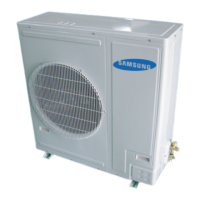



 To Next Page