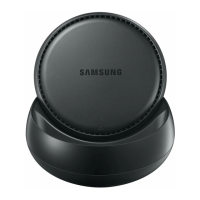
Using the multimedia dock
11
Precautions for connecting the device
•
You can use the multimedia dock only when you connect it to a Samsung-approved
charger that supports the fast charging feature.
•
Connect only a keyboard, mouse, or an USB storage device to the multimedia dock’s USB
ports. Charging devices or connecting high-capacity devices with these ports may not
work properly.
•
Prevent the fan vent and mobile device connector (USB Type-C) inside from coming into
contact with liquids or dust. Exposure to liquid or dust may cause the multimedia dock
not to work properly.
•
Do not move the mobile device while it is connected to the multimedia dock. Doing so
may damage the mobile device connector (USB Type-C).
•
When you use the mobile device’s voice recognition after connecting the multimedia
dock to your mobile device, the voice recognition may not perform well.
Ending the device connection
Remove the mobile device from the multimedia dock to end the connection between the
mobile device and TV or monitor.
Be sure to remove the mobile device horizontally. Raising it up too high, pulling it
excessively, or shaking it may damage the mobile device connector (USB Type-C).


 To Next Page