Need help?
Do you have a question about the Samsung DS-5064 and is the answer not in the manual?
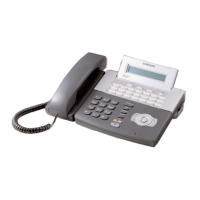
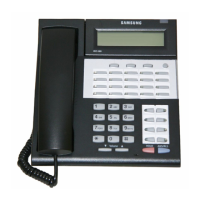
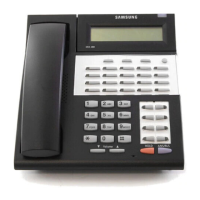
Explains the keyset layout, programmable buttons, and soft keys.
Describes the meaning of LED colors and patterns for call status.
Details how to use the speakerphone feature for calls.
Explains how to adjust ringer, speaker, and handset volume.
Describes the tri-colored indicator light and its meanings.
Notes that access codes may vary from defaults.
Describes the steady tone indicating readiness for dialing.
Describes the tone indicating a station is ringing.
Describes the tone indicating a station is busy.
Describes the fast busy tone for Do Not Disturb or no calls.
Describes the tone for calls on hold or being transferred.
Describes beeps indicating successful feature setting or cancellation.
Describes the tone indicating an incorrect operation.
Outlines the configuration of the SETUP MENU.
Explains how to enter information and navigate menus using buttons.
Step-by-step guide on how to initiate an outside call.
Instructions on how to answer incoming outside calls.
How to answer calls routed to a general alerting device.
How to disconnect a call and get dial tone for a new call.
How to send a flash signal to the telephone company.
How to queue for a busy line and get a callback.
Procedures for canceling a previously set callback.
Instructions for dialing and connecting to other extensions.
How to answer incoming internal calls.
How to use voice announce to communicate without answering.
How calls are automatically answered handsfree.
How to get a callback when a station is busy.
How to camp on to a busy station to wait for connection.
How to contact the system operator or specific operators.
How to place a call on hold and retrieve it.
How to hold a call so only you can retrieve it.
How to place a call on hold at another station.
How a recalled call is indicated and answered.
How to place a call on hold to consult with another extension.
How to retrieve calls that are on hold at other stations.
Methods for transferring calls to other extensions.
How to camp on a call during a transfer if the station is busy.
How to send a call directly to a voice mailbox.
How to handle an incoming call while already on a call.
How to set up and manage multi-party conference calls.
How to split a conference call into separate calls.
How to forward all incoming calls to another station.
How to forward calls when you are busy.
How to forward calls when you do not answer.
How to set both busy and no answer forwarding destinations.
How to forward calls to another extension.
How to forward calls when Do Not Disturb is active.
How to review and change call forwarding settings.
How to answer a call ringing at another station.
How to answer calls ringing in a pickup group.
How to pick up calls within your assigned group.
How to allow other stations to join a conversation.
How to join an existing conversation.
How to dial preprogrammed telephone numbers.
How to store frequently dialed numbers.
How to assign numbers to speed dial buttons.
How to redial the last dialed number.
How to redial a busy number manually.
How to save a number for later redial.
How to dial multiple speed dial numbers sequentially.
How the system automatically retries busy numbers.
How to switch between pulse and tone dialing.
How to save and redial numbers from directory information.
How to make an announcement to internal stations.
How to make an announcement to external paging speakers.
How to page all designated keysets and external zones.
How to page someone and connect them to a call.
How to park a call and page someone to retrieve it.
How to leave a message indication for another station.
How to cancel a message indication left for another station.
How to retrieve and return messages left for you.
How to set pre-programmed status messages.
How to block incoming calls to your keyset.
How to temporarily block calls during an active call.
How to mute the handset or microphone during a conversation.
How to listen to music through the keyset speaker.
How to pick up a call connected to a computer modem.
How to set alarms and reminders.
How to answer calls from a door phone.
How to call the door phone or room monitor.
How to set up a direct line between an executive and secretary.
How to divert calls to a secretary.
How to allow others to hear a call over the speaker.
How to charge calls to different accounts.
How to lock the keyset to prevent misuse.
How to send a signal to another station.
How to make a voice announcement while on another call.
How to prevent OHVA calls.
How to reject an OHVA call.
How to join or leave a station ring group.
How to enable password protection for voicemail messages.
How to automatically camp on intercom calls to busy stations.
How to choose from different ring frequencies.
How to change your station's default passcode.
How to set internal call answer modes (Ringing, Auto Answer, Voice Announce).
How to set external call answer modes to match intercom.
How to automatically place calls on hold when connecting to new calls.
How to switch between headset and handset modes.
How to enable dialing without lifting the handset.
How to turn the button press confirmation tone on or off.
How to hear the remainder of an ongoing internal page.
How to automatically answer calls or choose which to answer.
How to auto-answer incoming CO calls.
How to view names associated with speed dial numbers.
How to review all incoming Caller ID information.
How to receive OHVA calls via speaker while on handset.
How to dial digits before pressing SEND for the call.
How to configure mobile extension ports.
Explains the function of soft keys below the display.
How directory names are assigned and displayed for extensions.
How to view incoming and outgoing call records.
How to look up and dial numbers using names.
Information displayed during call handling.
How dialed numbers are shown in the display.
Explains call duration timers and stopwatch functions.
How to view message waiting indicators and stations.
How to set and program reminder messages.
How to assign names to personal speed dial numbers.
How to assign names to your station for directory dialing.
How to view key assignments and add extenders.
How to reenter numbers when using LCR without redialing.
How to delete digits when using LCR.
Guides on using pre-programmed text messages between users.
Explains what Caller ID is and its types.
Explains Automatic Number Identification (ANI).
Explains Calling Line Identification (CLI).
How to choose to display Caller ID name or number.
How to view Caller ID for queued calls.
How to save Caller ID information.
How to redial a saved Caller ID number.
How to save a Caller ID number to personal speed dial.
How to view Caller ID for parked or held calls.
How to review past Caller ID information.
View and redial the 30 most recent outgoing calls.
View the 30 most recent incoming calls.
Search and dial station and system speed dial numbers.
Search for station, speed dial, and programmed names.
Assign station call forward conditions and destinations.
Set up to three alarms with specific times and types.
How to access voicemail from a different station.
Basic steps for first-time voicemail users.
How to listen to new and saved voicemail messages.
Grouping new or old messages by sender or reminder.
How to record and send messages to other subscribers.
Set delivery options like urgent, private, or reply required.
How to schedule messages for future delivery.
How to control call handling options and availability.
How to record and assign personal greetings for different call conditions.
How to edit/record up to nine personal greetings.
How to record a greeting for direct mailbox transfers.
Manage pager notification, message alerts, and undelete options.
Configure alerts for new messages via phone or pager.
Set up pager notification for new voicemail messages.
How to recover recently deleted voicemail messages.
How to recall sent messages that haven't been picked up.
How to automatically play new messages upon login.
How to play message details like sender and time automatically.
How to send messages to all mailboxes in the system.
Set password, record name, schedule availability.
Access reminders and group them by status.
Enter and use stored phone numbers for features.
Enter weekly availability for greetings and night intercept.
Place calls directly from the voicemail system.
Initial setup of personal subscriber settings.
How to change your voicemail password.
How to record your name for voicemail operation.
How to enter your name for directory lookup.
How to reduce the number of prompts in the subscriber interface.
How the message waiting light indicates new voicemail.
How to monitor and optionally answer calls going to voicemail.
How to enable password protection for message listening.
How to record conversations in progress.
Shortcut to send calls to mailbox for busy/no-answer stations.
Shortcut to send an incoming call to voicemail.
Shortcut to leave messages without dialing extension first.
Shortcut to leave a message in your own mailbox.
Using soft keys for various display functions.
Using displays and soft keys to check voicemail.
Integrates voicemail box with email client.
Lists access codes for line groups like Local/LCR.
Lists access codes for station groups.
Lists codes for paging zones.
Lists codes for pre-programmed status messages.
A quick reference for feature access codes.


 To Next Page
 General