Need help?
Do you have a question about the Samsung iDCS Keyset and is the answer not in the manual?
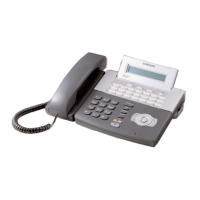
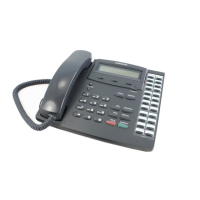
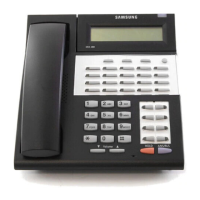
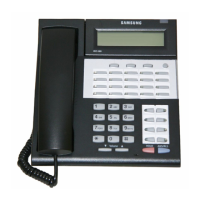
Describes keyset components, programmable keys, and line types for basic operation.
Explains how to use the speakerphone function for hands-free calls.
Details how to adjust ringer, speaker, and handset volumes for optimal listening.
Explains the tri-colored terminal status indicator light and its meanings.
Describes various system tones used for feedback and call status.
Describes a module providing a Digital Line Interface for station devices.
Describes a module providing a Single Line Interface for standard phones.
Describes a module converting the speakerphone to full duplex mode.
Instructions for initiating calls to external numbers.
How to receive and answer incoming external calls.
Procedure for requesting a callback when a line is busy.
How to cancel a previously set callback request.
Instructions for making calls to other extensions.
How to receive and answer internal calls.
Enables speaking to a station without answering the call.
Automatically answers incoming intercom calls.
Requesting a callback when an intercom station is busy.
Procedure to camp on an intercom call when the station is busy.
How to place an active call on hold and retrieve it.
Places a call on hold so only the originating user can retrieve it.
Places a call on hold at another station.
Handles calls on hold that exceed the programmed timer.
Forwards all calls to a station in another system.
Forwards calls to another system when you are on the phone.
Forwards calls to another system when you do not answer.
Instructions for dialing numbers from system-wide or personal lists.
How to store frequently dialed numbers in your personal list.
Assigning speed dial numbers to one-touch buttons for quick dialing.
How to redial the last number that was dialed.
How to make an announcement through keyset speakers.
How to make an announcement through external paging speakers.
How to page all designated keysets and external speakers simultaneously.
Procedure to page someone and have them dial a specific number.
Methods to park an outside call and page someone to retrieve it.
Details the manual process of parking calls in specific orbits.
Automates parking a call and making a page announcement.
How to block incoming calls to your keyset.
Temporarily enables Do Not Disturb for the current call.
How to mute the handset transmitter or microphone during a conversation.
Instructions for listening to background music through the keyset speaker.
How to pick up an established call from a connected PC modem.
How to set alarms and reminders using the keyset.
Enables password protection for AME feature access.
Automatically camps on intercom calls to busy stations.
Allows users to select one of eight available ring frequencies.
Procedure to change the default station passcode.
Explains the function of soft keys below the display.
How to view and use directory information for stations and outside lines.
Allows digital keyset users to send and receive preprogrammed messages.
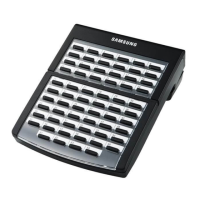
Describes the use of the 64 button module to add programmable keys.
Initial steps for setting up and using the SVMi-8 mailbox.
Instructions for accessing and listening to new or old messages.
Overview of the options available within the mailbox subscriber menu.
Allows setting an alternate location for call transfers.
Allows setting up a default 'other destination' for calls.
Attempts to locate the subscriber by calling preprogrammed numbers.
Plays a specific greeting based on weekly availability schedules.
Greeting played when you are unavailable or away from your desk.
Greeting played when you are on another line or designated location.
Greeting played when the Call Blocking feature is enabled.
Greeting played during non-scheduled or evening hours.
Configures the system to call a number after each new message.
Configures the system to notify your pager after each new message.
Allows recovery of recently deleted messages.
Allows cancellation of sent messages not yet picked up.
Allows system administrators to send messages to all mailboxes.
Allows grouping of reminders as Commitments, Follow-Ups, or Tasks.
Allows entering up to 9 stored phone numbers for easy dialing.
Allows entering a weekly availability schedule for features.
Allows placing direct calls out of the SVMi-8 system.
Area for initial mailbox setup and basic administration.
Explains the keyset light indicating a new voicemail message.
Allows monitoring calls going to voicemail, similar to an answering machine.
Requires station password to listen to messages for security.
 General
| Programmable Buttons | Yes |
|---|---|
| Display | LCD |
| Headset Jack | Yes |
| Connector | RJ45 |
| Type | Digital Telephone |
| Compatibility | Samsung iDCS Systems |
| Display Size | 2 lines x 24 characters |
| Color | Gray |
| Line Keys | Programmable |
| Speed Dial Keys | Programmable |
| Intercom Keys | Programmable |
| Power Source | System powered |
| Model | Samsung iDCS Keyset |

 To Next Page