EasyManua.ls Logo

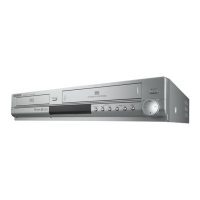
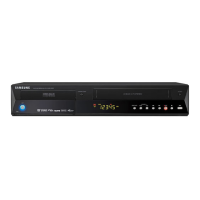
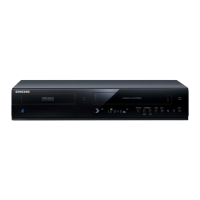
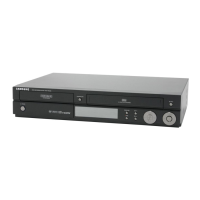
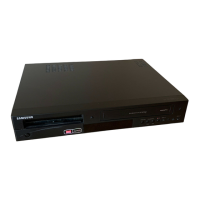
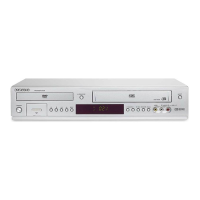
Samsung DVD-VR330 - User Manual

Samsung DVD-VR330
94 pages
Print Icon
To Next Page IconTo Next Page
Loading...
Instruction Manual
DVD-VR330,VR331
DVD-VR335,VR336
English
www.samsung.com/uk
AK68-01010A-00
PAL
01010A-VR330/336-XEU-ENG1 2006.3.22 1:48 PM Page 1
Downloaded From Disc-Player.com Samsung Manuals

Table of Contents

Other manuals for Samsung DVD-VR330

Question and Answer IconNeed help?

Do you have a question about the Samsung DVD-VR330 and is the answer not in the manual?

Summary

Getting Started

Warning

Safety precautions to prevent electric shock and hazards.

Precaution

General safety and handling instructions for the device and discs.

How to use the DVD Recorder & VCR

Step-by-step guide to selecting, formatting, recording, and playing discs.

Connecting & Setting Up

Connecting HDMI;DVI to a TV (DVD-VR335,VR336 only)

Steps for connecting to a TV via HDMI or DVI for high-quality audio/video.

System Setup

Playback

Playing a Disc

Basic steps to insert and play discs, including handling potential issues.

Recording

Recording the current programme you are watching

Step-by-step process for recording live TV or external inputs.

Making a Timer Recording

How to schedule recordings for future broadcasts using the timer function.

Editing

Reference

Troubleshooting (DVD)

Solutions for common problems encountered during DVD playback and recording.

Summary

Getting Started

Warning

Safety precautions to prevent electric shock and hazards.

Precaution

General safety and handling instructions for the device and discs.

How to use the DVD Recorder & VCR

Step-by-step guide to selecting, formatting, recording, and playing discs.

Connecting & Setting Up

Connecting HDMI;DVI to a TV (DVD-VR335,VR336 only)

Steps for connecting to a TV via HDMI or DVI for high-quality audio/video.

System Setup

Playback

Playing a Disc

Basic steps to insert and play discs, including handling potential issues.

Recording

Recording the current programme you are watching

Step-by-step process for recording live TV or external inputs.

Making a Timer Recording

How to schedule recordings for future broadcasts using the timer function.

Editing

Reference

Troubleshooting (DVD)

Solutions for common problems encountered during DVD playback and recording.

Samsung DVD-VR330 Specifications

General IconGeneral
Analog signal format systemPAL
Channels quantity99 channels
I/O portsAudio L/R in Audio L/R out Component out SCART1 SCART2 Antenna in Composite video in
Zoom capabilityx2, x4
Dimensions (WxDxH)430 x 321 x 79 mm
Power requirements220-240V; 50 Hz
Optical disc recordingDVD-R, DVD-RW
Audio decodersDolby Digital
Audio formats supportedMP3, WMA
Device typeDVD recorder
Product colorSilver
Composite video out1
Disc types supportedDVD-RAM
Number of optical discs1 discs
Power consumption (typical)35 W
CertificationCE, SEMKO
Weight and Dimensions IconWeight and Dimensions
Weight4800 g

Related product manuals