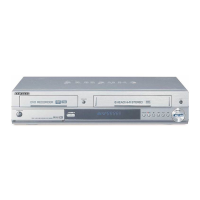

 To Next Page
C
chavezloriSep 23, 2025
Why the screen ratio cannot be changed on Samsung DVD-V9650 DVD VCR Combo?
- Ssarah08Sep 23, 2025
The screen ratio is fixed on some DVDs for your Samsung DVD VCR Combo.

Why the screen ratio cannot be changed on Samsung DVD-V9650 DVD VCR Combo?
The screen ratio is fixed on some DVDs for your Samsung DVD VCR Combo.
How to fix Samsung DVD-V9650 remote control not working?
If your Samsung DVD VCR Combo remote control isn't working, first check the batteries and replace them if needed. Ensure you're within 20 feet of the unit. If problems persist, try resetting the remote by removing the batteries, holding down a button for a few minutes, then reinstalling the batteries.
Why does my Samsung DVD VCR Combo disc not play?
If your Samsung DVD VCR Combo disc isn't playing, make sure the disc is inserted with the label side facing up. Also, verify the region code of the DVD is compatible.
How to reset Samsung DVD VCR Combo password if forgotten?
To reset a forgotten password on your Samsung DVD VCR Combo, start with no disc in the unit. Then, press the / button on the front panel for 5 seconds. This will revert all settings, including the password, to the factory defaults. Use this method only when absolutely necessary.
What does it mean when an icon appears on Samsung DVD VCR Combo screen?
When an icon appears on the screen of your Samsung DVD VCR Combo, it means the feature or action you are trying to use cannot be completed at this time. This could be due to: 1. DVD software restrictions. 2. The DVD software not supporting the feature (e.g., angles). 3. The feature not being available at the moment. 4. Requesting a title, chapter number, or search time that is out of range.
Why doesn't disc menu appear on Samsung DVD-V9650?
If the disc menu doesn’t appear on your Samsung DVD VCR Combo, check if the disc has a menu.
How to fix noise bars on still picture on Samsung DVD VCR Combo?
If you see severe “noise bars” streaks in still picture on your Samsung DVD VCR Combo, it depends on the condition of the tape. Press the TRK buttons during slow motion to minimize this effect.
How to minimize noise bars on Samsung DVD VCR Combo playback?
To minimize noise bars or streaks during playback on your Samsung DVD VCR Combo, press the TRK buttons.
How to minimize noise bars on still picture using Samsung DVD-V9650?
A still picture may have 'noise bars' on your Samsung DVD VCR Combo, depending on the condition of the tape. Press the TRK buttons during slow motion to minimize this effect.
Why can't I insert a video cassette into my Samsung DVD VCR Combo?
A video cassette can only be inserted into your Samsung DVD VCR Combo with the window side up and the safety tab facing you.
Essential safety guidelines for product operation and user protection.
Warnings and cautions regarding electrical shock, fire, and environmental hazards.
Guidelines for safely handling the device, discs, and avoiding damage.
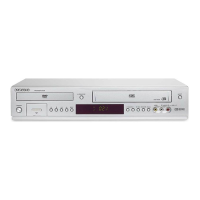
Overview of the DVD-VCR's capabilities, including DVD, VCR, and media playback.
Details on compatible disc types, logos, sizes, and playback characteristics.
Instructions on how to connect an antenna to the DVD-VCR for TV reception.
Step-by-step guide for connecting the DVD-VCR to a television using various video outputs.
Instructions for connecting the DVD-VCR to audio systems, including amplifiers.
Procedure for plugging in the power cord and initiating the automatic setup process.
Instructions for setting the DVD-VCR's internal clock, both automatically and manually.
Steps for inserting, playing, and stopping a DVD or CD.
Setting up parental ratings to restrict viewing of unsuitable content.
Steps for playing VHS tapes, including pausing and resuming.
Instructions for recording TV programs or external inputs onto VHS tapes.
Programming the VCR to record TV shows automatically at scheduled times.
Solutions for common problems encountered with the DVD-VCR and its functions.
Detailed technical data, including inputs, outputs, power, and dimensions.
Terms and conditions of the limited warranty for the product.
 General
| Type | DVD VCR Combo |
|---|---|
| Brand | Samsung |
| Model | DVD-V9650 |
| Video Format | NTSC |
| DVD Playback | Yes |
| VCR Playback | Yes |
| Recording Format | VHS |
| Audio Output | Stereo |
| Remote Control | Yes |
| Progressive Scan | Yes |
| Region Code | 1 |
| Audio Playback Formats | CD, MP3 |
| Output Resolution | 480p |
| Playable File Types | DVD, CD, VCD |
| Video Playback Formats | DVD, VHS |
| Connectivity | Composite Video, S-Video |