English
English 43
Operating a cycle
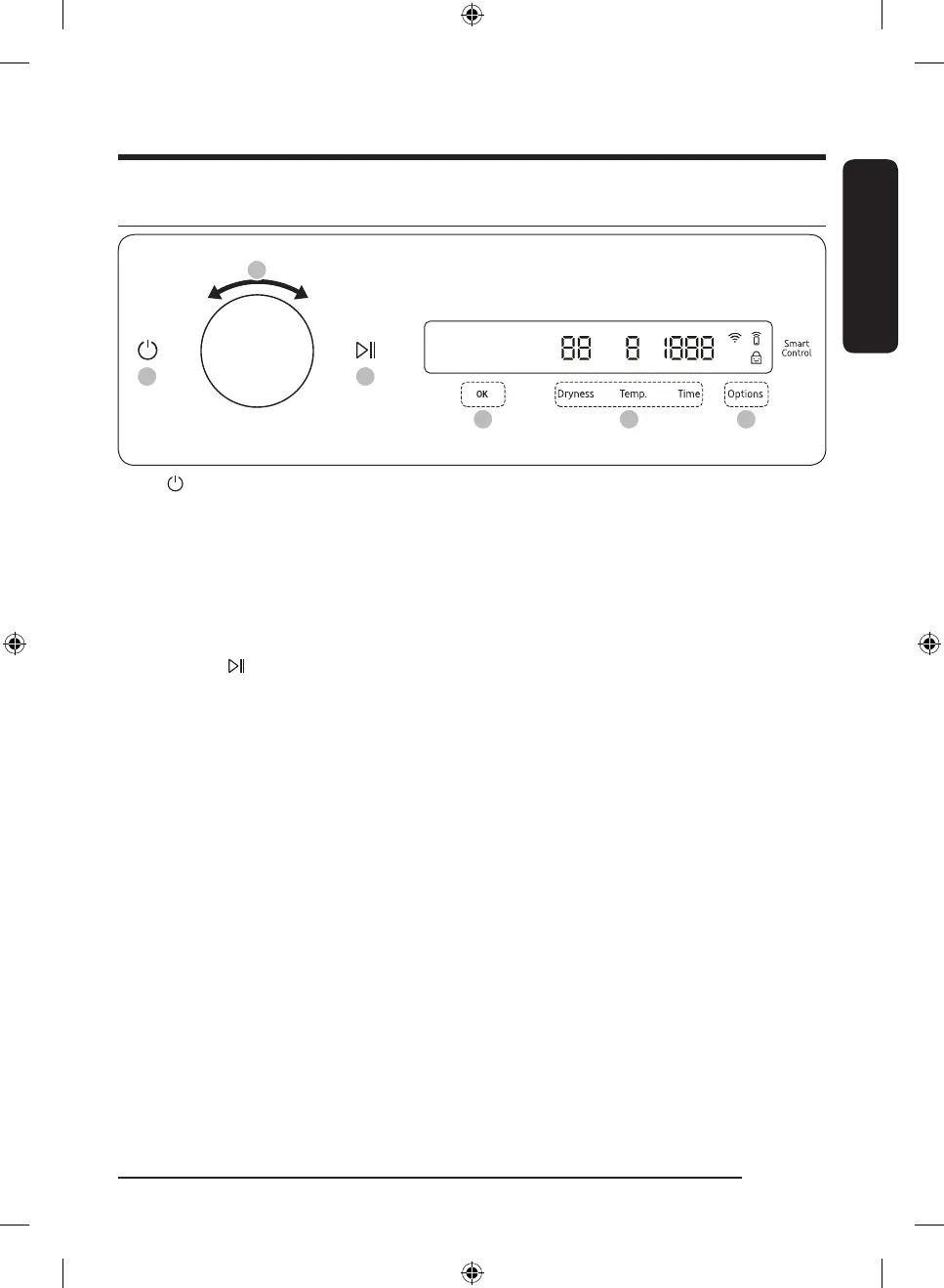
1. Tap to turn on the dryer.
2. Turn the Navigation dial to select the cycle you want. For more information on “Cycle overview”, see
page 44.
3. Tap Dryness, Temp., or Time to change the default cycle settings.
4. Tap Options, and then turn the Navigation dial to select additional function. For more information on
“Options”, see page 46.
5. Tap OK to change the settings for selected additional function. Not all cycles have additional features
available.
6. Tap and hold to start operation. Once you set the cycle you want, the screen displays a brief
cycle description, and cycle time. You can also check the cycle progress, remaining cycle time, and
information codes.
Untitled-11 43 2023-06-28() 2:19:56




 To Next Page