EasyManua.ls Logo

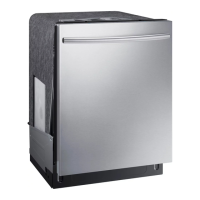
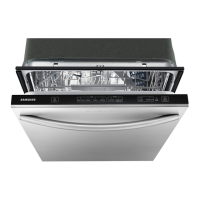
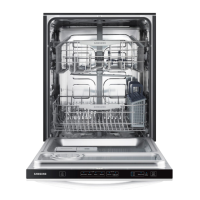
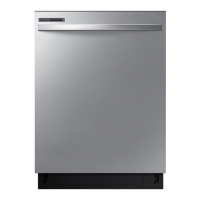
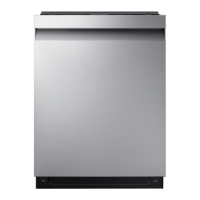
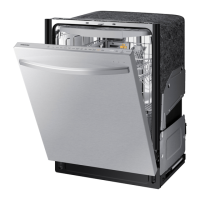
Samsung DW80K5050 Series - User Manual

Samsung DW80K5050 Series
36 pages
Print Icon
To Next Page IconTo Next Page
Loading...
Dishwasher
user manual
imagine the possibilities
Thank you for purchasing this Samsung product.
DW80K7050 Series
DW80K5050 Series
DW7000KM-02025A-00_EN.indd 1DW7000KM-02025A-00_EN.indd 1 5/2/2016 7:17:45 PM5/2/2016 7:17:45 PM

Other manuals for Samsung DW80K5050 Series

Questions and Answers

  • C
    Charles Cortez MDAug 23, 2025
    Why is my Samsung Dishwasher leaving food particles on dishes?
    • K
      Kathryn BullockAug 25, 2025
      If your Samsung Dishwasher isn't cleaning dishes properly and food particles remain, consider these potential causes: ensure you've selected the appropriate cycle for the load size and soil level. Verify that the water supply line is connected to a hot water source. Low water pressure could also be the culprit; it should be between 20 and 120 psi. The water may be too hard, so use high-quality detergent with rinse aid. Make sure you're using automatic dishwasher detergent, preferably powder or gel. Check that nothing is blocking the detergent dispenser. Add rinse aid to the dispenser if it's empty. Finally, make sure the nozzles are not clogged and that the dishes are loaded properly, allowing for nozzle rotation and detergent dispensing.
  • T
    toddmartinezAug 25, 2025
    Why won't my Samsung Dishwasher start?
    • P
      pamelawhiteAug 25, 2025
      Your Samsung Dishwasher might not start due to several reasons: * The door might not be completely closed and latched. Ensure the door is properly closed. * A cycle might not be selected. Choose an appropriate cycle for your needs. * The power cable might not be correctly connected. Verify the power cable is properly connected. * The water supply might be off. Check if the water supply valve is open. * A circuit breaker might be open. Try resetting the circuit breaker.
  • C
    campbellchristopherAug 27, 2025
    Why Samsung DW80K5050 will not start?
    • Y
      yfisherAug 27, 2025
      Your Samsung Dishwasher might not start due to several reasons: * The door may not be completely closed; ensure it is properly latched. * A cycle may not be selected; choose an appropriate cycle. * The power cable may not be correctly connected; ensure it is properly connected. * The water supply might not be working; verify the water supply valve is open. * A circuit breaker could be open; try resetting the circuit breaker.
  • A
    Alan SchwartzAug 29, 2025
    How to get my Samsung DW80K5050 to dry dishes better?
    • B
      Brenda RichAug 29, 2025
      If your Samsung Dishwasher isn't drying dishes well, there are a few things you can check. First, ensure there's rinse aid in the dispenser and that you're using a liquid type. Make sure the water supply line is connected to a hot water supply and consider using rinse aid with the Sanitize option. Proper loading of items can affect drying, so avoid overloading. After the cycle finishes, empty the lower rack first and then the upper rack to prevent water from dripping. If available, activate the AutoRelease™ Dry mode.
  • Z
    Zachary JohnsonSep 23, 2025
    Why does my Samsung DW80K5050 have a bent upper rack after loading dishes?
    • Y
      ynelsonSep 23, 2025
      If the upper rack of your Samsung Dishwasher is bent after loading dishes, it's likely that the dishes are not loaded properly. Load your dishes as recommended.
  • S
    Samuel PerezSep 17, 2025
    What to do if my Samsung Dishwasher has a bent upper rack after loading dishes?
    • S
      Shane JacobsSep 18, 2025
      If the upper rack of your Samsung Dishwasher is bent after loading dishes, it's likely that the dishes are not loaded properly. Load your dishes as recommended.
  • H
    heather67Sep 18, 2025
    Why is my Samsung DW80K5050 Dishwasher taking so long?
    • C
      Cheryl WatsonSep 18, 2025
      A possible reason for a Samsung Dishwasher taking too long to complete a cycle is that cold water is being supplied to the unit. Check to ensure that the water supply line is connected to a hot water supply. When cold water is supplied, the dishwasher requires additional time to heat the water.
  • S
    Susan LangSep 8, 2025
    What to do if my Samsung DW80K5050 Dishwasher leaves glasses with a dim polish?
    • W
      williamsgeorgeSep 9, 2025
      If your Samsung Dishwasher leaves glasses with a dim polish, it could be because the water supplied is soft and too much detergent was used. Try underloading the dishwasher and using a rinse aid to minimize this. Also, if aluminum dishes were included in the wash load, remove the marks on the dishes using a low sensitivity cleaner.
  • S
    Sharon BriggsSep 6, 2025
    Why is my Samsung DW80K5050 Dishwasher taking too long to complete a cycle?
    • B
      Brian EvansSep 6, 2025
      If your Samsung Dishwasher is taking longer than expected to complete a cycle, it might be due to cold water being supplied. Ensure the water supply line is connected to a hot water supply, as additional time is needed to heat cold water.
  • A
    Angela MooreSep 7, 2025
    How to improve cleaning performance of my Samsung DW80K5050 Dishwasher?
    • J
      John YoungSep 7, 2025
      If your Samsung Dishwasher isn't cleaning properly, several factors could be at play. First, make sure you're selecting the appropriate cycle for the load size and soil level. Ensure the water supply line is connected to a hot water source, ideally around 120°F (49°C). Check that the water pressure is between 20 and 120 psi (140 - 830 kPa). Use a high-quality, fresh detergent along with a rinse aid. Confirm you are using automatic dishwasher detergent, preferably a powder or gel type. Make sure that large items are not blocking the detergent dispenser. Check the dispenser and add liquid rinse aid if it's empty. Finally, rearrange the dishes so they do not interfere with nozzle rotation and detergent dispenser operation, and avoid overloading.

Summary

Safety Information

Important Safety Instructions

Key safety guidelines and icon meanings for safe operation and maintenance.

California Proposition 65 Warning

Warning about chemicals causing cancer and reproductive harm as per California law.

General Usage Precautions

Essential safety rules to follow when operating the dishwasher.

Before Using Your Dishwasher

Tip-Over Hazard

Precautions to prevent the dishwasher from tipping over during use or installation.

Electric Shock Hazard

Instructions to prevent electrical hazards like shock or fire.

Setting Up Your Dishwasher

Unpacking and Parts Check

Steps for unpacking the dishwasher and verifying all included parts.

Installation Requirements

Guidelines for electrical, water supply, and flooring for proper installation.

Control Panel

Panel Overview and Basic Controls

Description of indicator lights, power button, and cycle selector.

Wash Cycle Options

Explanation of Lower Rack, StormWash, Hi-Temp Wash, and Sanitize options.

Cycle Start and Delay Functions

How to start cycles and use the delay start feature for convenience.

Cycle Selector

Cycle Types and Descriptions

Details on Auto, Normal, Heavy, Delicate, Express 60, and Rinse only cycles.

Using Your Dishwasher

Basic Guidelines

General steps for loading dishes and operating the dishwasher.

Touch Controls and Settings

Explanation of touch controls and setting mode options for customization.

Delay Start and Loading Precautions

Using delay start and identifying items not suitable for dishwasher washing.

Adjusting Rack Supports

How to adjust the angle of plate supports in the upper and lower racks.

Adjusting Upper Rack Height

How to change the upper rack height to accommodate larger dishes.

Removing the Upper Rack

Instructions on how to safely remove the upper rack from the dishwasher.

Loading the Lower Rack

Guidance on loading dishes into the lower rack and StormWash zone.

Loading the Upper Rack and Glass Support

How to load the upper rack and use the glass support for glassware.

Using the Cutlery Rack

Proper placement of cutlery in the rack for optimal cleaning and protection.

Using the 3 rd Cutlery Rack

Instructions for using the optional third cutlery rack for flatware.

Using Detergent

How to fill and use the detergent dispenser for best performance.

Filling the Rinse Aid Reservoir

Guide to refilling the rinse aid for improved drying performance.

Cleaning and Maintaining Your Dishwasher

Cleaning the Exterior

How to clean the outside surfaces and control panel of the dishwasher.

Cleaning the Interior

Methods for cleaning the inside of the dishwasher to remove dirt and odors.

Cleaning the Filters

Steps to remove and clean the dishwasher's filter system.

Cleaning the Nozzles

Procedure to clean the spray nozzles for effective washing.

Storing Your Dishwasher

Instructions for preparing the dishwasher for extended periods of non-use.

Cycles

Cycle Chart Overview

Table detailing different cycles, temperatures, water usage, and times.

Troubleshooting

Dishwasher Will Not Start

Common causes and solutions for the dishwasher failing to start.

Cleaning Issues

Troubleshooting tips for poor cleaning performance and residual food particles.

Drying and Odor Problems

Solutions for dishes not drying well or persistent bad odors.

Noise Issues

Diagnosing and resolving unusual noises from the dishwasher operation.

Nozzle and Pump Issues

Troubleshooting problems with rotating nozzles and water not pumping out.

Door Closing Issues

Solutions for problems related to closing the dishwasher door properly.

Information Codes

Explanation of error codes displayed on the control panel.

Appendix

Helping the Environment

Guidance on responsible disposal of the appliance and its materials.

Specifications

Technical details, dimensions, and performance specifications of the dishwasher.

Warranty

Limited Warranty Terms

Details of the product warranty coverage, limitations, and exclusions.

Samsung DW80K5050 Series Specifications

General IconGeneral
TypeBuilt-In
Capacity14 Place Settings
Noise Level48 dBA
Drying SystemHeated Dry
Control TypeElectronic
ColorStainless Steel
Energy Star CertifiedYes
Third RackYes
Soil SensorYes
Child LockYes
Delay StartYes
Number of Options4
Dimensions (W x H x D)23.875 x 33.875 x 24
Water Consumption per Cycle3.5 gallons (Normal Cycle)

Related product manuals