EasyManua.ls Logo

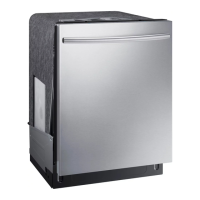
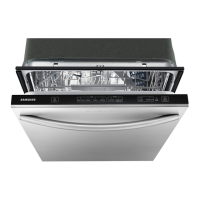
Samsung DW80K5050US - User Manual

Samsung DW80K5050US
72 pages
Print Icon
To Next Page IconTo Next Page
Loading...
Dishwasher
user manual
imagine the possibilities
Thank you for purchasing this Samsung product.
DW80K7050 Series
DW80K5050 Series
DW7000KM-02025A-00_EN.indd 1DW7000KM-02025A-00_EN.indd 1 5/2/2016 7:17:45 PM5/2/2016 7:17:45 PM

Other manuals for Samsung DW80K5050US

Questions and Answers

  • C
    Cynthia RodriguezJul 29, 2025
    What to do if my Samsung DW80K5050US Dishwasher will not start?
    • K
      kjonesJul 30, 2025
      If your Samsung Dishwasher won't start, several factors could be at play. First, ensure the door is completely closed and latched. Then, make sure you've selected an appropriate cycle. Check that the power cable is properly connected and the water supply valve is open. If the control panel is locked, unlock the child lock. Lastly, verify that a circuit breaker hasn't tripped and reset it if necessary.
  • T
    tmcbrideAug 5, 2025
    Why is my Samsung Dishwasher leaving food particles on dishes?
    • J
      Julia SolisAug 5, 2025
      If your Samsung Dishwasher isn't cleaning dishes properly and food particles remain, consider these potential causes: ensure you've selected the appropriate cycle for the load size and soil level. Verify that the water supply line is connected to a hot water source. Low water pressure could also be the culprit; it should be between 20 and 120 psi. The water may be too hard, so use high-quality detergent with rinse aid. Make sure you're using automatic dishwasher detergent, preferably powder or gel. Check that nothing is blocking the detergent dispenser. Add rinse aid to the dispenser if it's empty. Finally, make sure the nozzles are not clogged and that the dishes are loaded properly, allowing for nozzle rotation and detergent dispensing.
  • L
    Laura WallaceAug 10, 2025
    What to do if my Samsung Dishwasher shows a 4C error?
    • L
      Lori MooreAug 10, 2025
      If your Samsung Dishwasher displays the 4C error, it could be due to several reasons: * The water supply pressure might be too low, so check the water supply pressure. * The water supply valve may be closed; in this case, open the water supply valve. * The aqua stop could be malfunctioning, so check its functionality. * The case brake might fail to detect the pulse, so inspect it for proper functionality.
  • J
    Jason ReidAug 16, 2025
    Why does my Samsung DW80K5050US Dishwasher have no display and show HC1?
    • R
      Robert GordonAug 17, 2025
      If your Samsung Dishwasher display is not working and shows HC1, it indicates that the heater is not working correctly. This could be because the heater is out of order, so replace the heater. Alternatively, the heater might be improperly connected; in that case, check and reconnect the heater properly.
  • K
    Kelly DuncanAug 22, 2025
    How to fix a Samsung DW80K5050US with no display (tC)?
    • J
      James NguyenAug 23, 2025
      If your Samsung Dishwasher has no display and shows 'tC', it means the thermistor is not working. You should replace the thermistor.

Summary

Safety Information

Important Safety Instructions

Explains safety icons, warnings, and precautions for safe operation.

California Proposition 65 Warning

Specific warning regarding chemicals known to cause cancer and reproductive harm.

Before Using Your Dishwasher

Key precautions and hazards to be aware of before initial operation.

Setting Up Your Dishwasher

Unpacking and Checking Parts

Steps for unpacking the dishwasher and verifying all components are present.

Control Panel Overview

Detailed explanation of the dishwasher's control panel buttons, indicators, and options.

Cycle Selector Guide

Description of available wash cycles and their intended use for different soil levels.

Installation Requirements

Essential electrical, water supply, and flooring requirements for safe and proper installation.

Using Your Dishwasher

Basic Operating Guidelines

Fundamental steps and tips for daily operation, including loading and starting cycles.

Touch Controls and Settings

Explanation of touch panel operation, locking controls, and customizable settings.

Delay Start Functionality

How to use the delay start option to schedule cycle times.

Adjusting the Plate Supports

Instructions on how to adjust dish rack tines for optimal loading of various dish sizes.

Rack Management and Loading

Adjusting and Removing Upper Rack

How to adjust the height and remove the upper dishwasher rack for better loading flexibility.

Loading the Lower Rack

Instructions for loading the lower rack, including the StormWash zone.

Loading the Upper Rack

Instructions for loading the upper rack, including the glass support.

Cutlery Rack Usage

Guidance on loading cutlery into the standard rack.

Detergent and Rinse Aid

3 rd Cutlery Rack Usage

Instructions for models with a third cutlery rack.

Using Detergent

How to properly add detergent to the dispenser for best results.

Filling Rinse Aid Reservoir

Instructions for refilling the rinse aid reservoir to improve drying.

Cleaning and Maintaining Your Dishwasher

Cleaning the Exterior and Interior

Methods for cleaning the dishwasher's outer and inner surfaces.

Cleaning Filters

Procedure for cleaning the dishwasher's internal filters.

Cleaning Nozzles

Steps for cleaning the lower and upper spray nozzles.

Storing Your Dishwasher

Instructions for long-term storage and disconnection.

Cycles

Cycle Chart Details

Explanation of the different wash cycles, temperatures, and times.

Troubleshooting

Common Problems and Solutions

Guide to diagnosing and resolving common dishwasher issues.

Information Codes

Explains error codes displayed on the control panel.

Appendix

Helping the Environment

Environmental considerations for dishwasher disposal and use.

Specifications

Technical details and dimensions of the dishwasher models.

Warranty Information

Limited Warranty Details

Explains the terms and conditions of the manufacturer's warranty.

Samsung DW80K5050US Specifications

General IconGeneral
Stylebuilt-in dishwashers
Colorstainless steel
Load Capacity15
Number of Cycles6
Cycle Selectionsauto, normal, heavy, delicate, express 60, rinse only
Options/Settingslower rack, storm wash, hi-temp wash, sanitize
Delay Startyes
Child Lockyes
Load Sensoryes
Number of Racks2
Cycle Signalyes
Water Filteryes
Water Softenerno
Food Disposeryes
Sanitize Settingsyes
Smart Homeno
Annual Energy Consumption265 kilowatt hours
Voltage120 volts
Current15 amperes
Weight and Dimensions IconWeight and Dimensions
Depth24 3/4 inches
Height35 3/7 inches
Width23 7/8 inches
Net Weight95 pounds

Videos

How to Properly Clean and Maintain your Samsung DW80K5050US Dishwasher Filter

How to Clean and Maintain Your Samsung DW80K5050US Dishwasher Filter

Related product manuals